- Web
University Scheduler
A timetabling system for universities: staff enter rooms, teachers, courses and student groups, and a constraint solver places every class at a time and in a room that fit, without clashes.
- Personal project, full-stack
- 42 REST endpoints, 15 database models
- 401 automated tests passing
- Next.js, React, TypeScript, Tailwind CSS, NestJS, Prisma, PostgreSQL, Python, FastAPI, OR-Tools
The problem
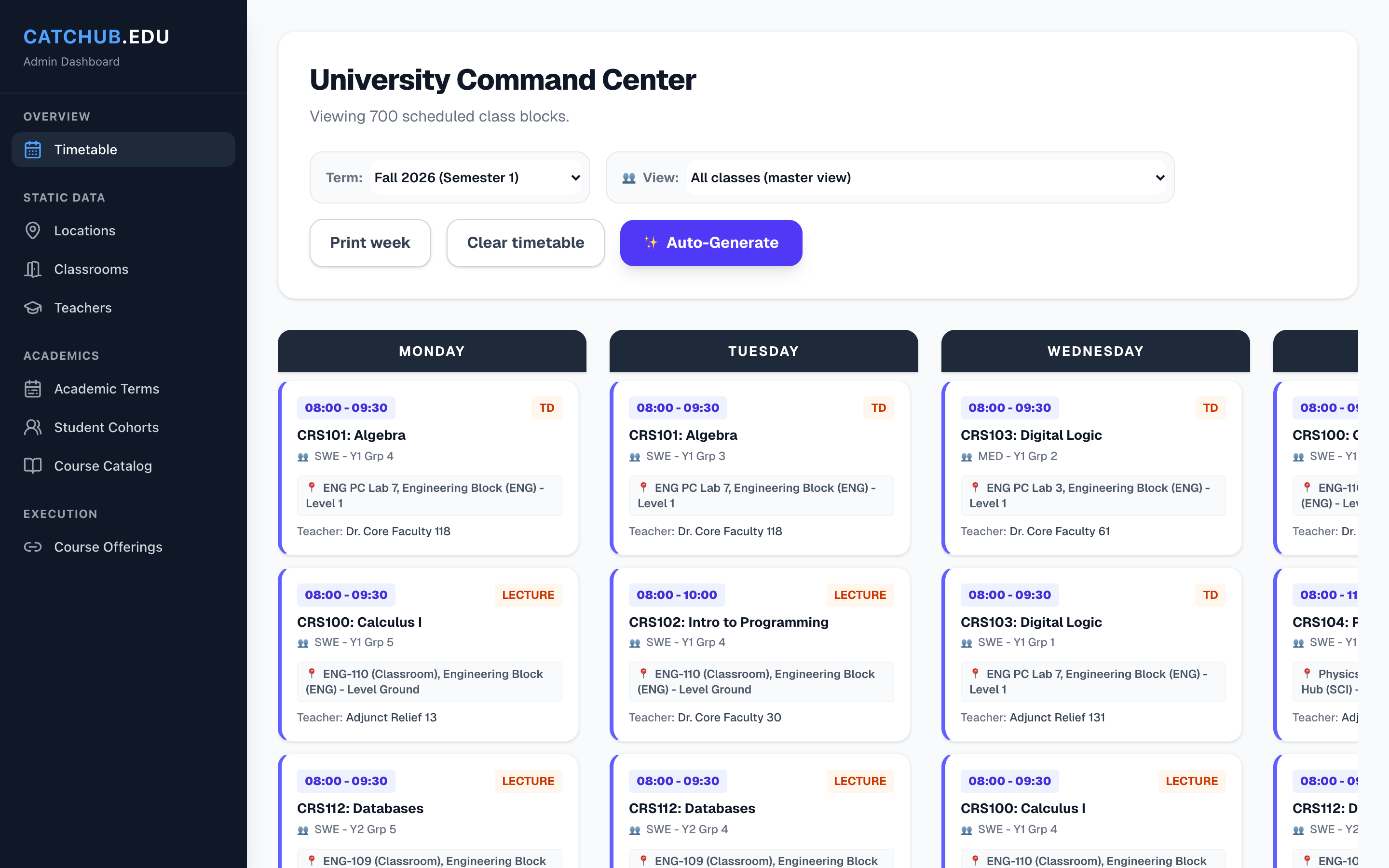
A university builds a new weekly timetable every term. Each class needs a room of the right type, with enough seats and the right equipment, at a time when its teacher is free and its student group has no other class. Teachers have a maximum number of hours a week and times when they cannot teach. Done by hand in a spreadsheet, this takes days, and one change can break the week in places nobody sees.
The approach
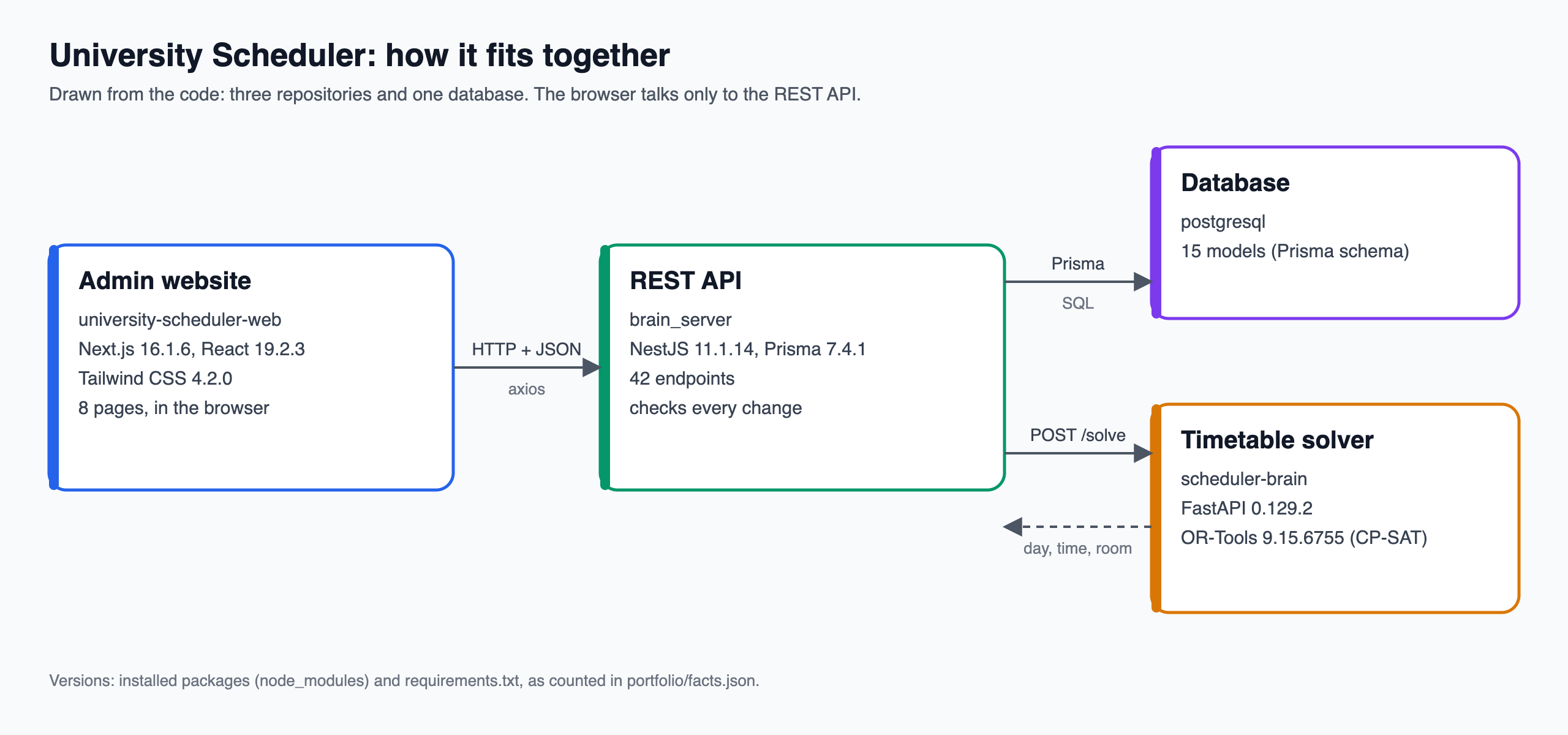
Three projects work together. The admin website is where staff enter and check everything. The REST API stores the data in PostgreSQL and checks every change. The solver receives the classes of a term and returns a day, a time and a room for each class it can place.
The browser talks only to the REST API, over HTTP and JSON. On Generate, the API collects the term's rooms, teachers, classes and the classes already placed, posts them to the solver, and saves the answer in one database transaction, so a timetable is saved completely or not at all.
Who uses it
- Timetable planners
- Enter the data, generate the week, check it and fix what the solver could not place. There is no student or teacher view yet.
What it does
- Locations: campuses, buildings and floors, and rooms with their capacity, type and equipment
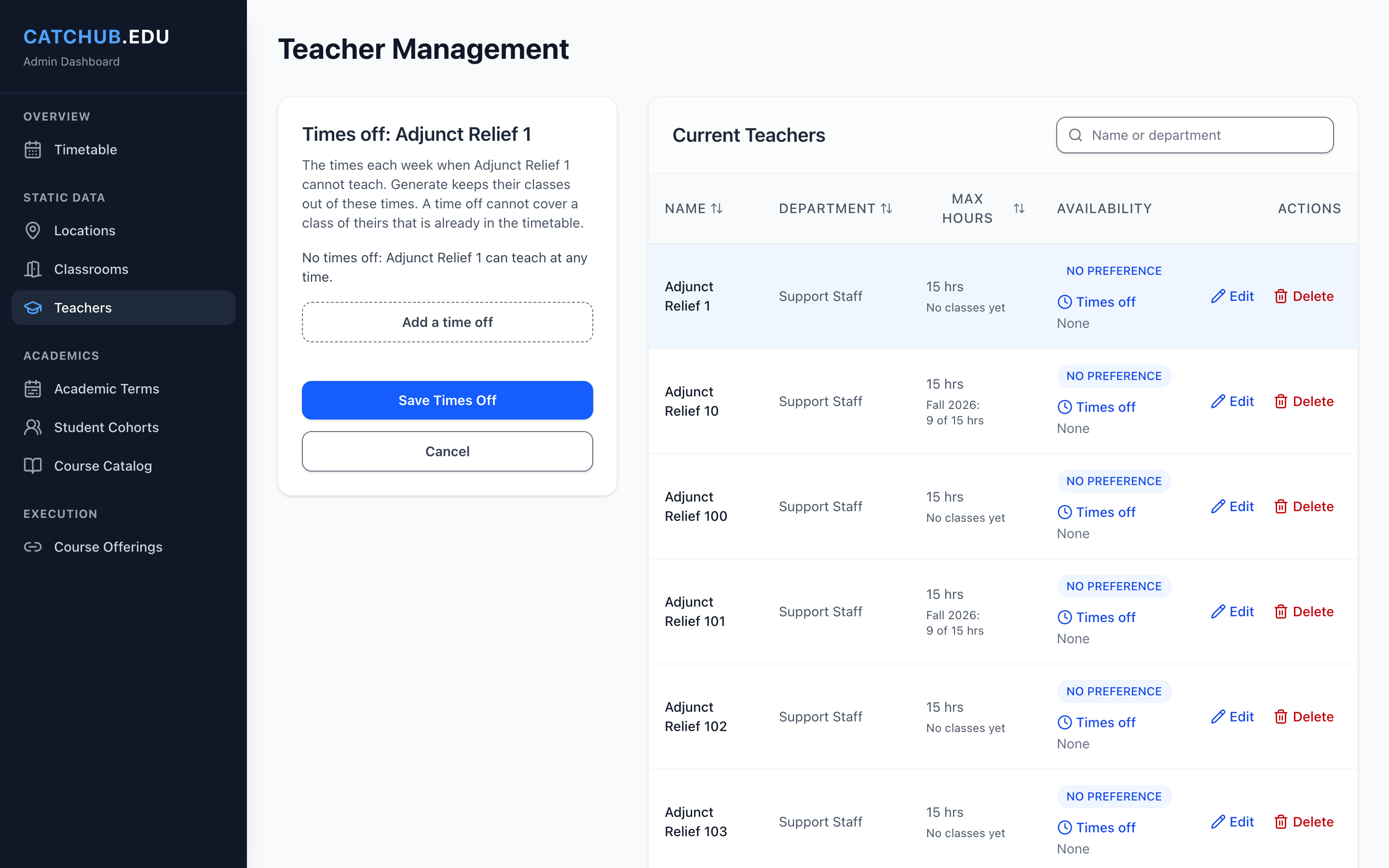
- Teachers with a maximum number of hours a week, a preferred part of the day and weekly times off
- Courses with credits, hours and lecture, TD and TP parts, student groups with a headcount, and terms with dates
- Course offerings: which group takes which course in which term, with a teacher for each class
- Generate: places the classes of a term, while classes already placed keep their place
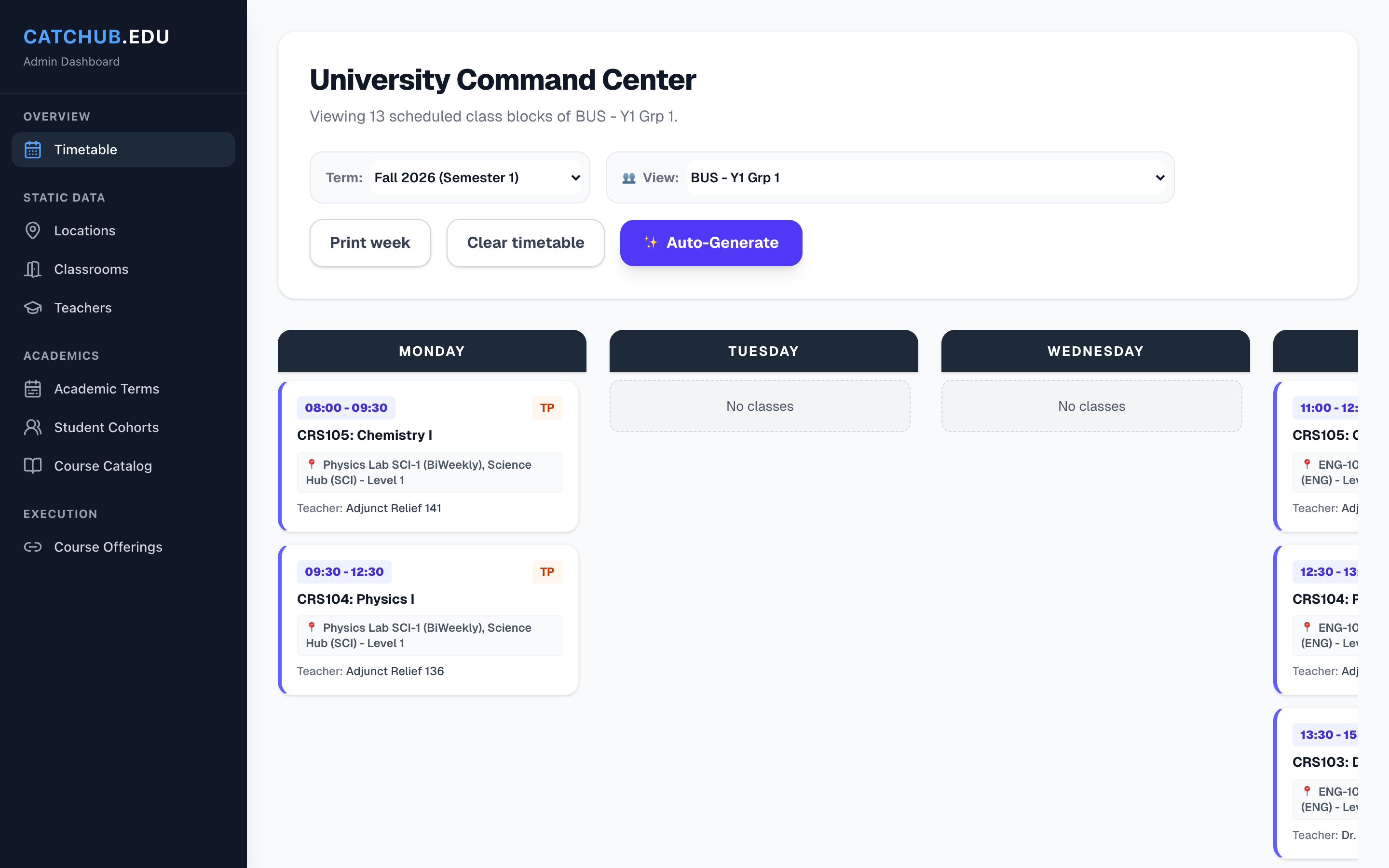
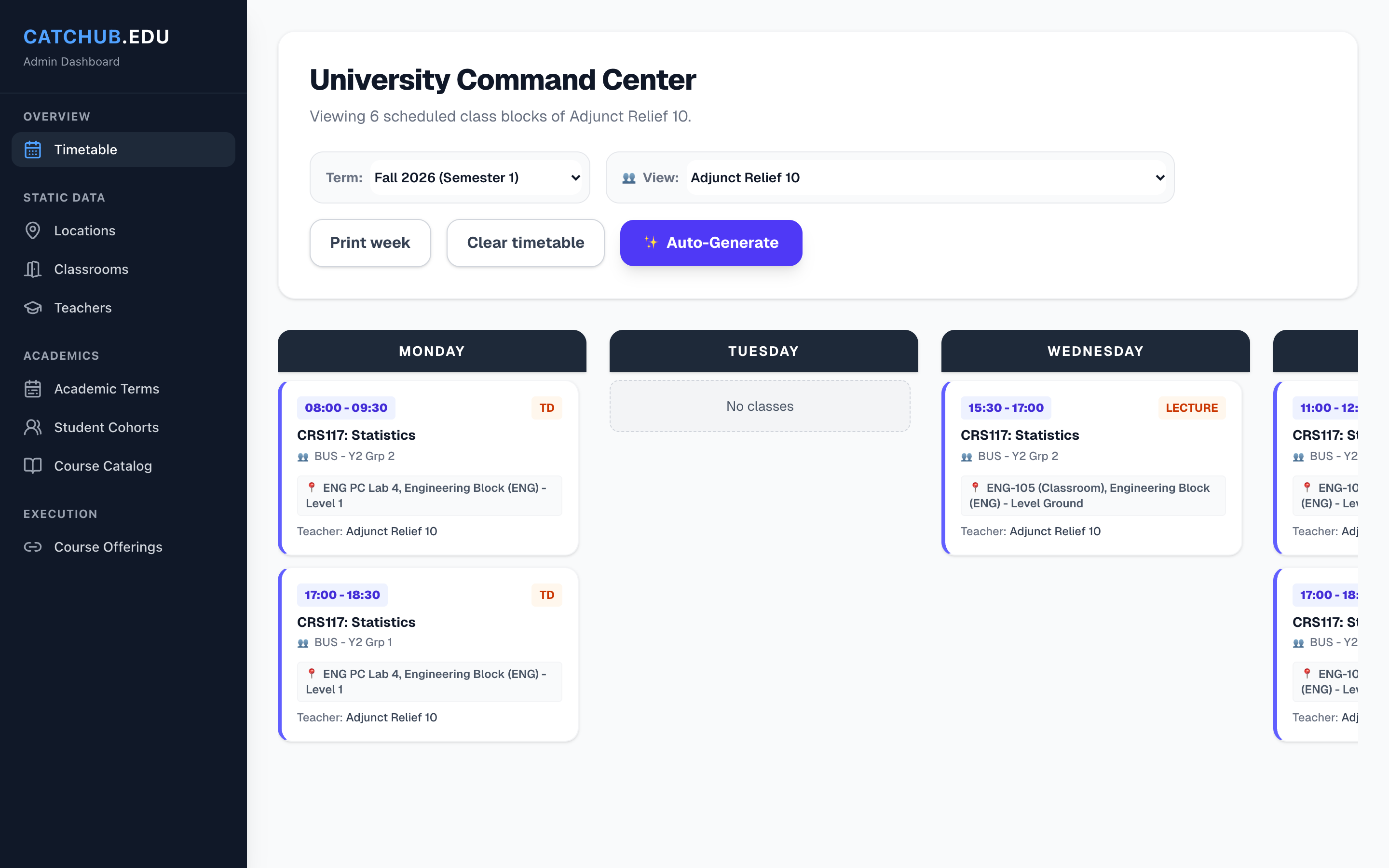
- A timetable page for the week of a term, or of one group, teacher or room, with the classes not placed yet
- Print week, with the six days side by side on an A4 landscape page
- Weekly numbers: hours each teacher teaches per term, use of each room and hours of each group
- Search and sorting on every table, and tables that become cards on phones
Where the engineering is
Turning teaching rules into a solver model
The solver builds a CP-SAT model on half-hour blocks from Monday to Saturday, 08:00 to 18:30. Each class gets one choice of room and start time, with constraints for room fit, teacher availability and no overlaps, and the classes already in the timetable stay fixed while new ones are placed around them.
A second search, limited in time, then improves the week: no Saturday when possible, lectures before TD and TP, and the teachers' preferred times. 43 tests run the real OR-Tools solver on small weeks.
 , Open the full-size image (opens in a new tab)
Refusals that say why
Changes that would break the timetable are refused on the server, with a sentence the page can show: a room that is already booked, a teacher who would go over their hours, or a time off that covers a class already placed.
Request bodies are checked by 55 validation rules in 23 request shapes on the server, and by zod schemas in the website's forms.
 , Open the full-size image (opens in a new tab)
Counting hours the way the server does
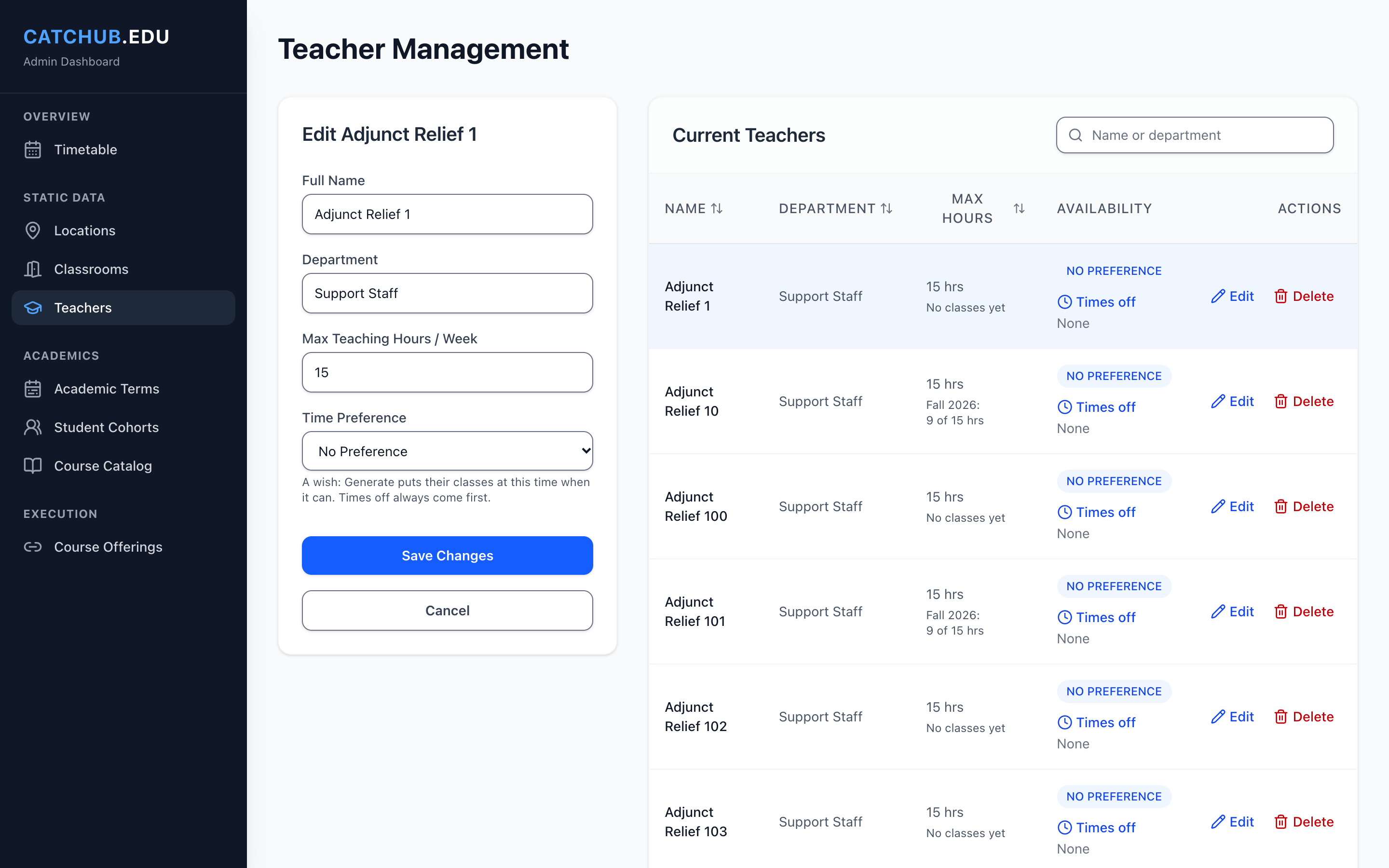
A teacher's hours are counted across terms that overlap. The website counts them the same way as the server, so a form can warn before saving instead of after a refusal.
When a teacher is opened with Edit, the form says the lowest maximum the server will accept, and the teacher list for each class of an offering shows each teacher's weekly hours.
 , Open the full-size image (opens in a new tab)
Readable from a phone to a wide screen
Tables use container queries to become cards on phones, and on a phone the menu folds into the top bar. Every table can be searched and sorted.
There is a skip link, a visible focus, sortable headings with aria-sort, and a Delete window whose focus starts on Cancel.
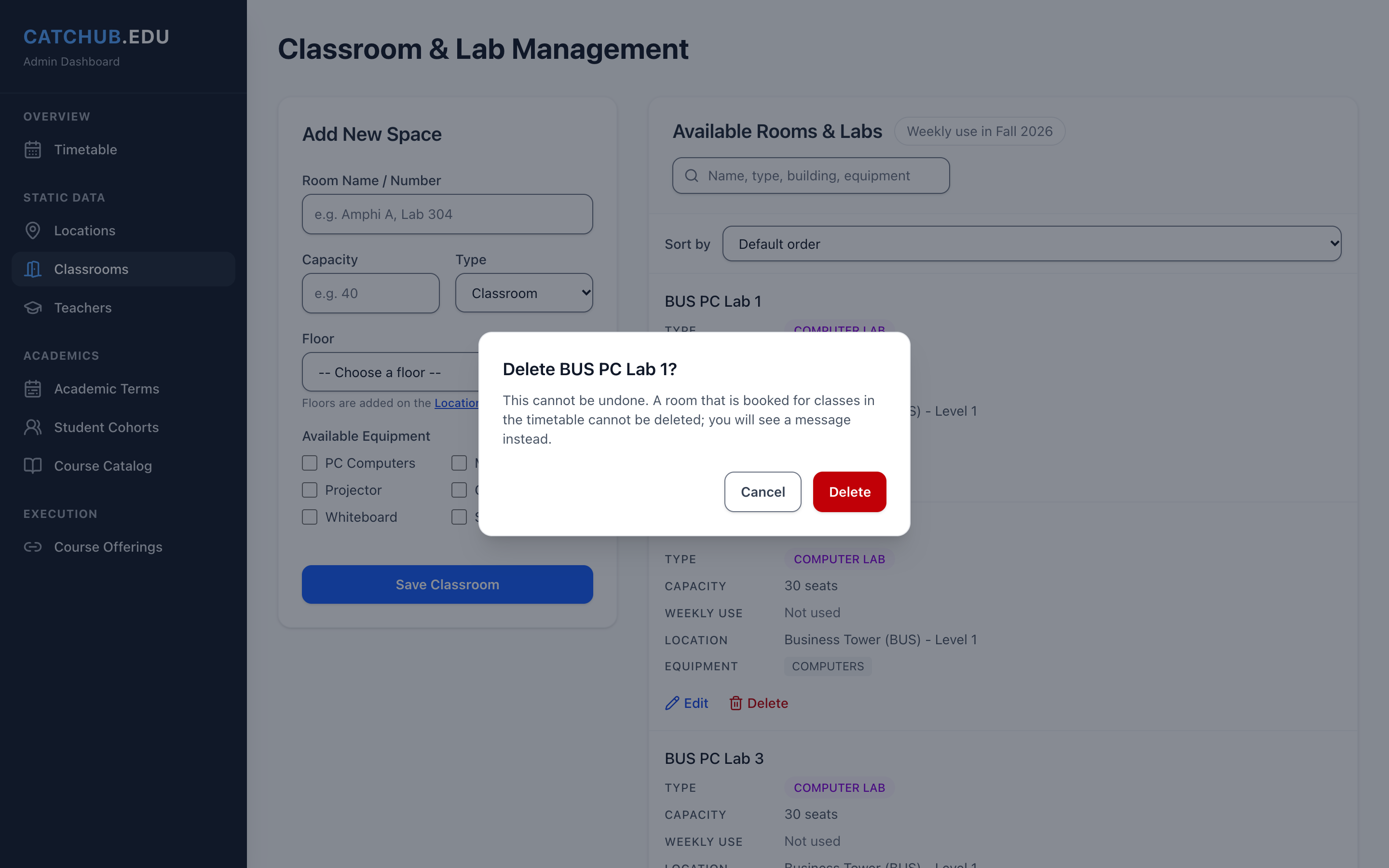 , Open the full-size image (opens in a new tab)
Screens
 , Open the full-size image (opens in a new tab)
The same week, for one teacher. 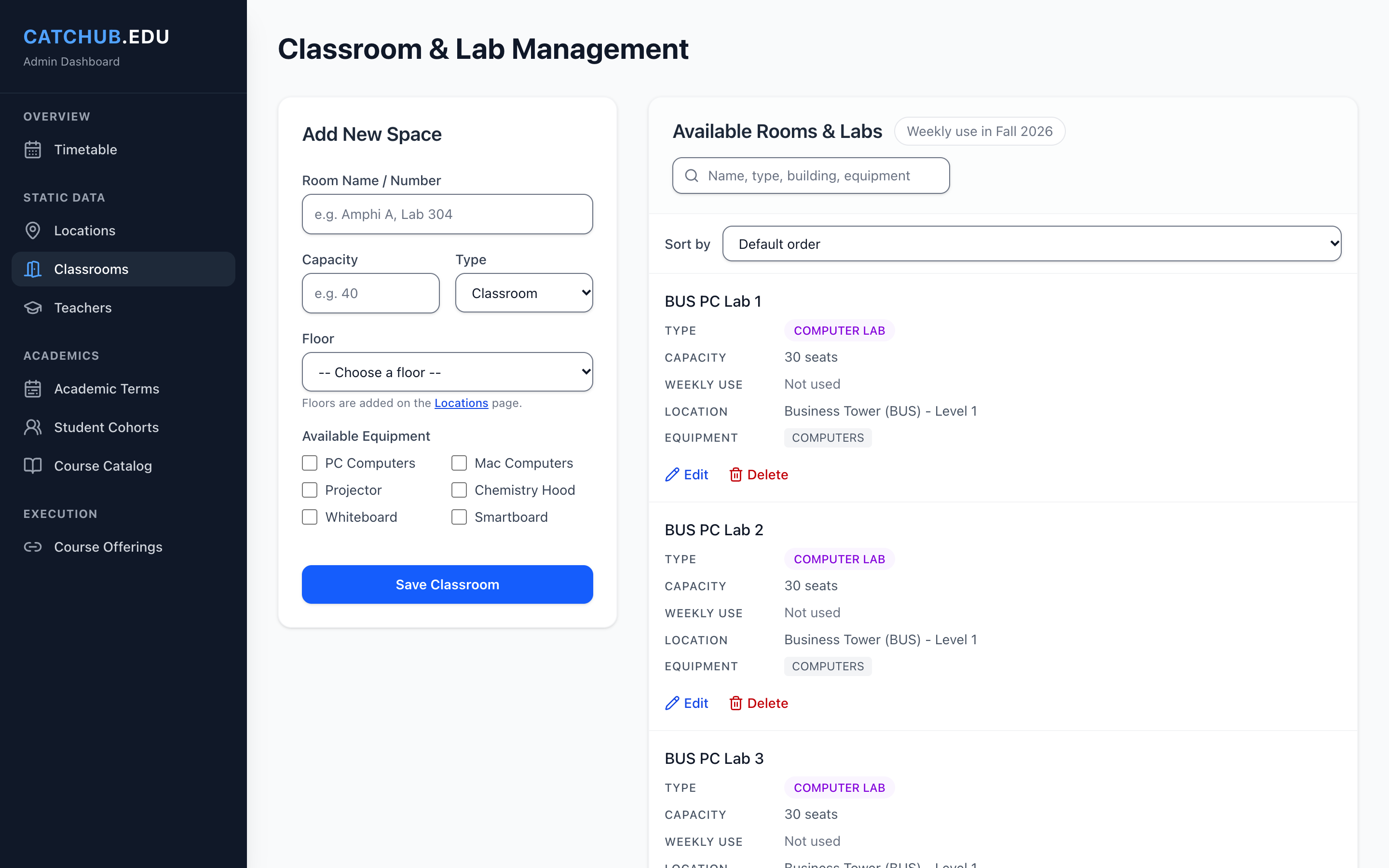 , Open the full-size image (opens in a new tab)
Rooms with their type, seats, place, equipment and weekly use. 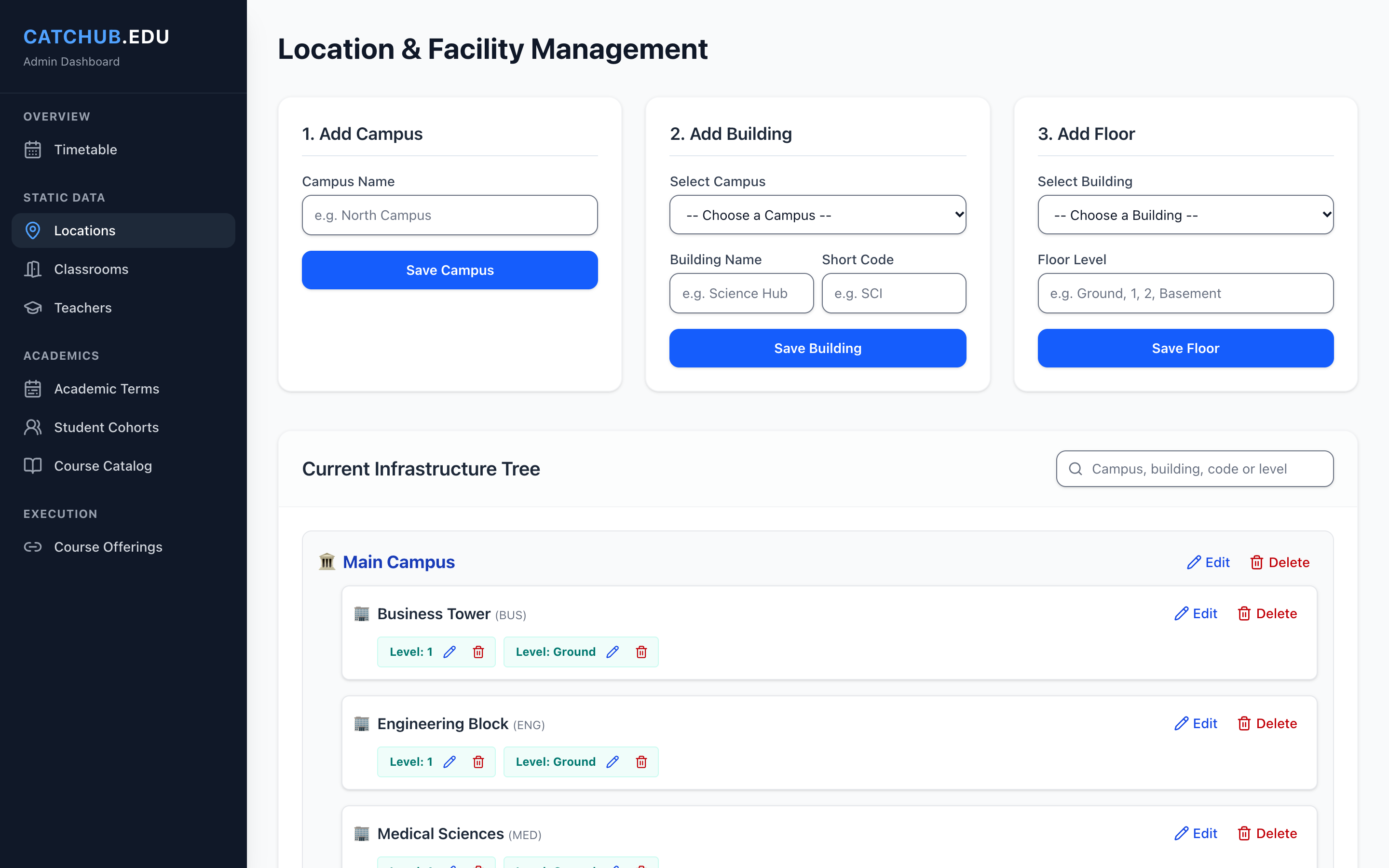 , Open the full-size image (opens in a new tab)
Campuses, buildings and floors in one tree. 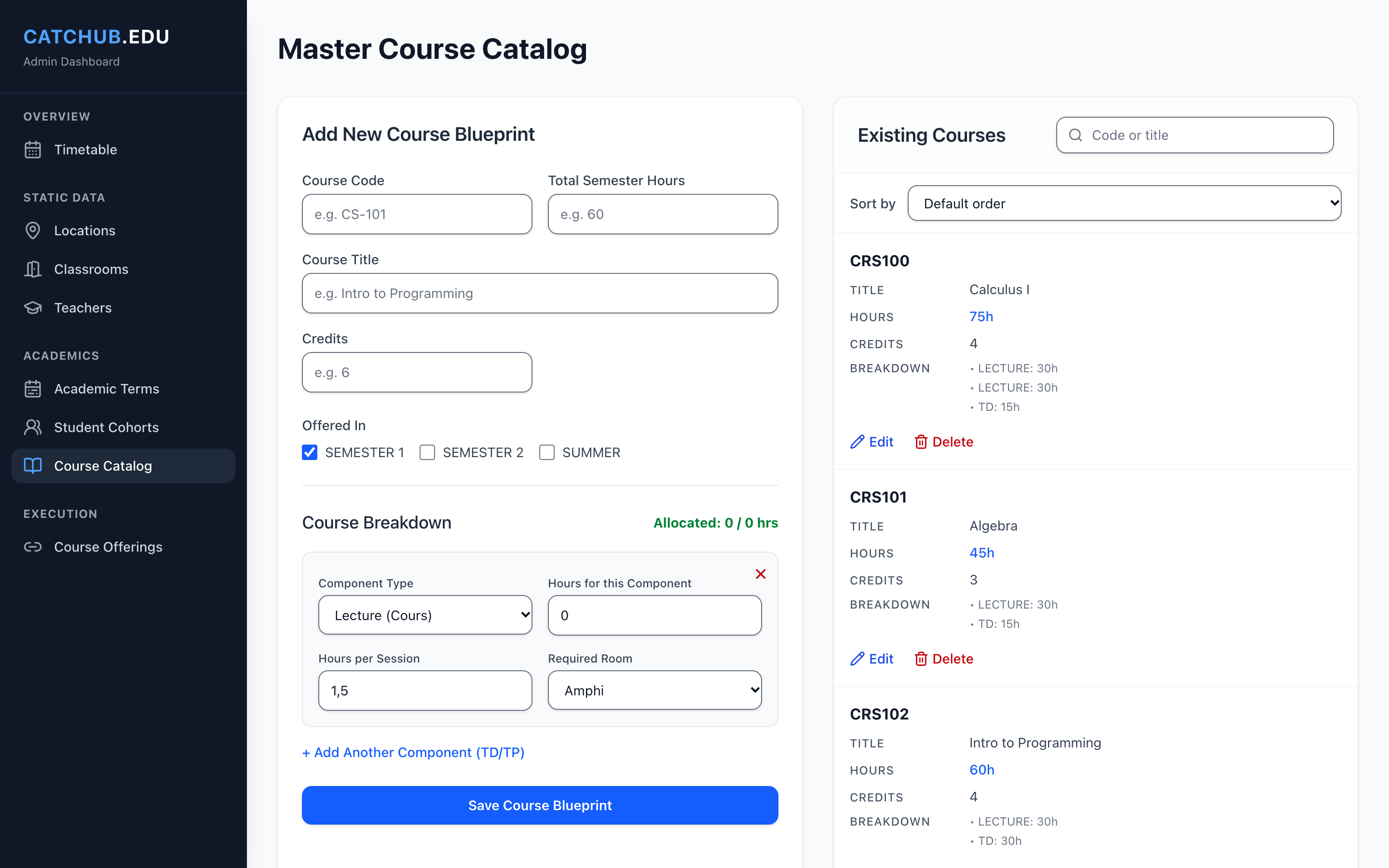 , Open the full-size image (opens in a new tab)
Courses with their lecture, TD and TP parts. 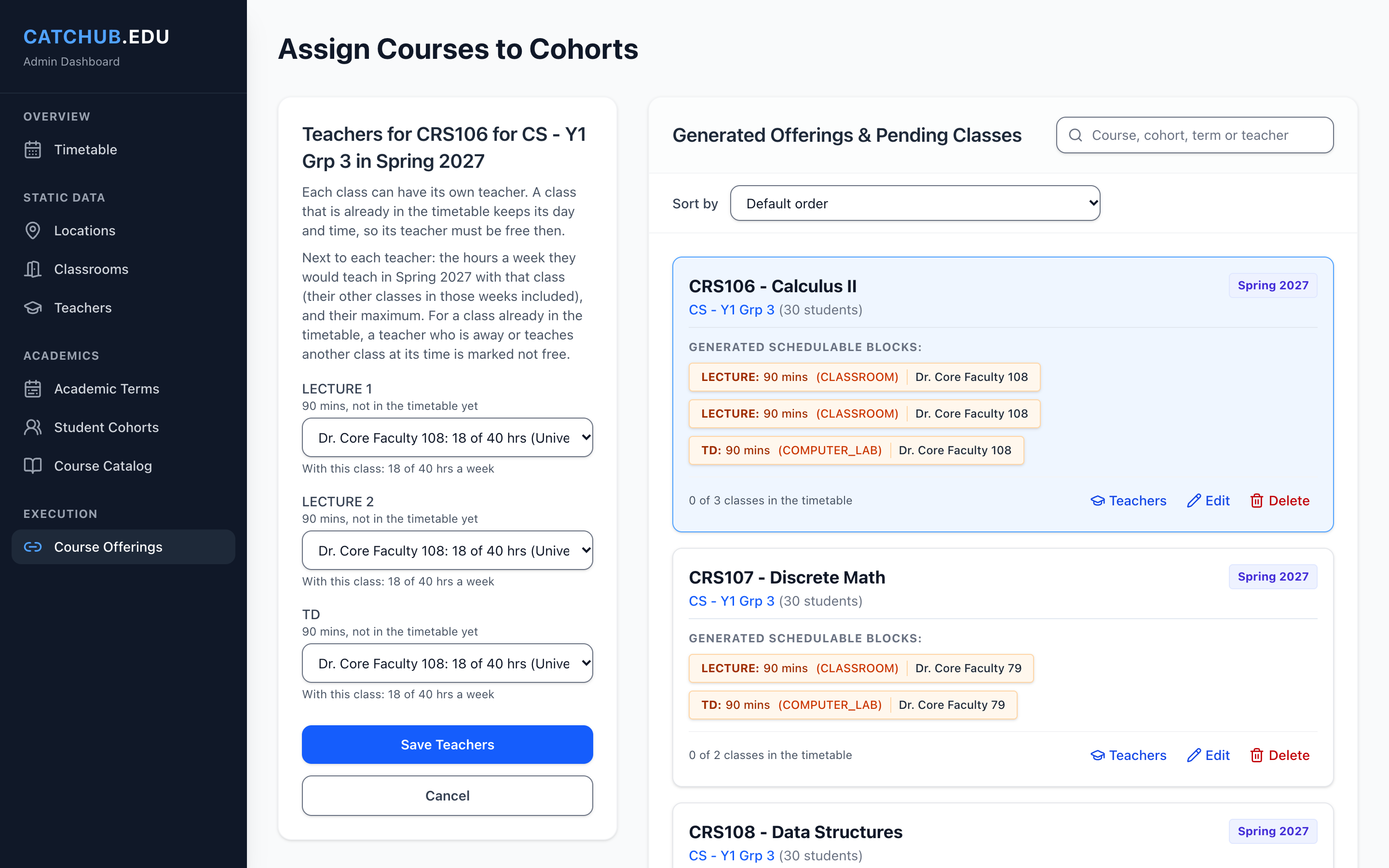 , Open the full-size image (opens in a new tab)
A teacher for each class of an offering. 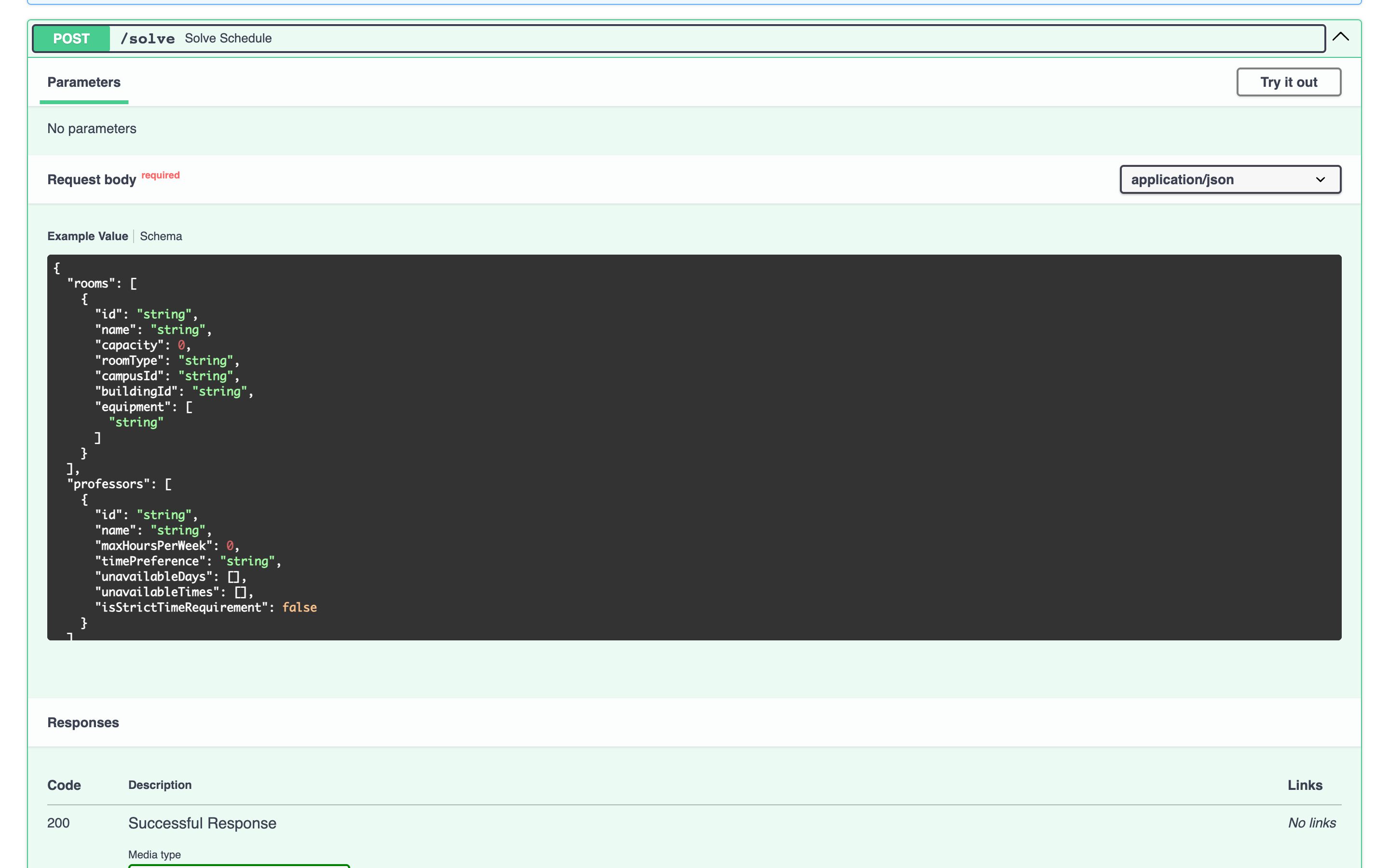 , Open the full-size image (opens in a new tab)
The solver's request, from its Pydantic models. 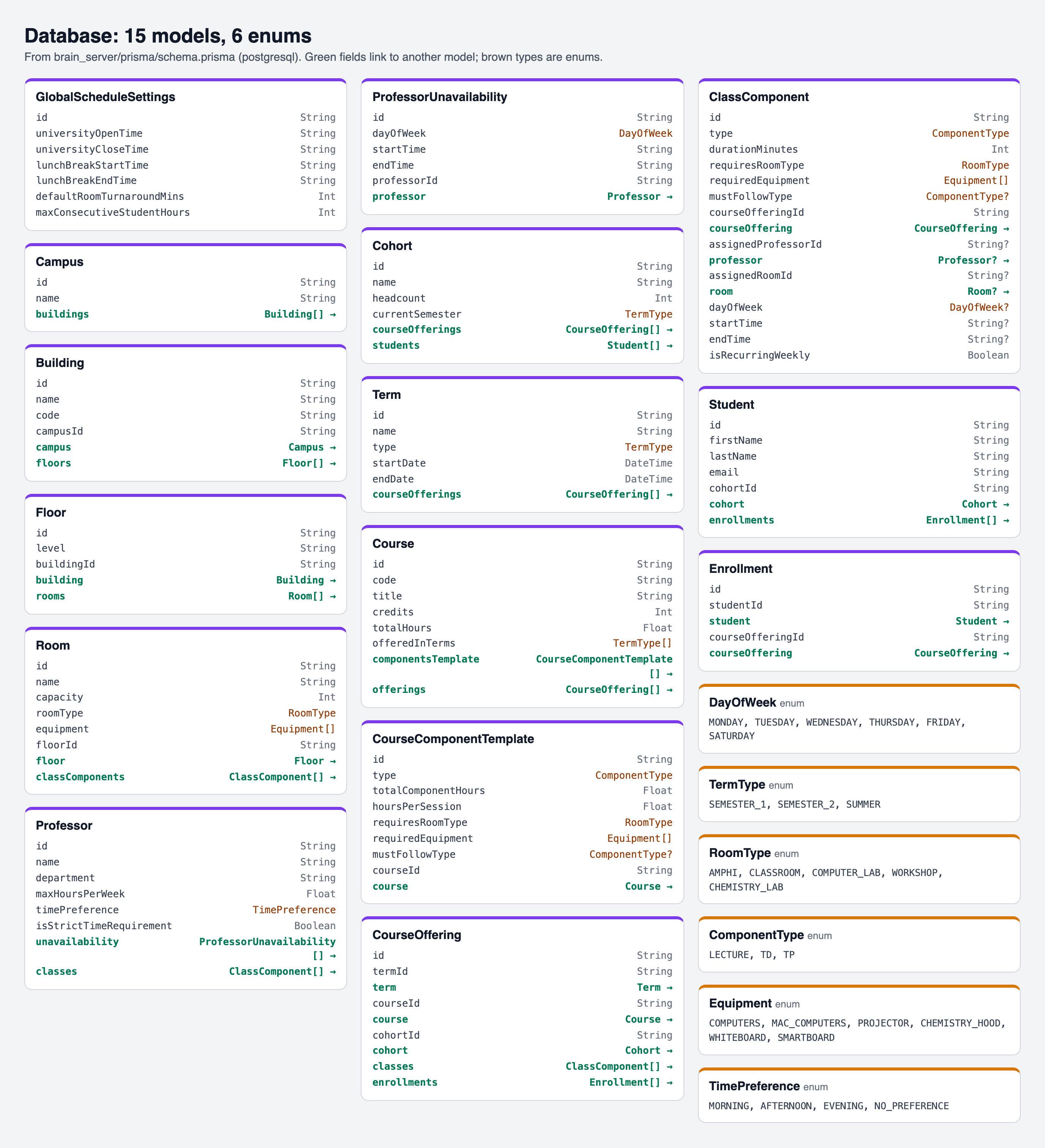 , Open the full-size image (opens in a new tab)
The database models, drawn from the Prisma schema. 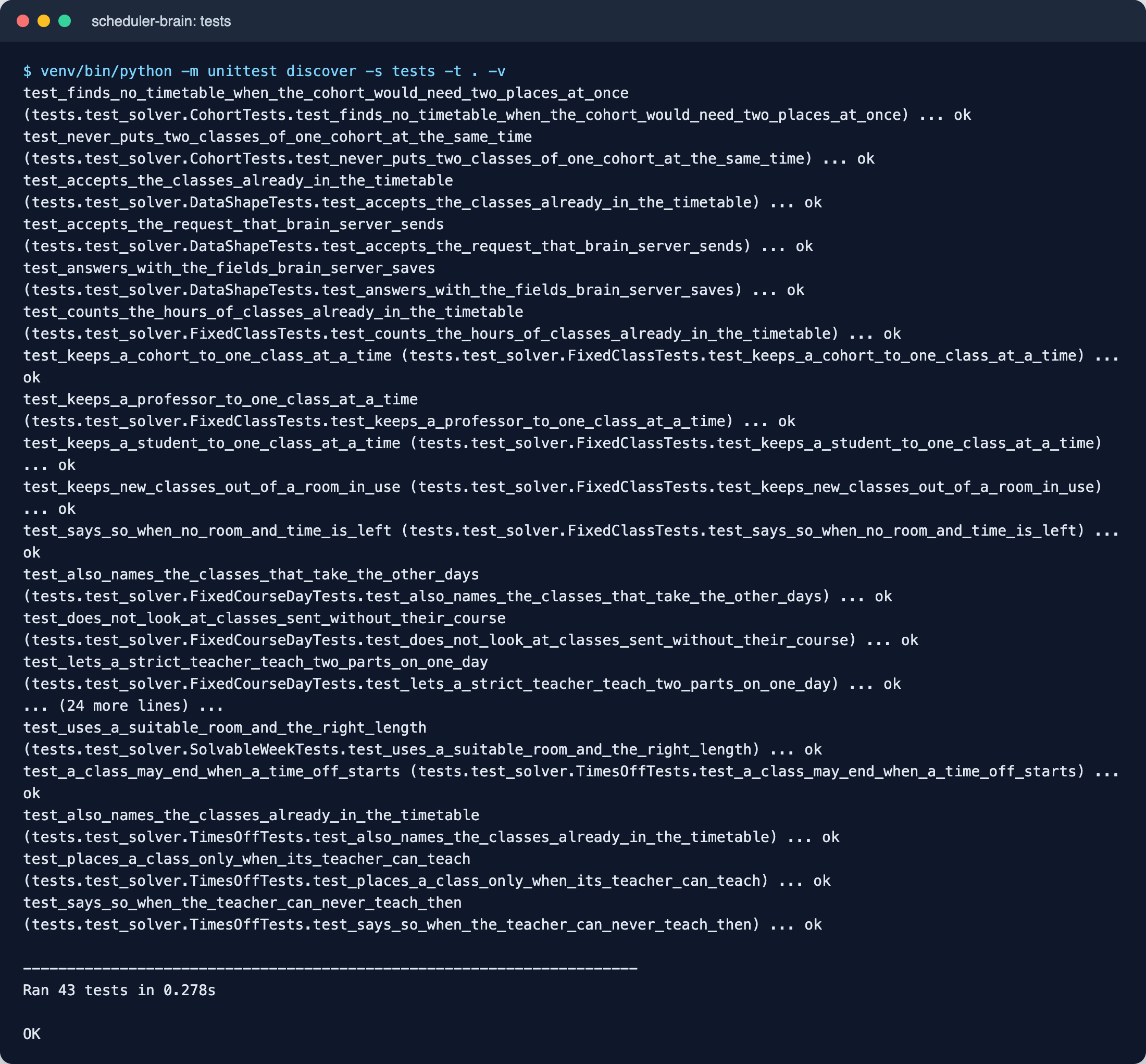 , Open the full-size image (opens in a new tab)
The solver tests, which run the real OR-Tools solver.
How it's built
| Layer | Technology |
|---|---|
| Website | Next.js 16, React 19, Tailwind CSS 4, react-hook-form and zod: 8 pages |
| API | NestJS 11 and Prisma 7, with 42 endpoints in 11 controllers and class-validator |
| Database | PostgreSQL, with 15 models |
| Solver | Python, FastAPI and Google OR-Tools CP-SAT, with interactive API docs |
| Tests | Jest for the API, unittest for the solver and node:test for the website |
 , Open the full-size image (opens in a new tab)
Testing
401 tests pass: 175 Jest tests for the API in 27 files, 43 unittest tests that run the real solver, and 183 node:test tests for the website. Each part is tested with the standard tool of its language.
Results
- 8 pages, 42 REST endpoints plus 2 solver endpoints, and 15 database models.
- 401 automated tests passing.
- 17,023 lines of code in 209 files.
- 88 commits from February to November 2026.
What I would build next
- A login with roles for planners, teachers and students, and read-only timetables for teachers and students.
- A CI pipeline that runs the three test suites on every push, and a Docker setup.
- A deployment with a demo database, for a live demo.
Built with
- Next.js
- React
- TypeScript
- Tailwind CSS
- NestJS
- Prisma
- PostgreSQL
- Python
- FastAPI
- OR-Tools