- Mobile
- AI
Economofar
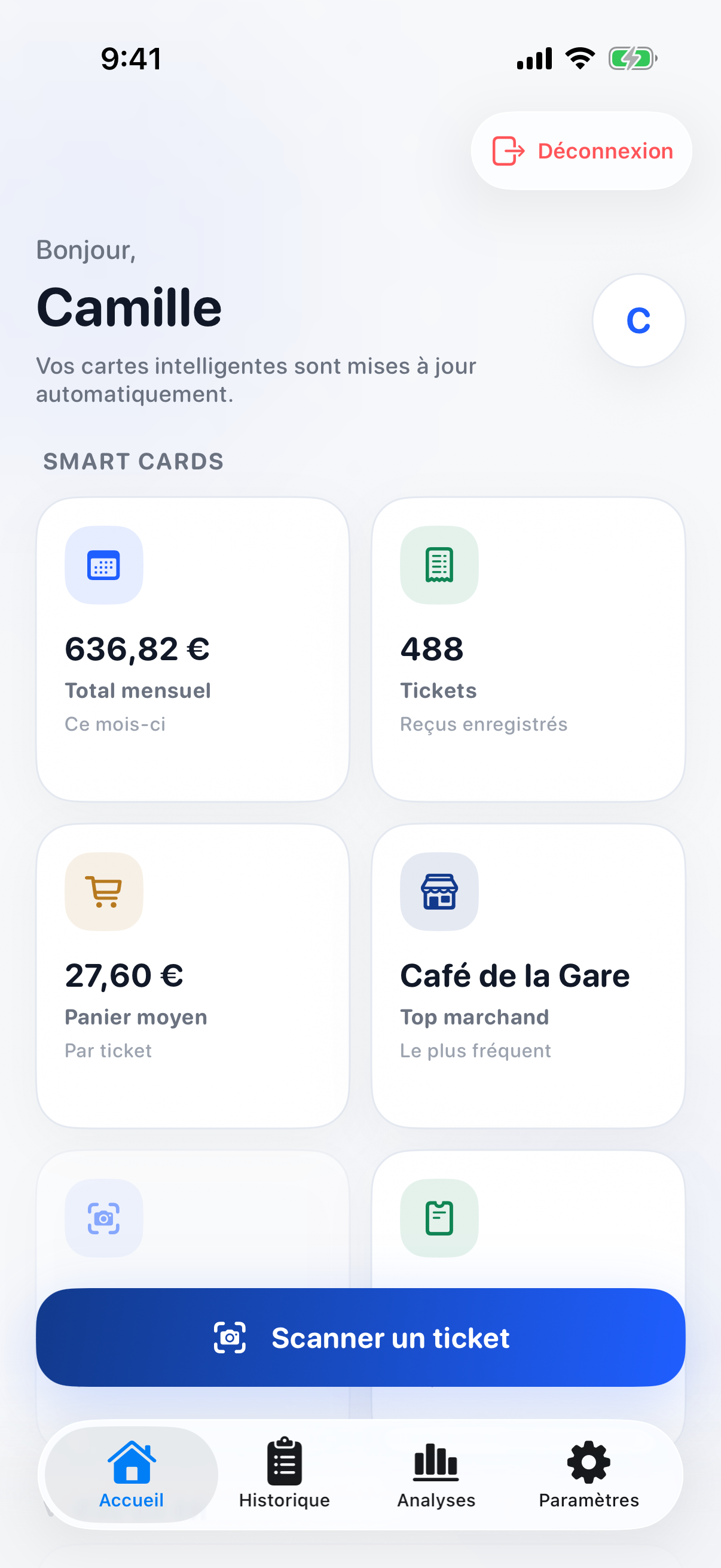
An iPhone app that turns shopping receipts into a clear view of spending: scan a receipt, and the app shows a budget for today, a financial health score, price changes, warranties and twenty analyses of where the money goes.
- Personal project, mobile and API
- 112 API endpoints, 145 SwiftUI views
- 260 API unit tests, all passing
- Swift, SwiftUI, Java, Spring Boot, PostgreSQL, Ollama, Docker
The problem
Receipts pile up in a wallet or a drawer. By the end of the month it is hard to say where the money went, whether the usual items cost more than before, or when the warranty on something you bought runs out.
The approach
Economofar is an iPhone app with its own API. A receipt is scanned with the phone, the API keeps the photo and asks a vision model that runs locally to read it, and the shop, the items, the prices and the payment method become data that every screen builds on: the home screen, twenty analyses, and the settings for budgets, income and savings goals.
The app is written in SwiftUI with no third-party packages and keeps its sign-in token in the iOS Keychain. The API is a layered Spring Boot application, from security to controllers, services and repositories, and runs with PostgreSQL in Docker Compose.
What it does
- Scan a receipt from the home screen, read by a local vision model on the server
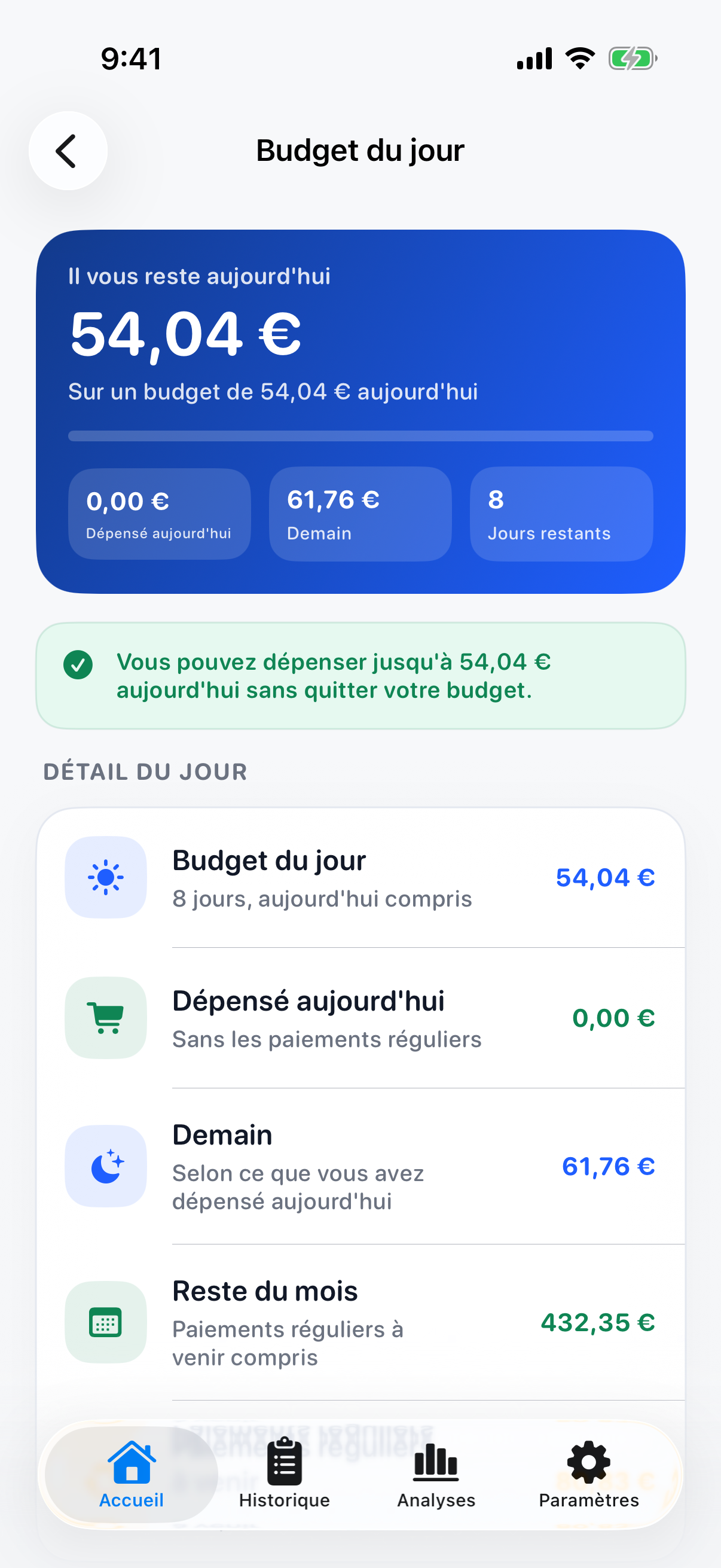
- A budget for today: what is left to spend today, tomorrow and for the rest of the month
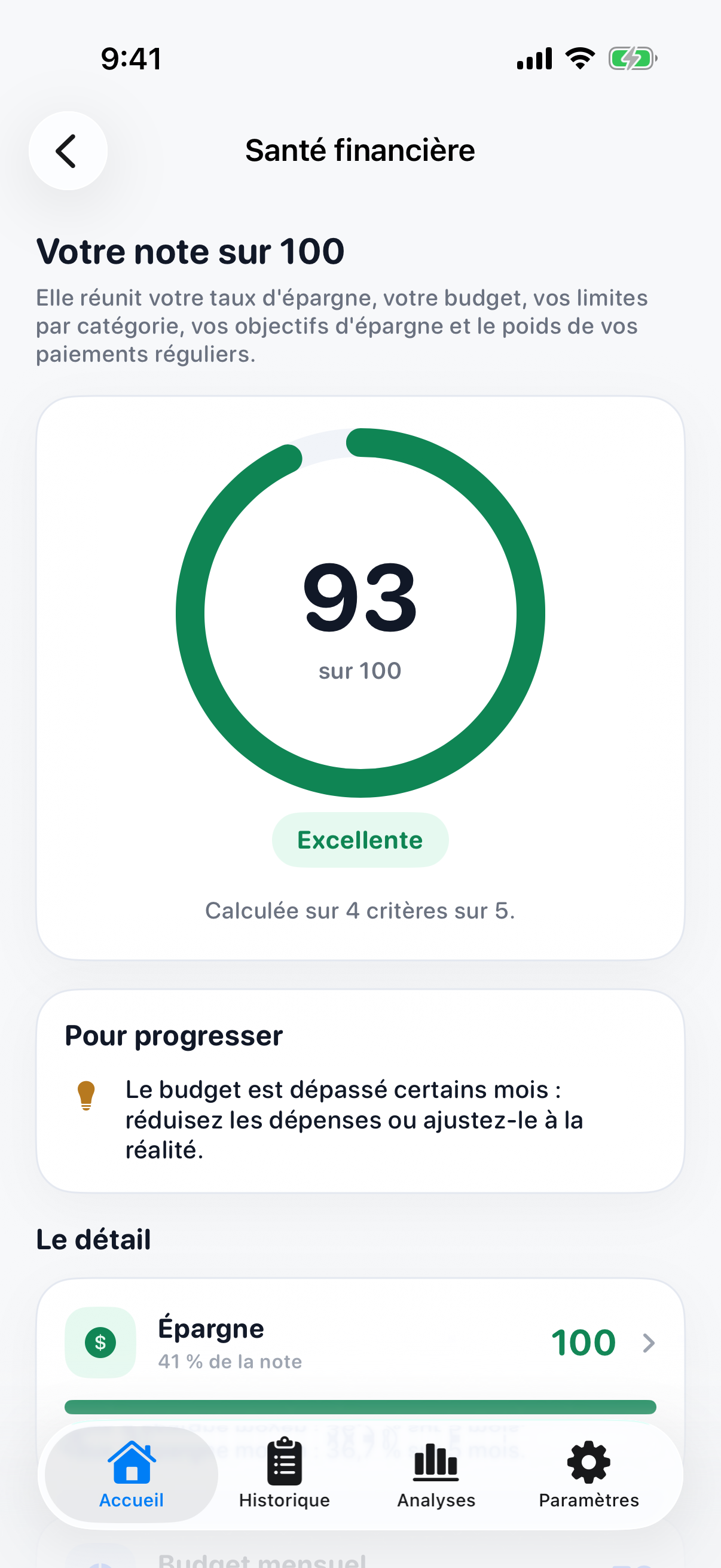
- A financial health score out of 100, with what to improve
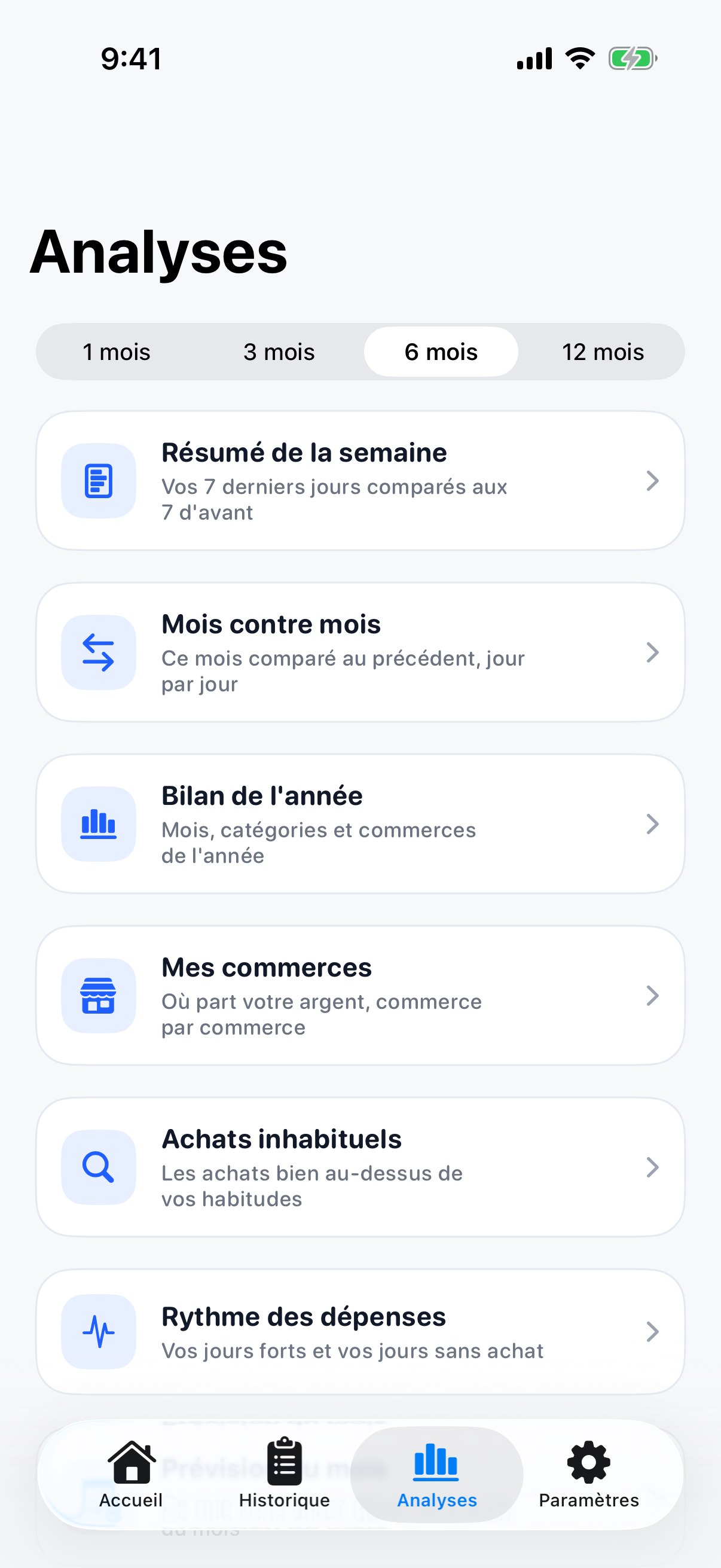
- Twenty analyses, including a weekly summary, month against month, a year review, shops, unusual purchases, a month forecast and trends
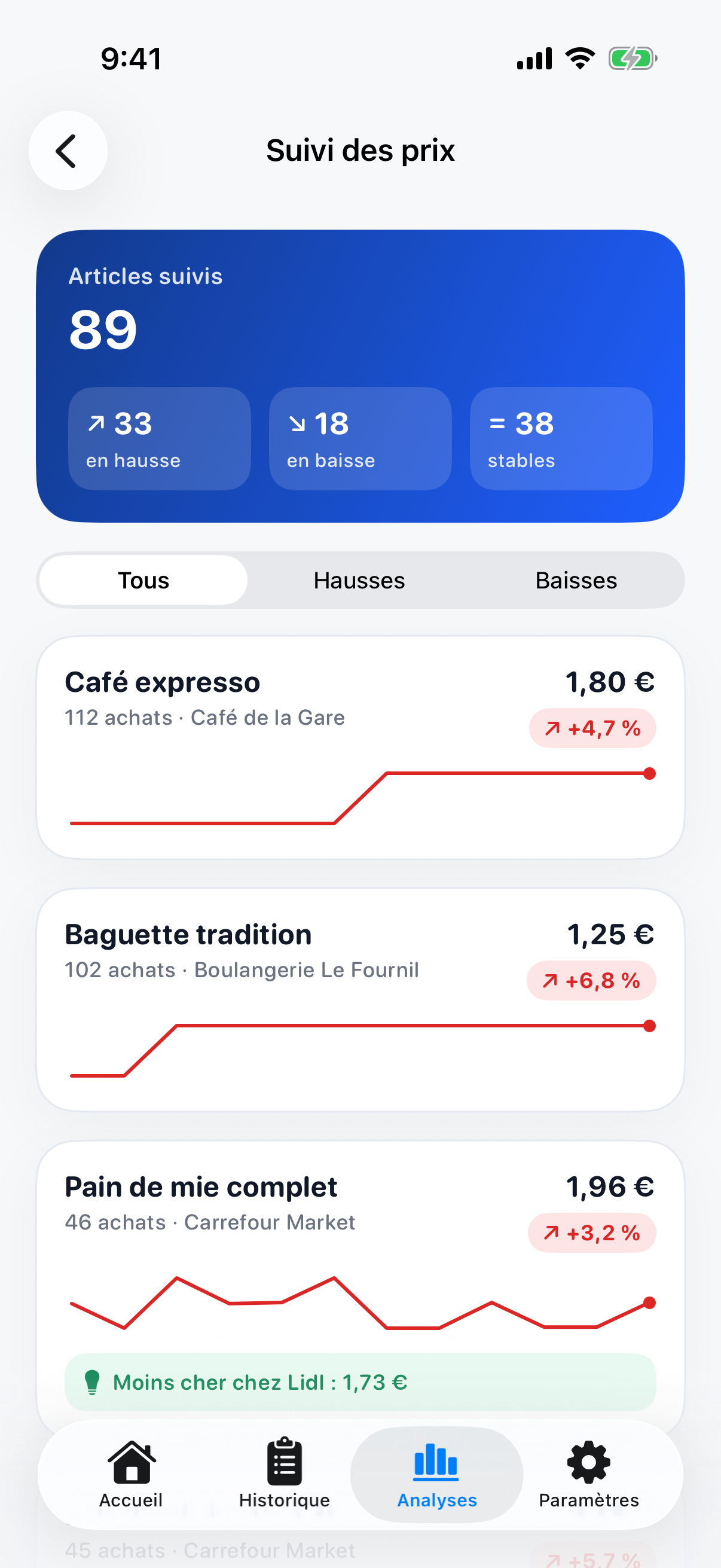
- Price tracking per item, with the prices that went up or down
- Regular purchases and a shopping list with the items due to be bought again
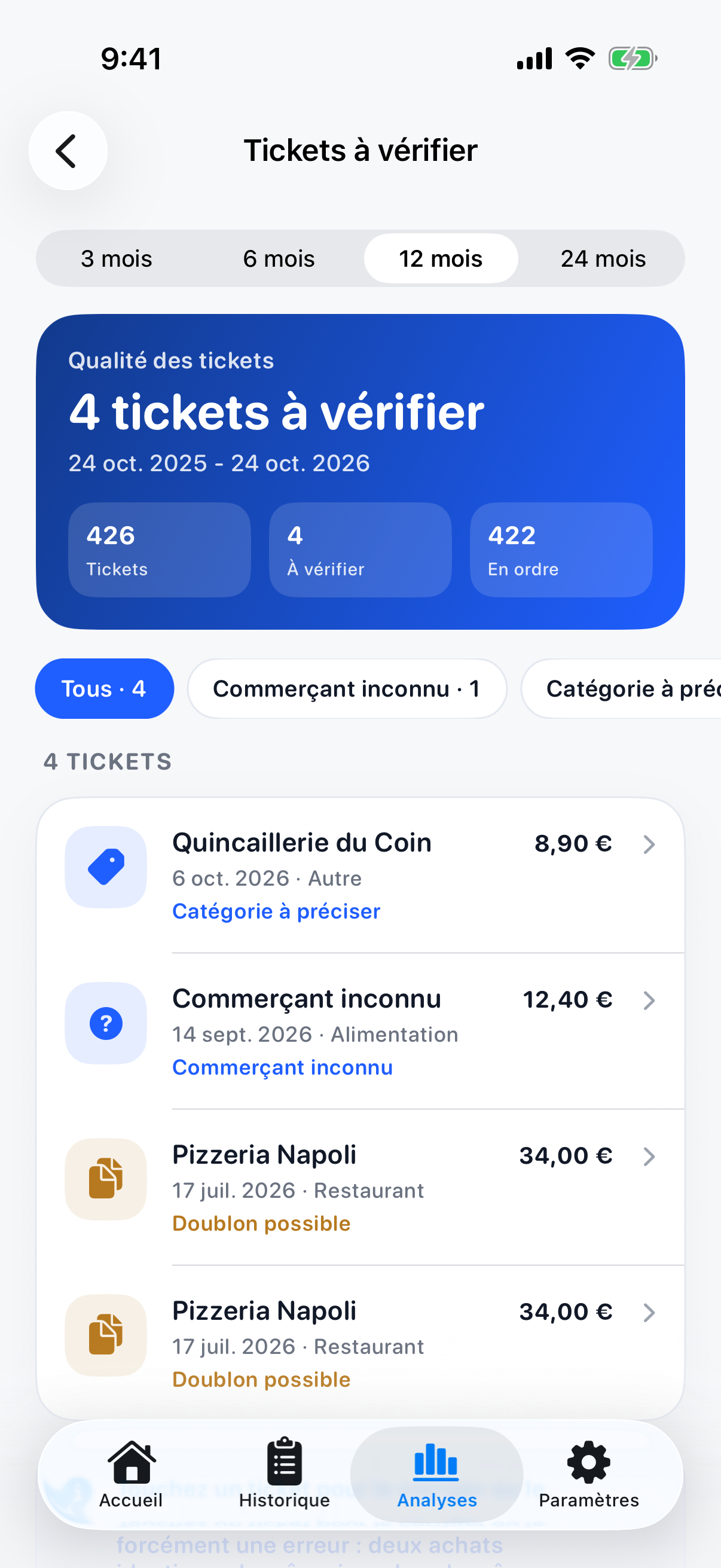
- Receipts to check: unknown shops, categories to set and possible duplicates
- Warranty tracking, with the warranties that end soon
- Professional expenses: deductible, reimbursable and VAT
- Budgets per category, income and savings goals
- A history that can be searched by product, receipt text, shop, date or category
- CSV and PDF exports from the API, and light and dark themes
Where the engineering is
From a receipt photo to data
The API stores each receipt photo in an uploads folder and sends it to a vision model, minicpm-v through Ollama, which answers with JSON. Uploads are checked before they are kept, and those checks are covered by unit tests.
Not every receipt reads cleanly, so a Receipts to check screen collects the ones that need a person: an unknown shop, a category to set, or a possible duplicate.
 , Open the full-size image (opens in a new tab)
A budget for today
The home screen turns the monthly budget into one number: what is left to spend today without leaving the budget. The detail shows today's budget over the days left, what was spent today without the regular payments, what tomorrow's budget will be, and what is left for the month once the regular payments to come are counted.
A month forecast does the same at the scale of the month, with the expected spending by the end of it and how much a day keeps the budget on track.
 , Open the full-size image (opens in a new tab)
Prices and purchases over time
Each item on a receipt is tracked over time, so the price tracking screen shows which items cost more or less than before, and in which shop they are cheaper.
Regular purchases are worked out from how often an item is bought, which feeds a shopping list of the items that are due again. The calculators behind prices and repurchases have 63 unit tests between them.
 , Open the full-size image (opens in a new tab)
A financial health score
The financial health screen sums things up in a score out of 100. It brings together the savings rate, the budget, the limits per category, the savings goals and the weight of the regular payments, and it says what to work on next.
 , Open the full-size image (opens in a new tab)
Sessions that are checked on every request
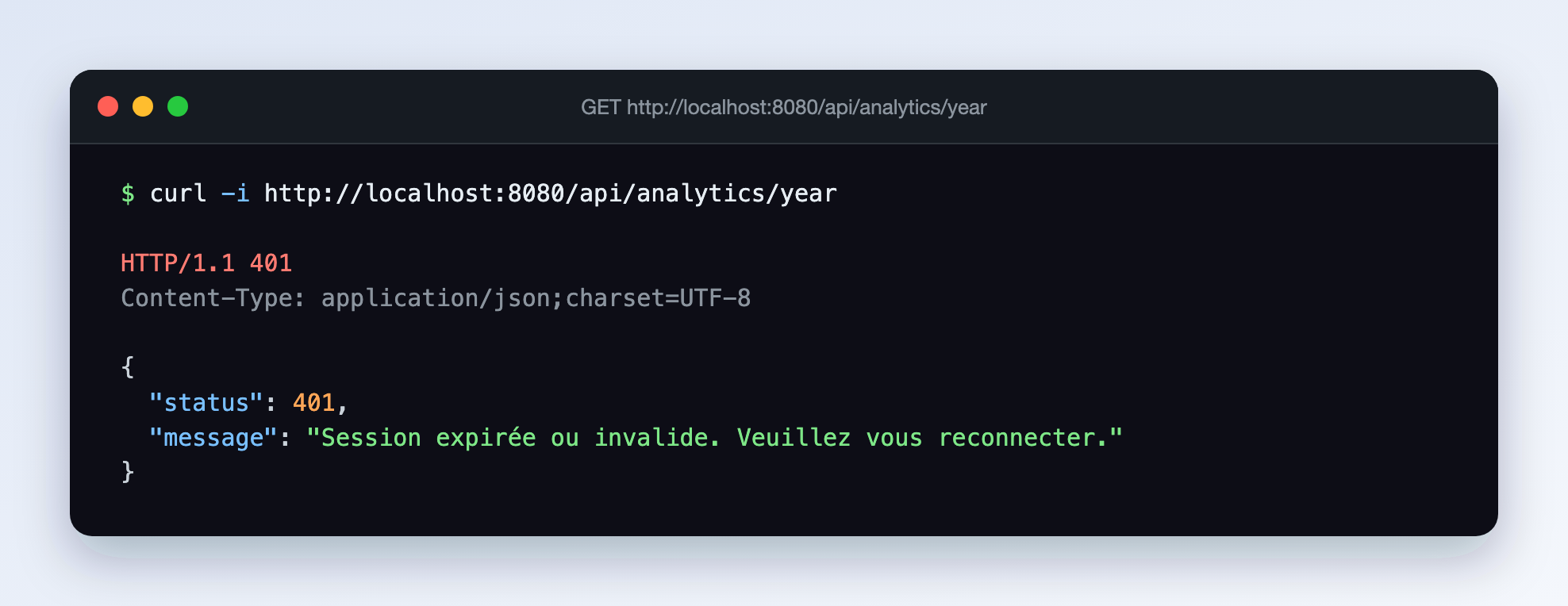
The app sends a JWT with each request, and a security filter checks it before any controller runs. A request without a token is refused with a 401 and a message that asks the person to sign in again.
Sign-in, the password rules and the limit on failed sign-in attempts are covered by unit tests, and the API's Docker image runs as a non-root user.
 , Open the full-size image (opens in a new tab)
Screens
 , Open the full-size image (opens in a new tab)
The analyses tab. 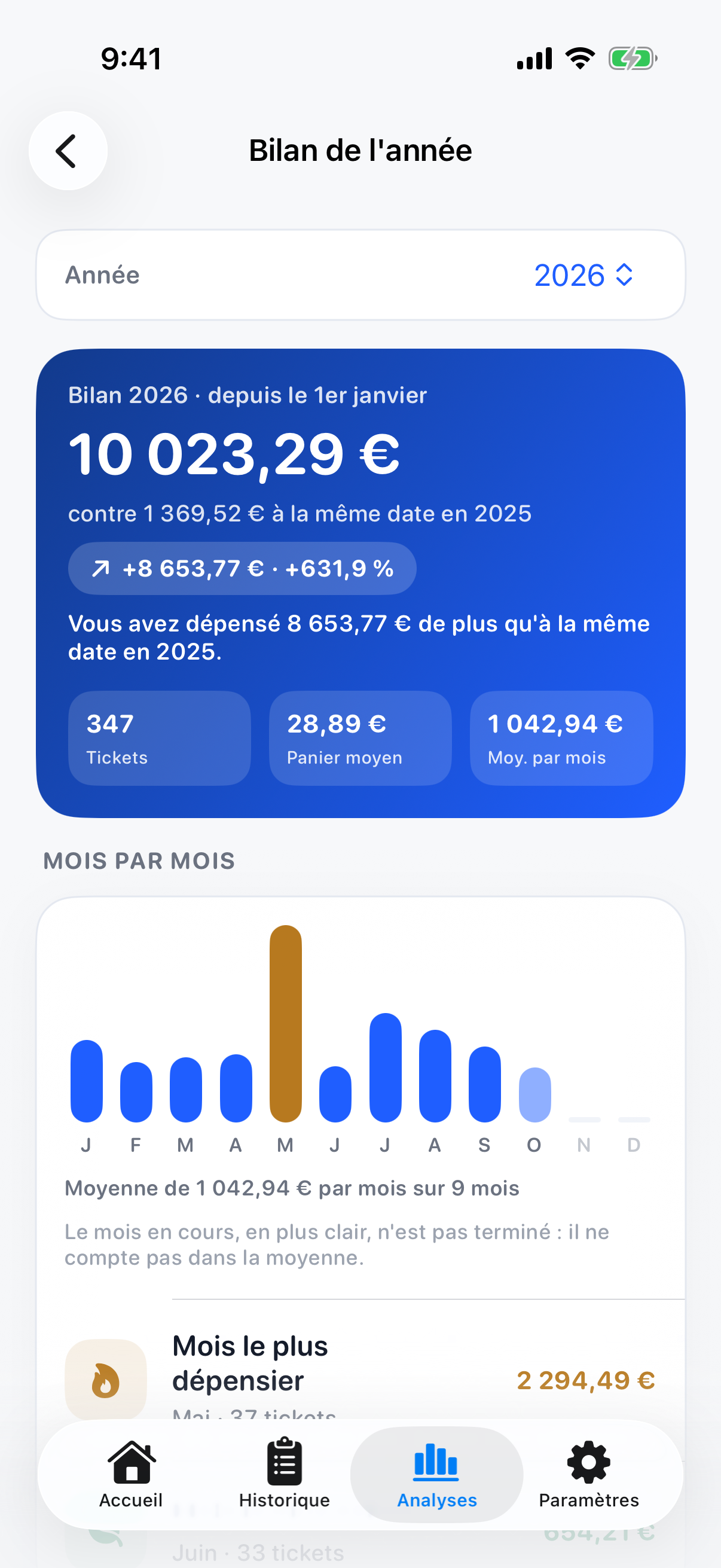 , Open the full-size image (opens in a new tab)
The year so far, month by month. 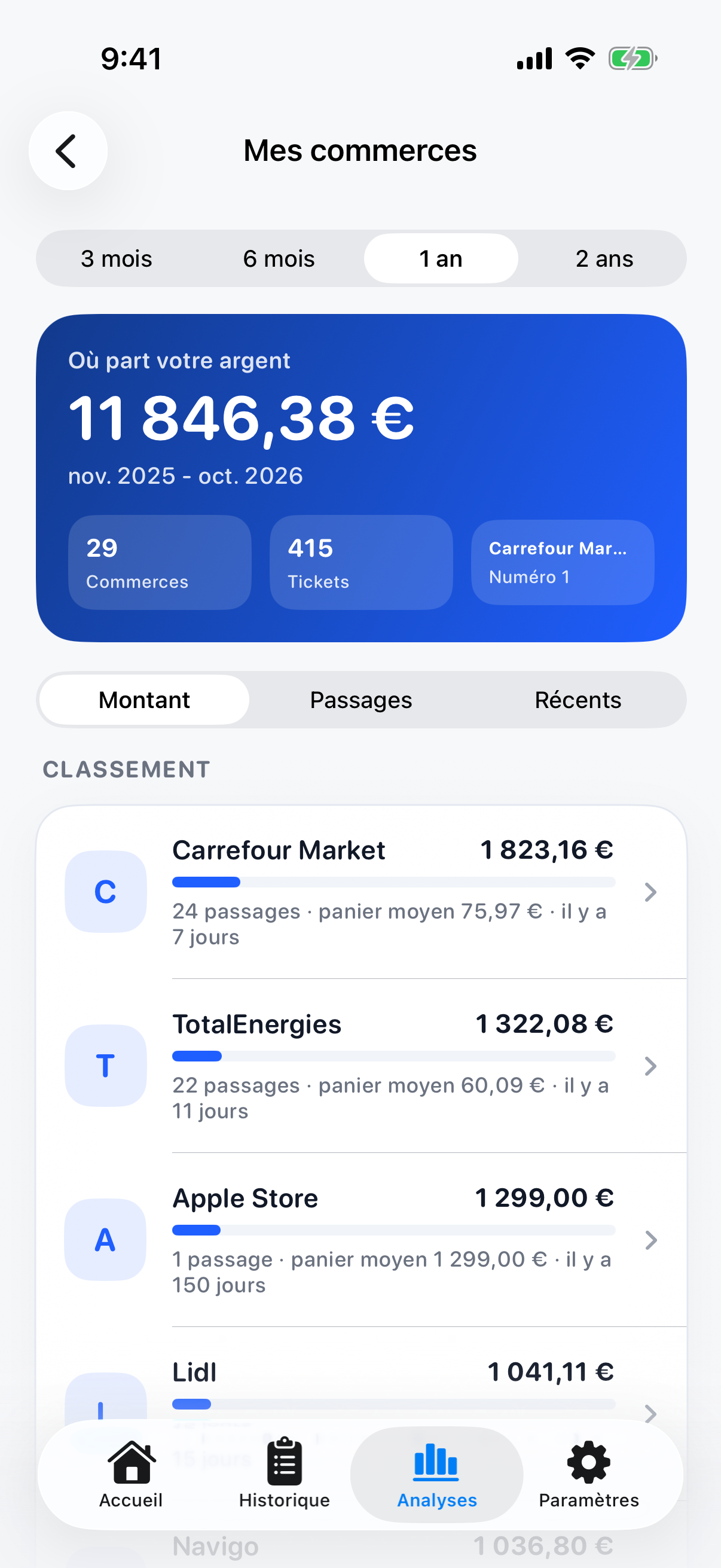 , Open the full-size image (opens in a new tab)
Where the money goes, shop by shop. 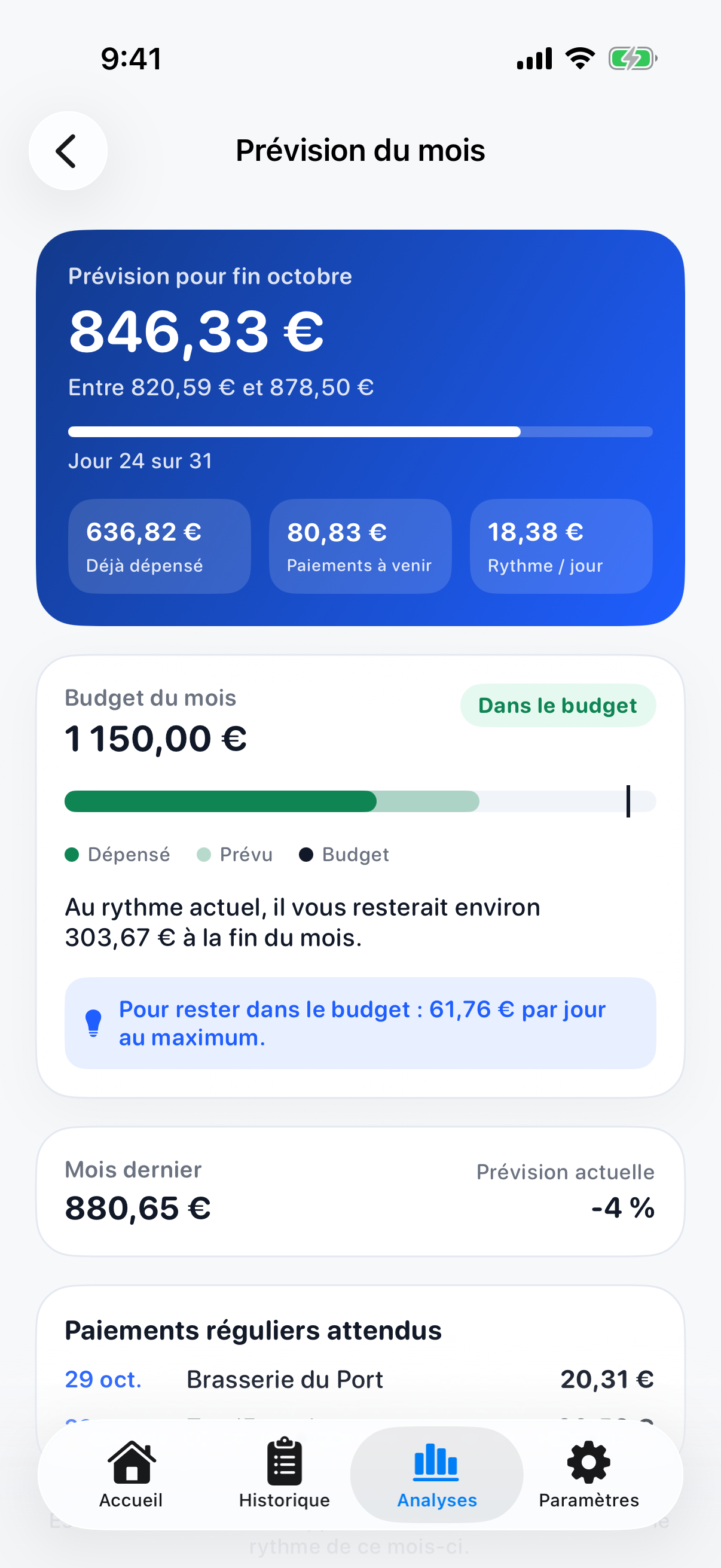 , Open the full-size image (opens in a new tab)
The forecast for the end of the month. 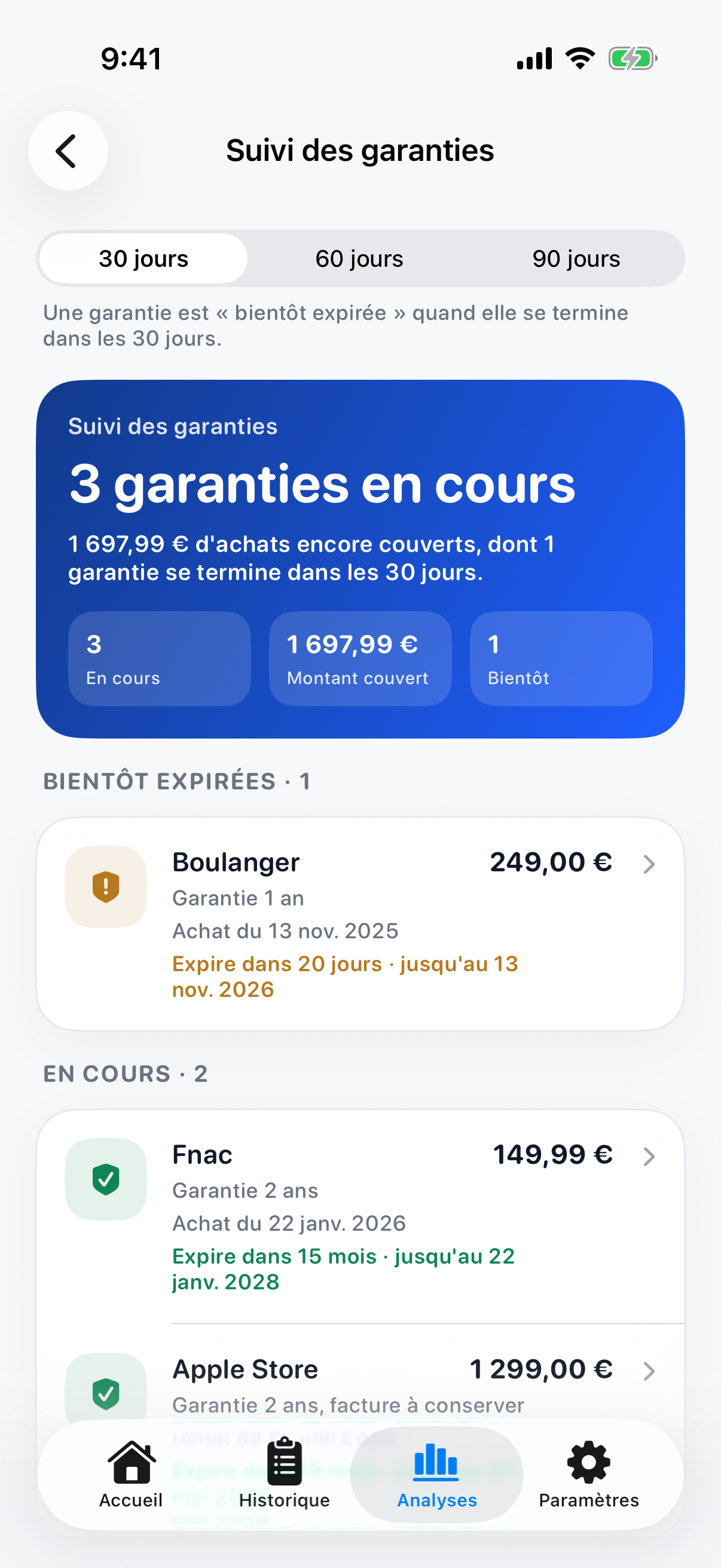 , Open the full-size image (opens in a new tab)
Warranties, and the ones that end soon. 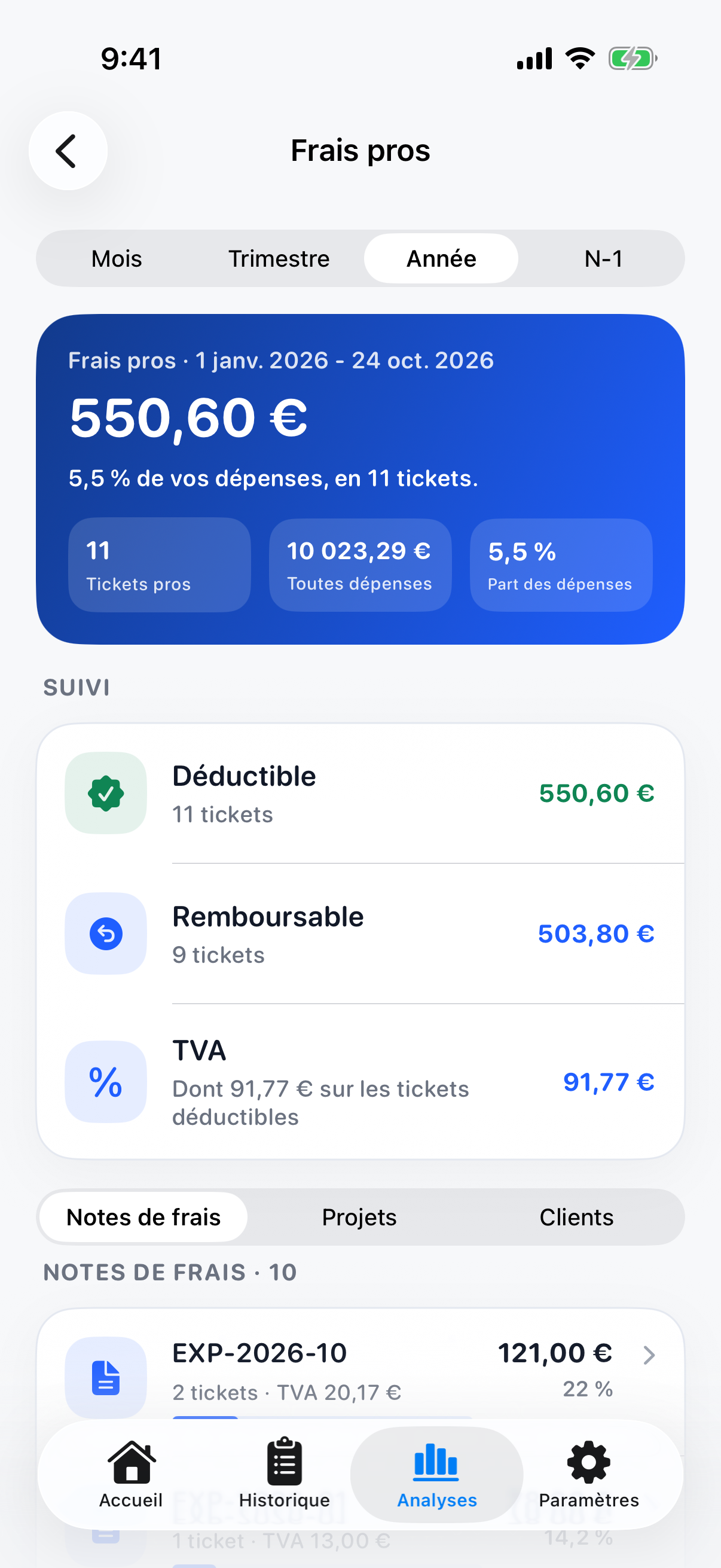 , Open the full-size image (opens in a new tab)
Professional expenses and VAT. 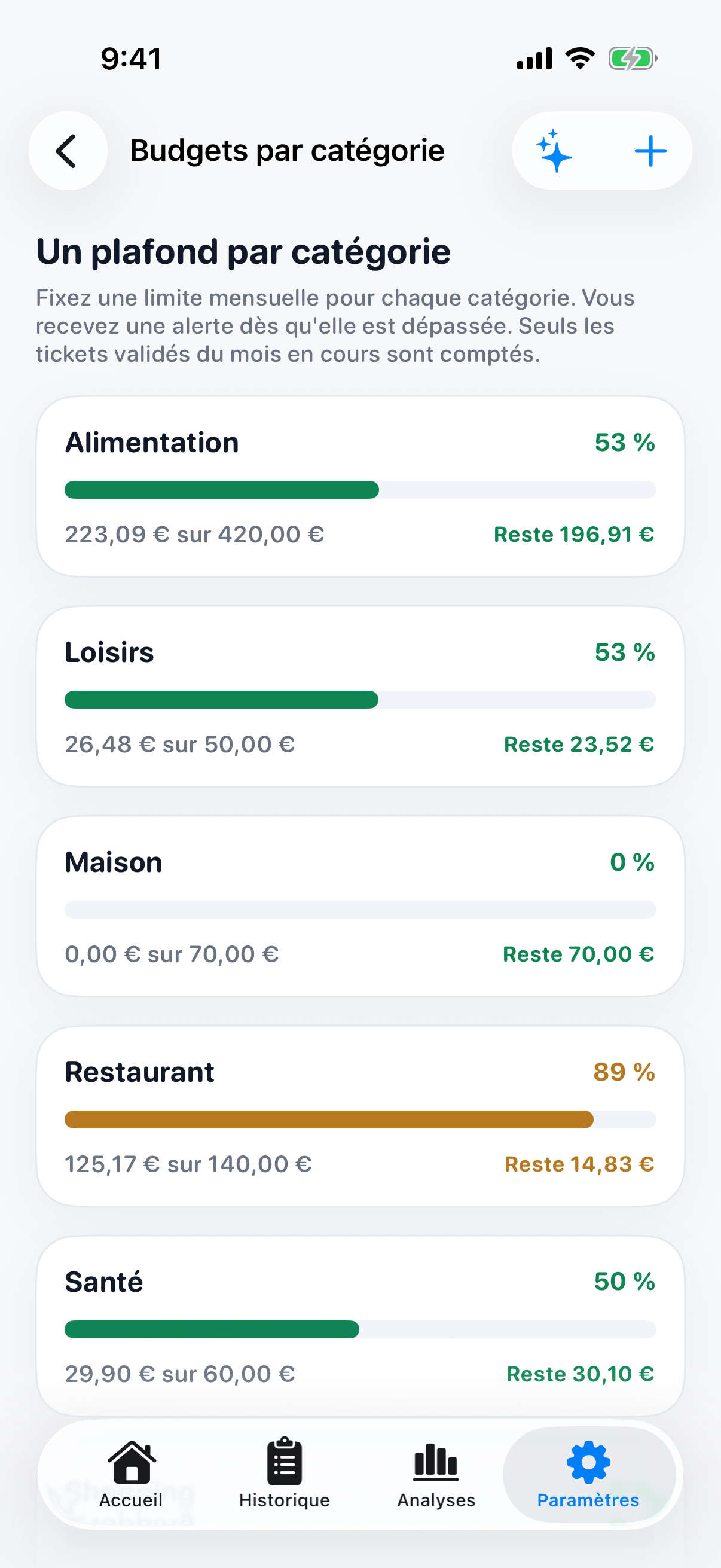 , Open the full-size image (opens in a new tab)
A limit for each category. 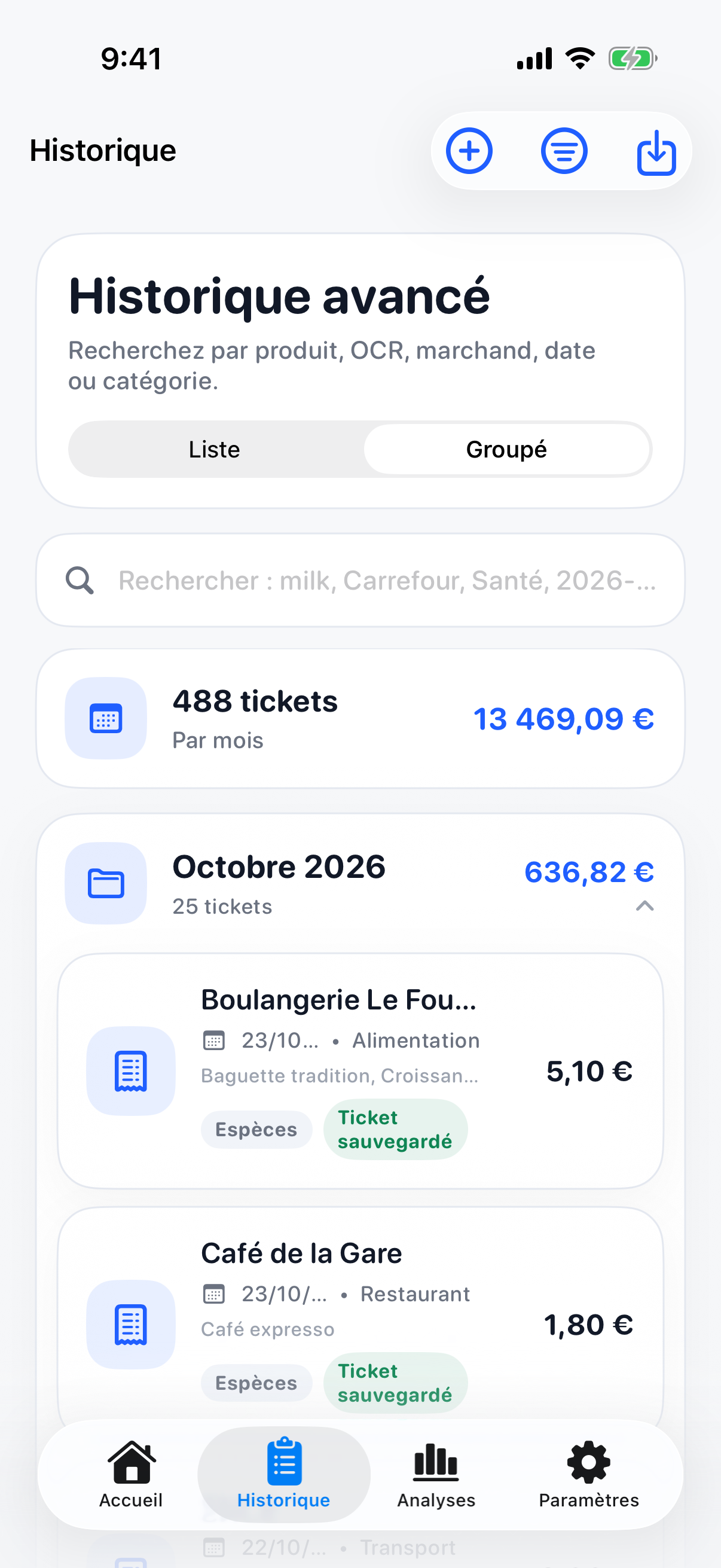 , Open the full-size image (opens in a new tab)
Every receipt, searchable. 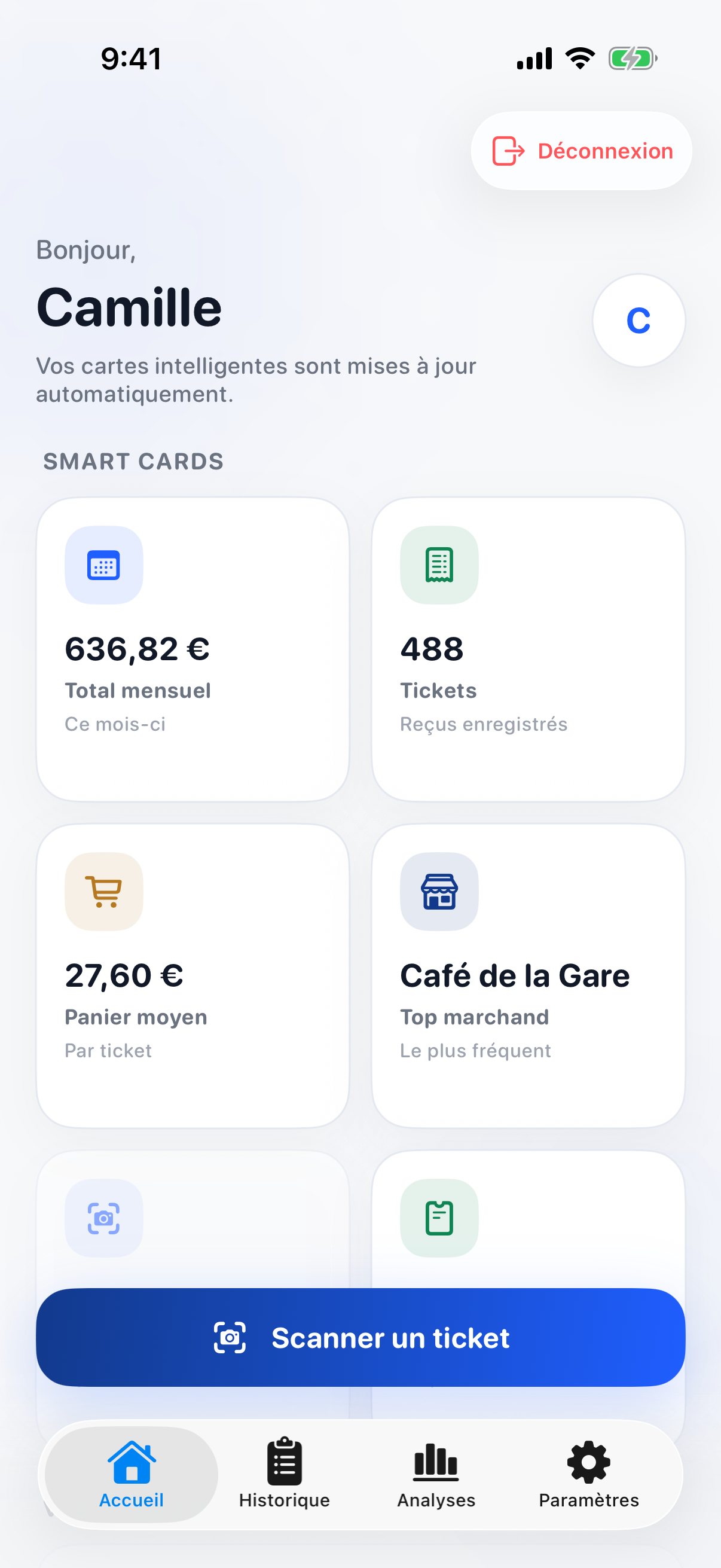 , Open the full-size image (opens in a new tab)
The home screen in the dark theme.
How it's built
| Layer | Technology |
|---|---|
| iPhone app | SwiftUI for iOS 26: 200 Swift files and 145 views, with no third-party packages |
| API | Java 25 and Spring Boot 4.0: 46 controllers, 112 endpoints and 53 services |
| Database | PostgreSQL 16, with 16 tables, 146 columns and 15 foreign keys |
| Receipt reading | Ollama with the minicpm-v vision model: a receipt photo in, JSON out |
| Running it | Docker Compose for the database and the API, with CSV and PDF exports |
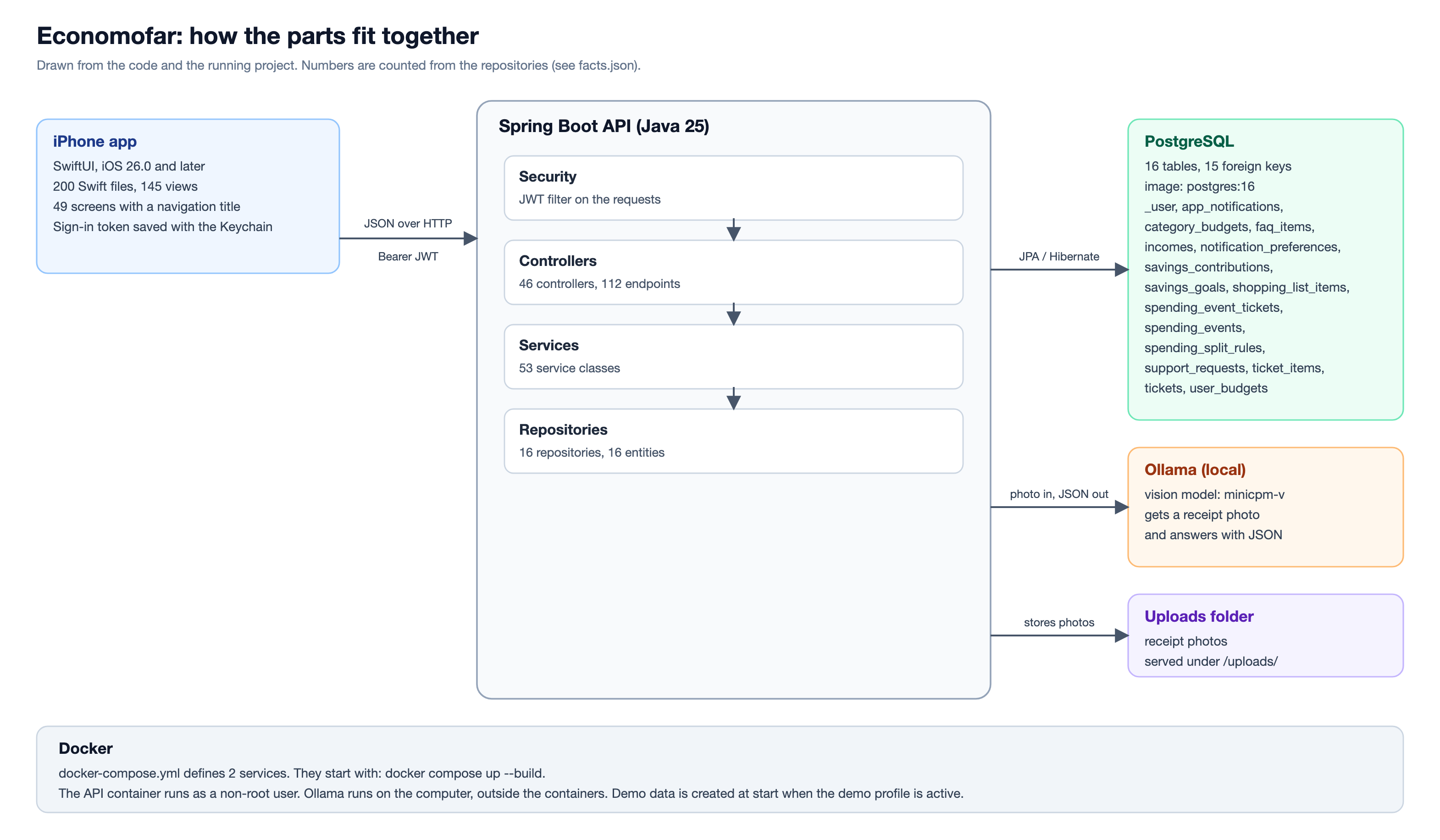 , Open the full-size image (opens in a new tab)
Testing
260 unit tests in 15 test classes run in a Maven container, and all of them pass. They cover sign-in and the password rules, failed sign-in attempts, the checks on uploaded receipt photos, and the calculators behind price tracking and the shopping list.
The pictures on this page come from a script that starts the API with a demo account and lets an Xcode UI test open every screen of the app in the iOS Simulator, first in the light theme and then in the dark one.
Results
- 200 Swift files with 48,115 lines in the app, and 335 Java files with 31,750 lines in the API.
- 112 API endpoints over 16 database tables.
- A demo account with 488 receipts and 1,769 items, made by the API's own demo data seeder.
- 260 unit tests, all passing.
Built with
- Swift
- SwiftUI
- Java
- Spring Boot
- PostgreSQL
- Ollama
- Docker