- Web
Neighbor Node
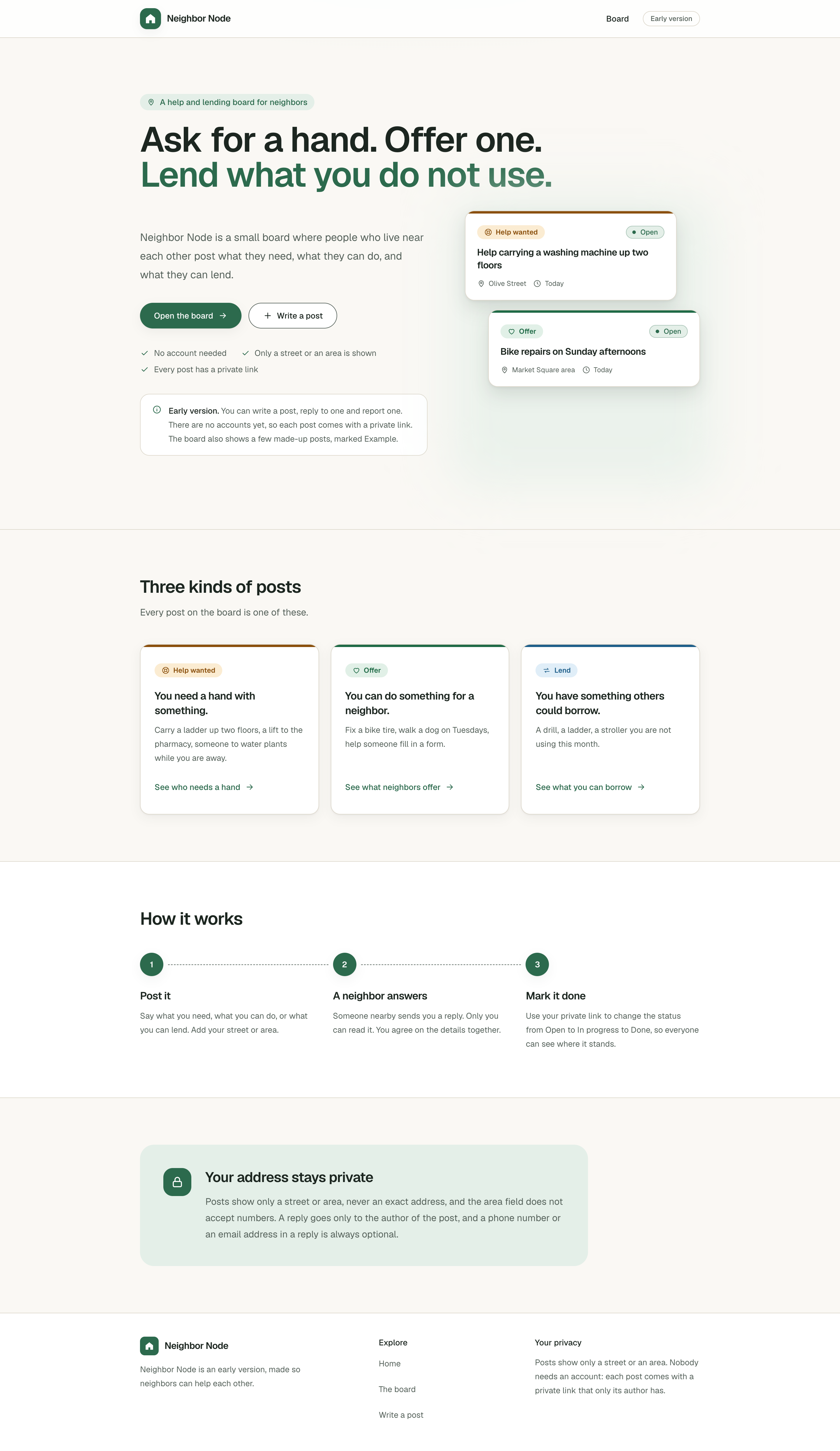
A help and lending board for neighbors: ask for a hand, offer one, or lend what you do not use, with no account, private replies and only a street or an area shown, never a house number.
- Personal project, early version
- Chose each feature and ran every build step, with an AI assistant writing the code and tests
- 1,068 tests in 125 files, all passing on the last run
- Next.js, React, TypeScript, Tailwind CSS, Node.js, Vitest
The problem
Neighbors sometimes need a small favor or a tool for an afternoon: a ladder carried up two floors, a lift to the pharmacy, a drill. Other neighbors may be glad to help or to lend, but the two sides have to find each other first. This project is a small, local place where they can.
Four rules shape the design: nobody needs an account, only a street or an area is shown and never a house number, replies are private, and a report says why but never who.
The approach
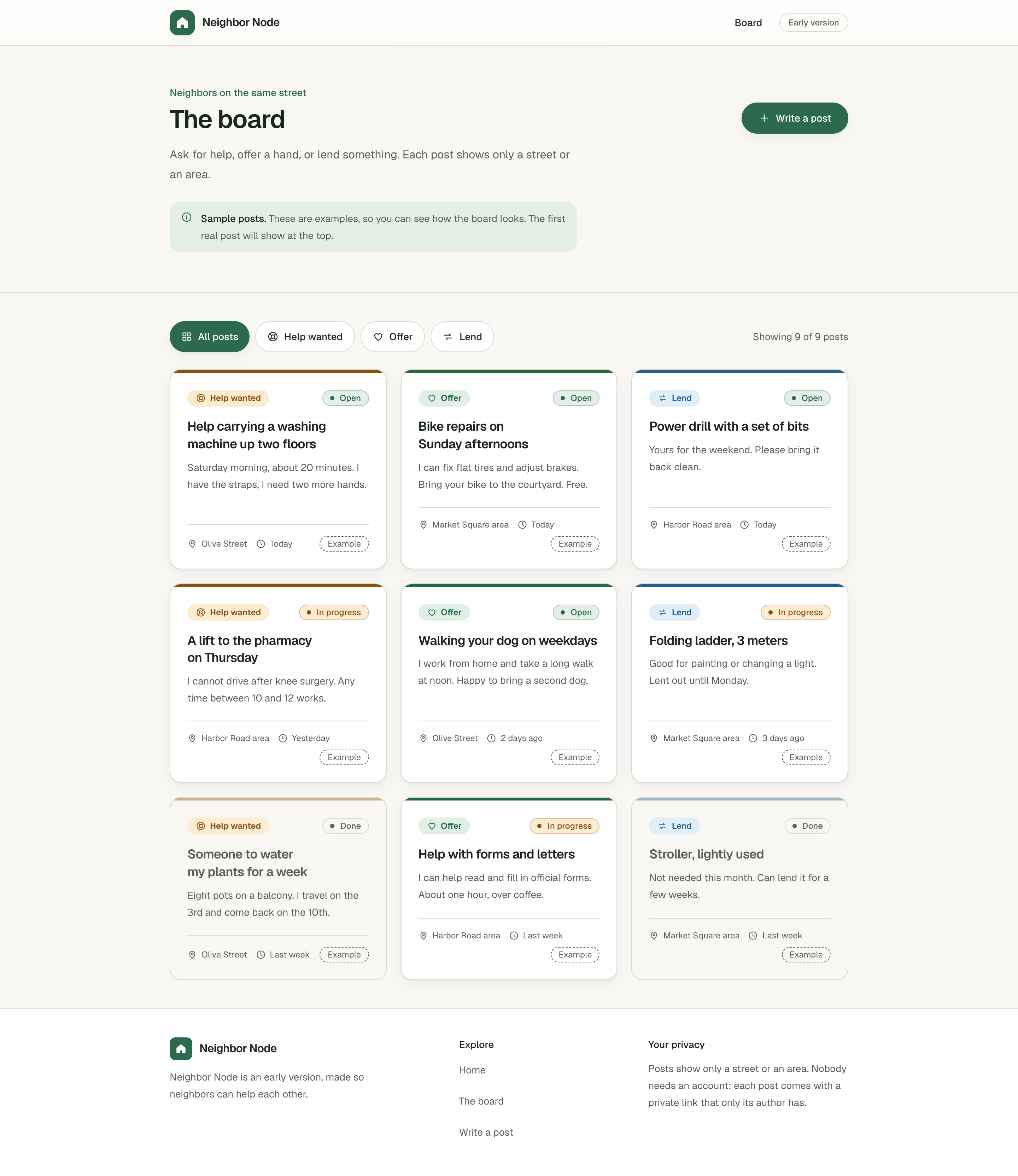
The board lists posts, newest first. A post is one of three kinds, Help wanted, Offer or Lend, and has one of three statuses, Open, In progress or Done. When someone writes a post, the server saves it and shows a private link once. With that link, the author can edit the post, change its status, read replies, see how many reports it has, keep it up or take it down. Without it, nobody can.
The project is small enough to finish and to review, and it still asks for real choices: how to let people edit their post with no accounts, how to slow down abuse with no accounts, and how to keep private replies private. Those choices are written down in the README with their costs.
It was built with the help of an AI assistant, which wrote the code and the tests in small steps. I chose which feature came next and ran every step on my own computer, and each step backed up the files it changed, checked itself and could be undone.
Who uses it
- Neighbors who ask or offer
- Write a post for help, an offer or something to lend, and keep its private link.
- Neighbors who answer
- Read the board and send a private reply or a report.
- The person who runs it
- Reads the reports and takes posts down with a command-line tool.
What it does
- A board of posts, newest first, filtered by kind: Help wanted, Offer or Lend
- Posts with a status: Open, In progress or Done
- Writing a post with no account, checked again on the server before it is saved
- A private link instead of an account, to edit the post, change its status, read replies and take it down
- Posts that nobody touches for 30 days are hidden from the board, never deleted, and the author can keep them up
- Private replies that only the author reads
- Reports with one of five reasons and no name
- Speed limits on every public action
- A command-line tool that lists reports and takes posts down, with a backup first
- Light and dark themes made from CSS variables, with the dark theme following the system setting
- Safe headers on every page, a share image drawn at build time, and a sitemap that leaves out every post
Where the engineering is
A private link instead of an account
The key at the end of the private link is 32 random bytes. The posts file keeps only a SHA-256 fingerprint of it, so reading the file does not give anyone a working link, and the fingerprints are compared in constant time.
The key sits after the # in the link, a part the browser does not send to the server when it opens a page, so it never shows up in the server logs. A wrong key, an unknown post and a post that was taken down all get the same answer.
 , Open the full-size image (opens in a new tab)
The server does not trust the browser
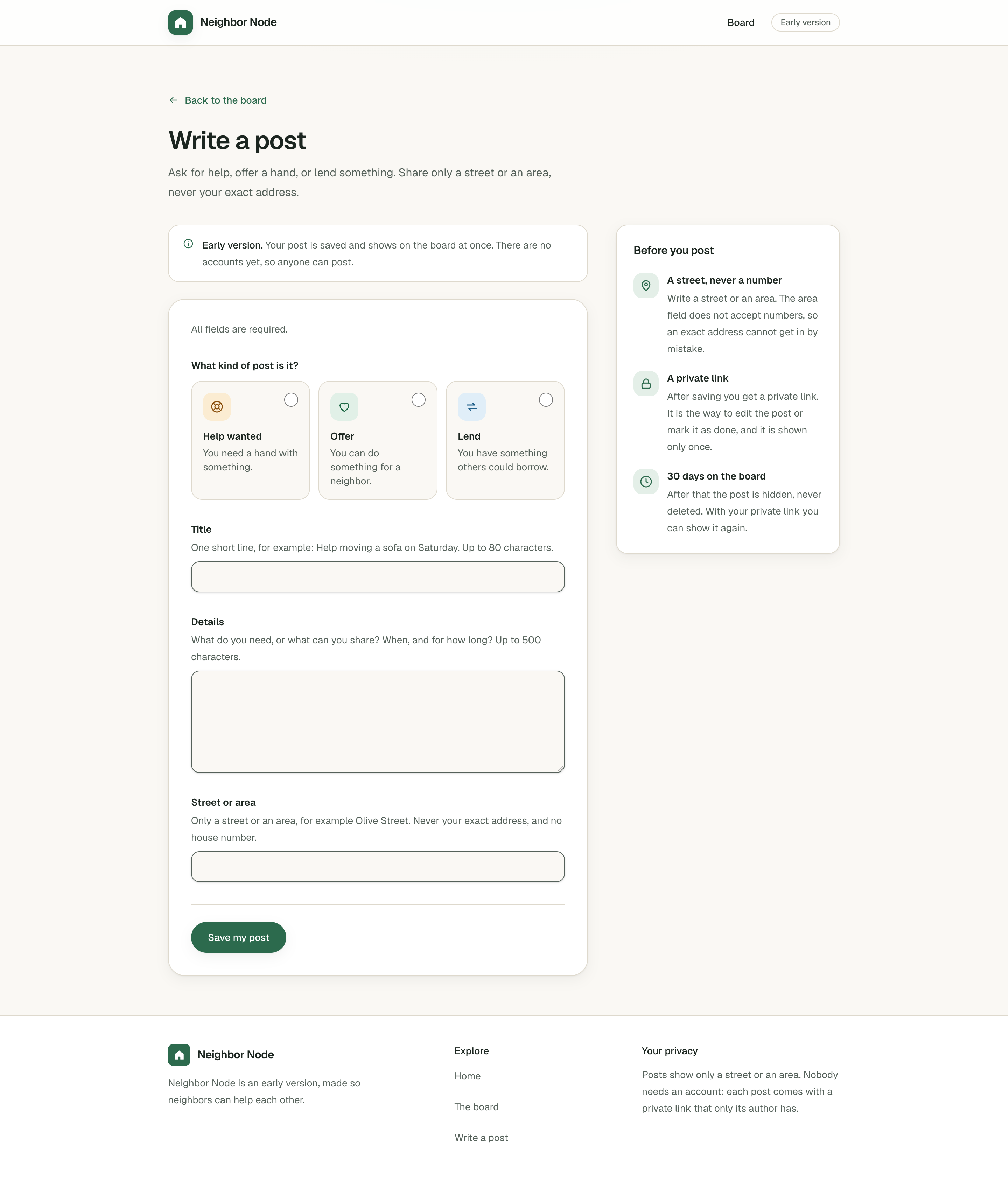
A server action is an address that anyone can call, so every rule the browser checks is checked again on the server. Saving a post uses only the four fields of the form, so nobody can choose an id, a status or a date.
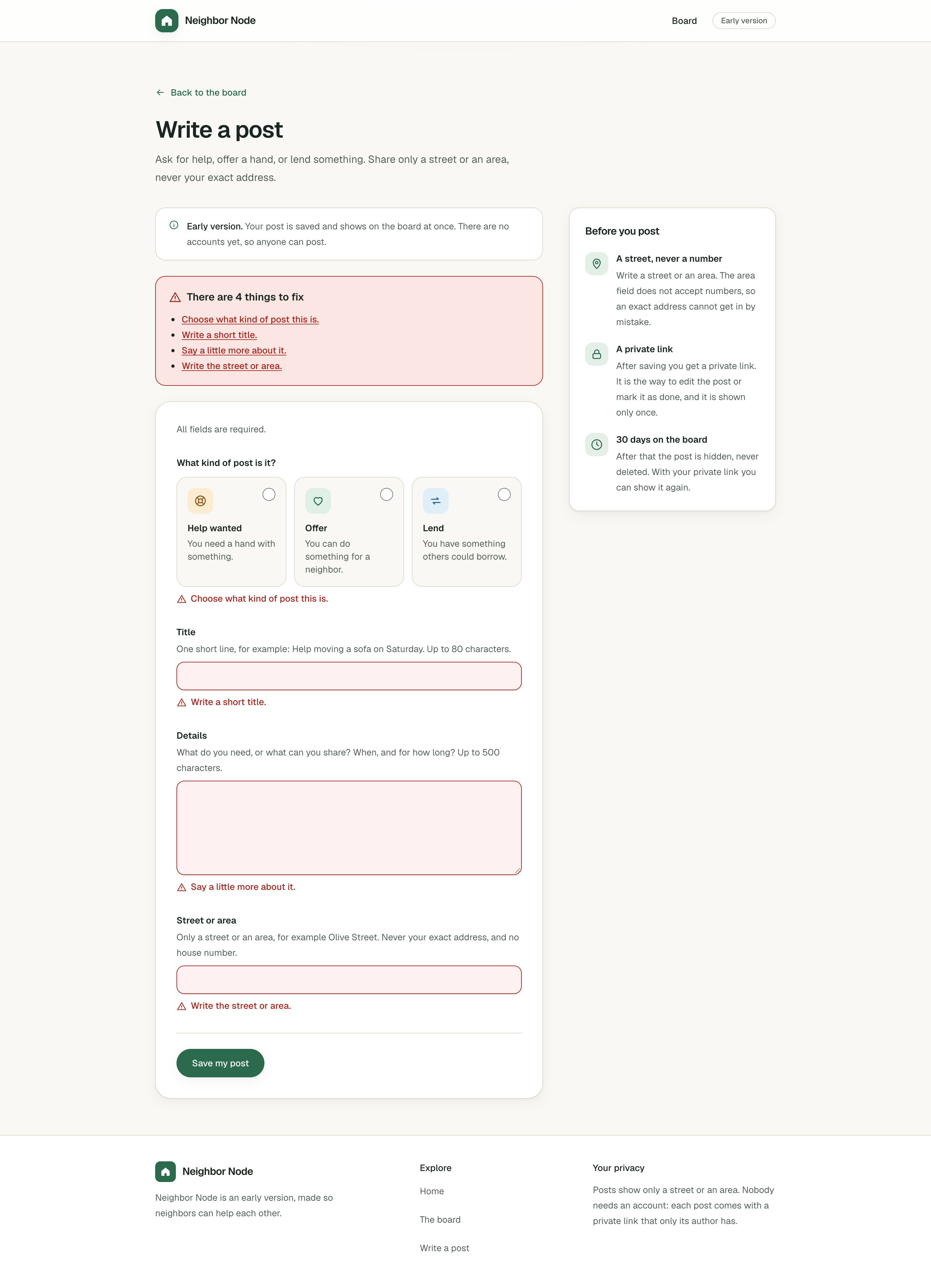
When a form is sent with problems, a box at the top says how many things there are to fix, each field shows its own message, and nothing is saved.
 , Open the full-size image (opens in a new tab)
Speed limits with no accounts and no database
One small counter keeps the places in memory and forgets first the visitors who were not seen for the longest time. A place is taken before the posts file is opened, so many tries at the same moment cannot all get through, and a try that fails on the server's side gives its place back.
The README is honest about the limits: without a proxy in front of the site, a visitor can fake the address the limits read, two copies of the server count separately, and a restart starts the counts again.
A file that never breaks halfway
Posts are written to a temporary file that is then renamed over the old one, so a crash cannot leave half a file, and a file that cannot be read is never replaced. Changes run one after another inside one server.
Nothing is erased. Taking a post down only adds a time to its entry, and a post that is hidden after 30 days is worked out from its dates on each visit, so there is no background job to schedule or repair.
A moderation tool with a safety net
The command-line tool lists reports, shows a post and takes it down. Taking a post down is only a preview until --yes is added, and then the tool copies the posts file before changing it.
It refuses a file it does not understand, never prints replies, and replaces control characters in what it prints, so a post title cannot send commands to the terminal.
Replies that stay private
A reply goes only to the author of the post and is never shown on the board. The contact in a reply is shown as plain text and never as a link, so nobody can slip in a link for the author to click.
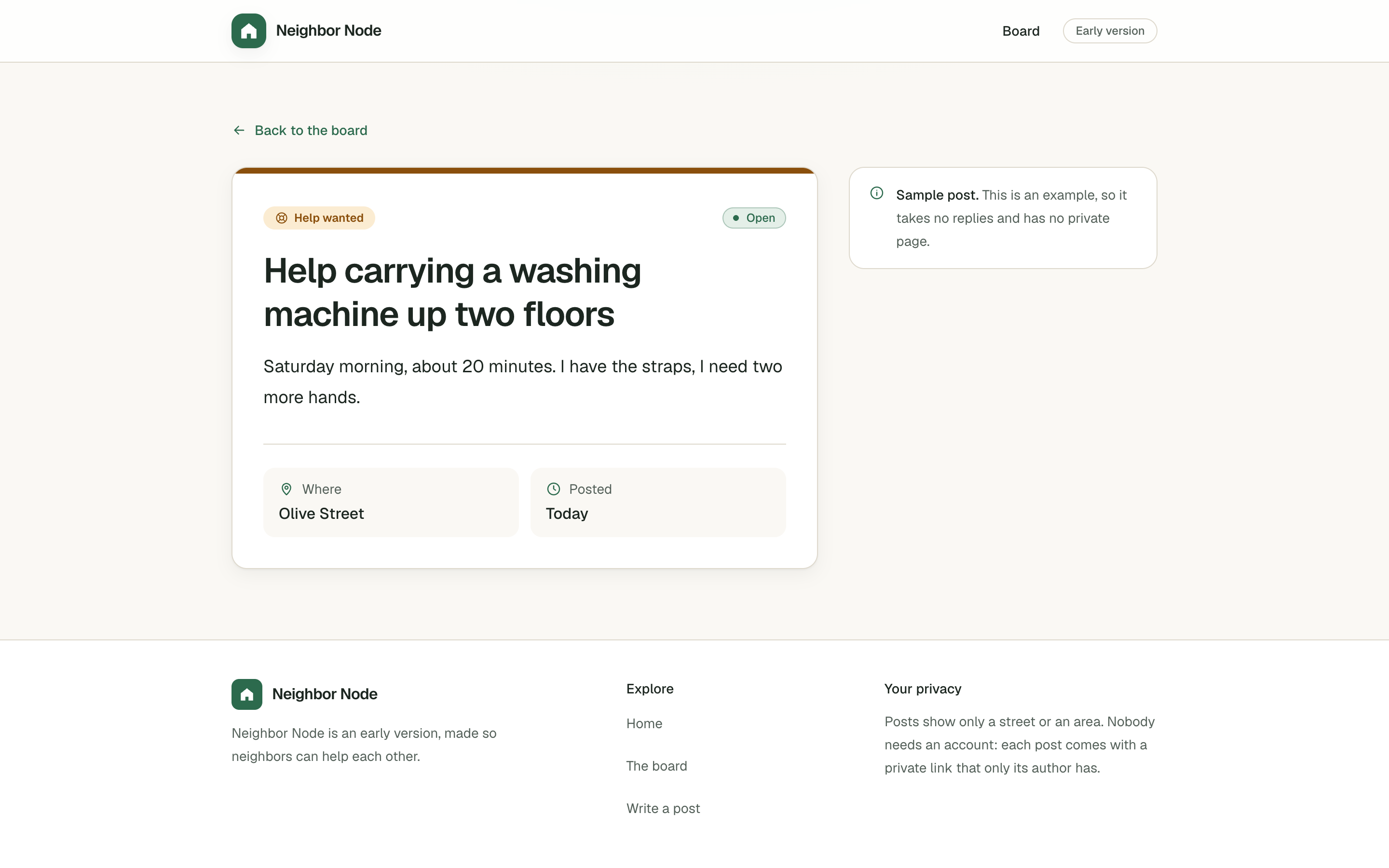
The board also shows nine made-up sample posts, marked Example. They cannot be changed, reported or replied to.
 , Open the full-size image (opens in a new tab)
Screens
 , Open the full-size image (opens in a new tab)
The board, with a filter by kind. 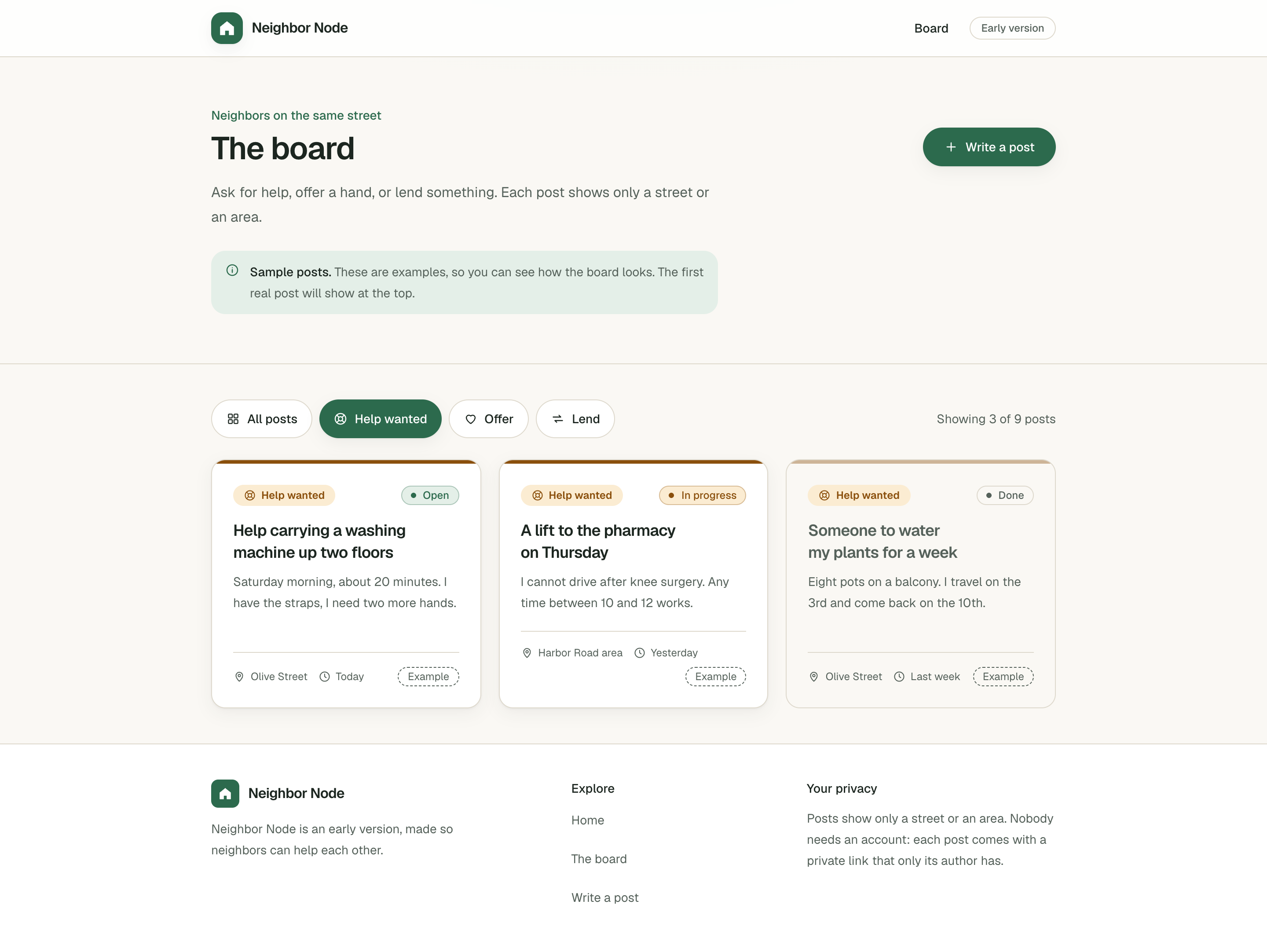 , Open the full-size image (opens in a new tab)
Only the Help wanted posts. 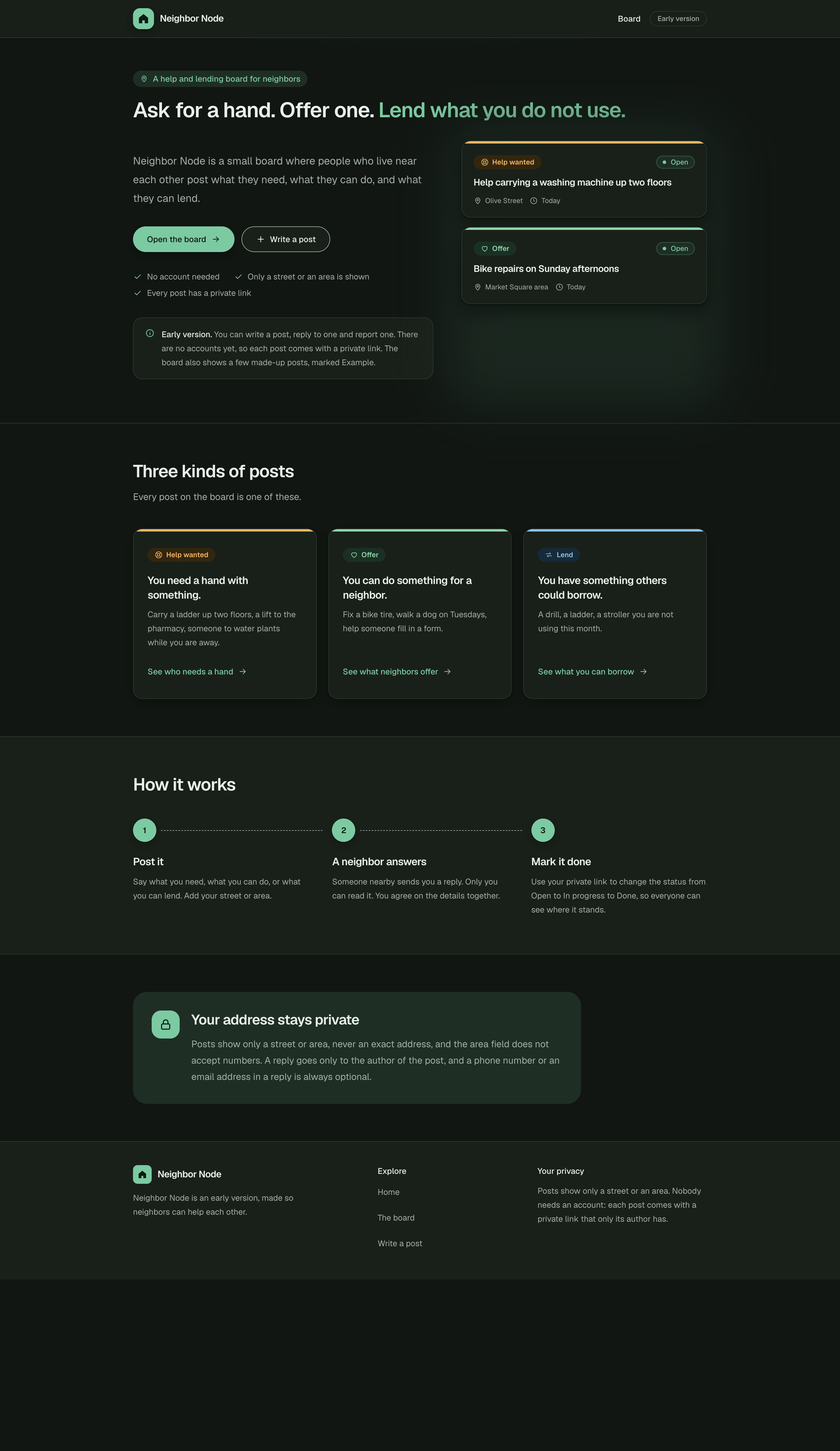 , Open the full-size image (opens in a new tab)
The home page in the dark theme. 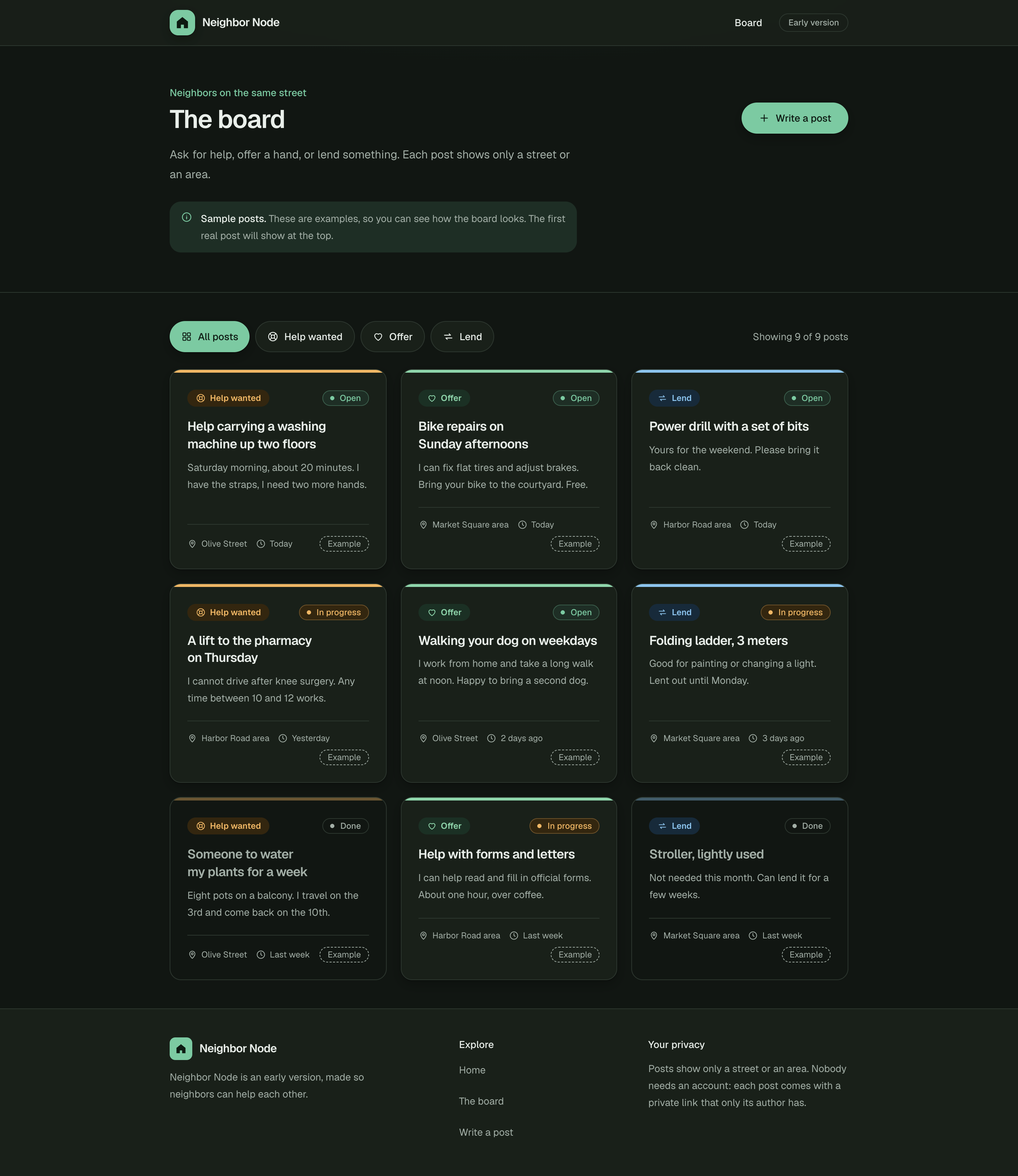 , Open the full-size image (opens in a new tab)
The board in the dark theme. 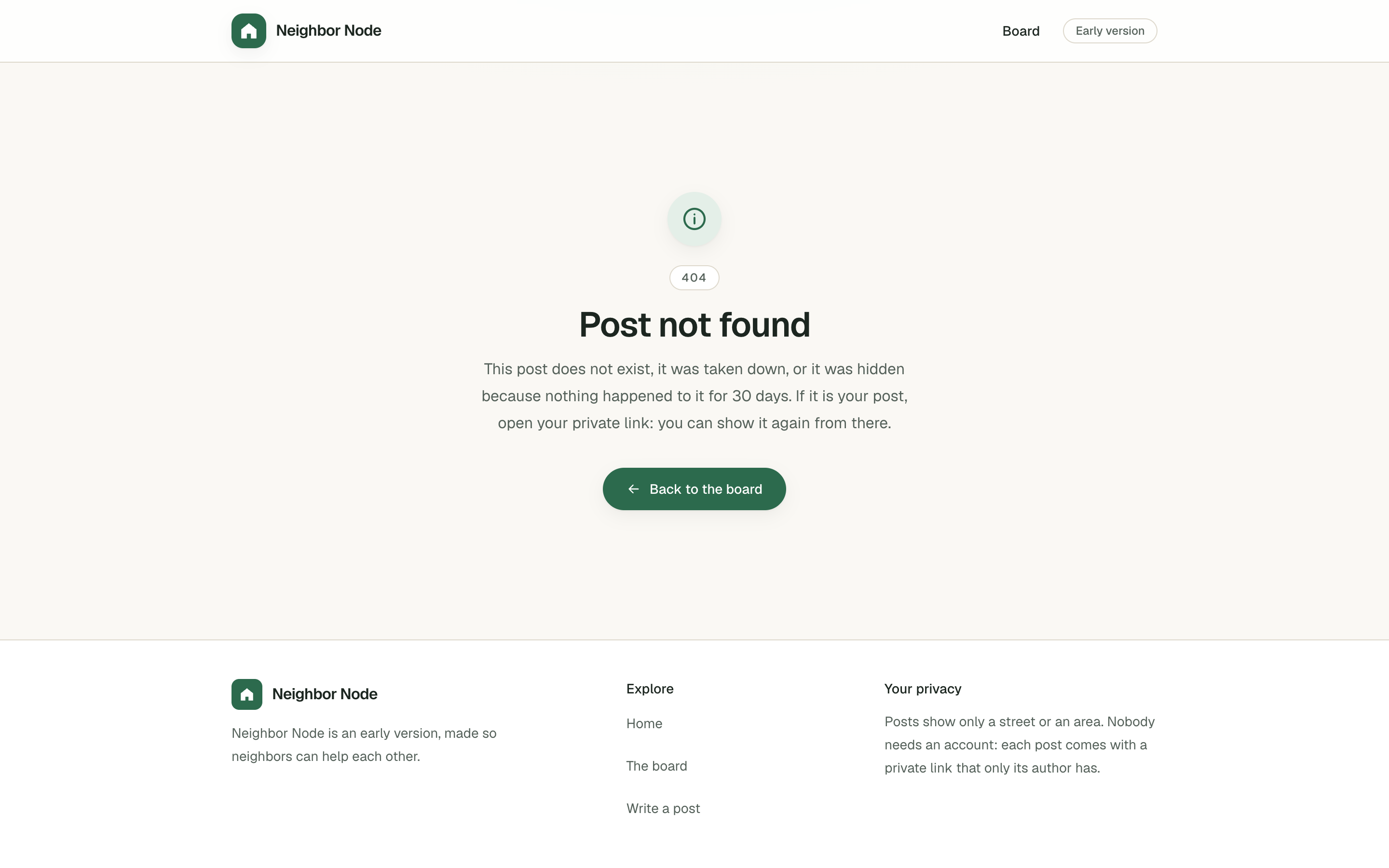 , Open the full-size image (opens in a new tab)
A missing post explains why. 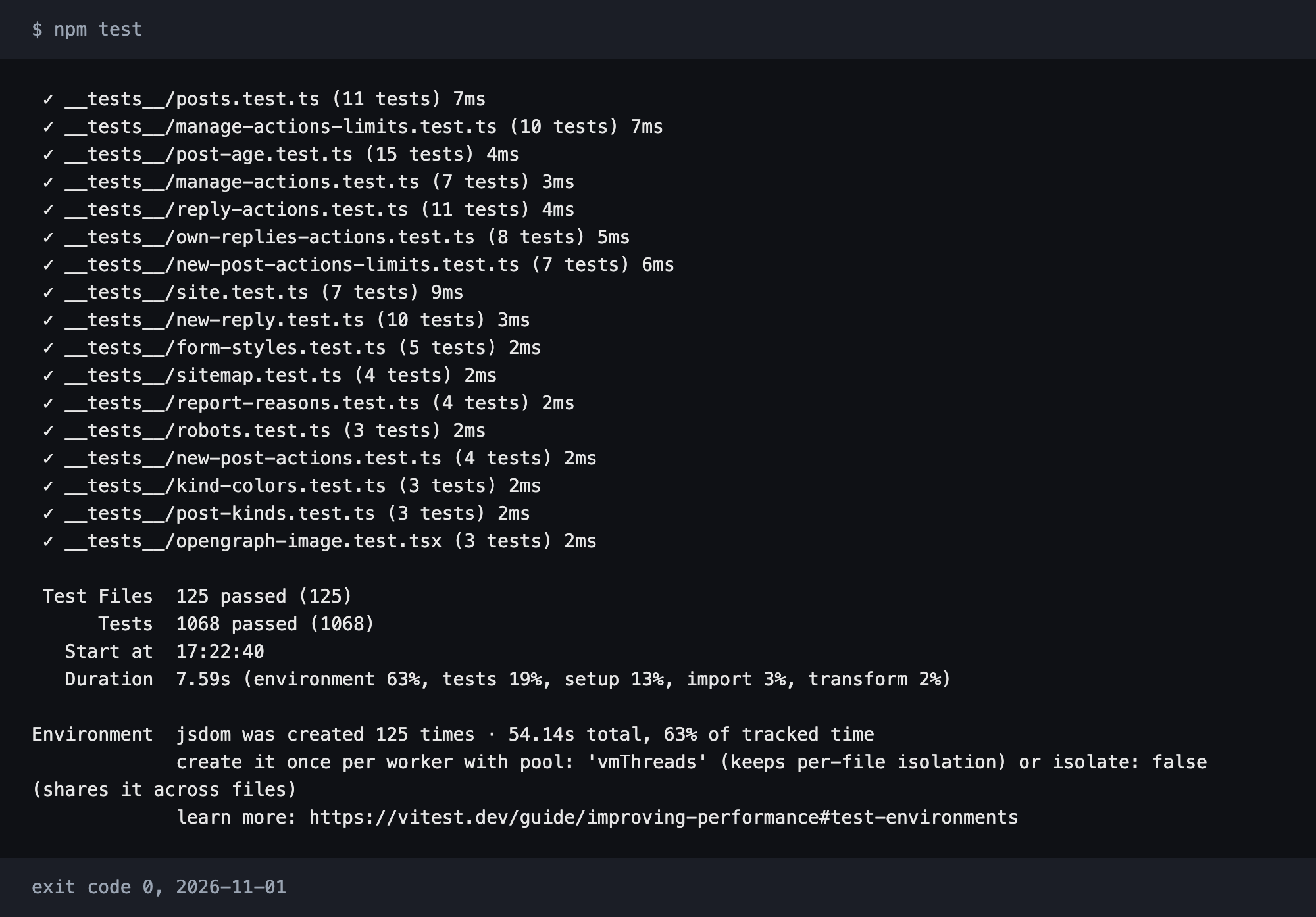 , Open the full-size image (opens in a new tab)
The end of the test run.
How it's built
| Layer | Technology |
|---|---|
| Framework | Next.js 16 App Router with server actions and no API route handlers, React 19 and strict TypeScript |
| Styles | Tailwind CSS 4, with colors as CSS variables, one set for light and one for dark |
| Storage | One JSON file, written safely, with no database |
| Moderation | A Node.js script that needs no packages |
| Accessibility | Focus on the safe answer in confirmations, Escape to close, icons hidden from screen readers and motion off on request |
| Tests | Vitest, jsdom and React Testing Library, with ESLint and the TypeScript check |
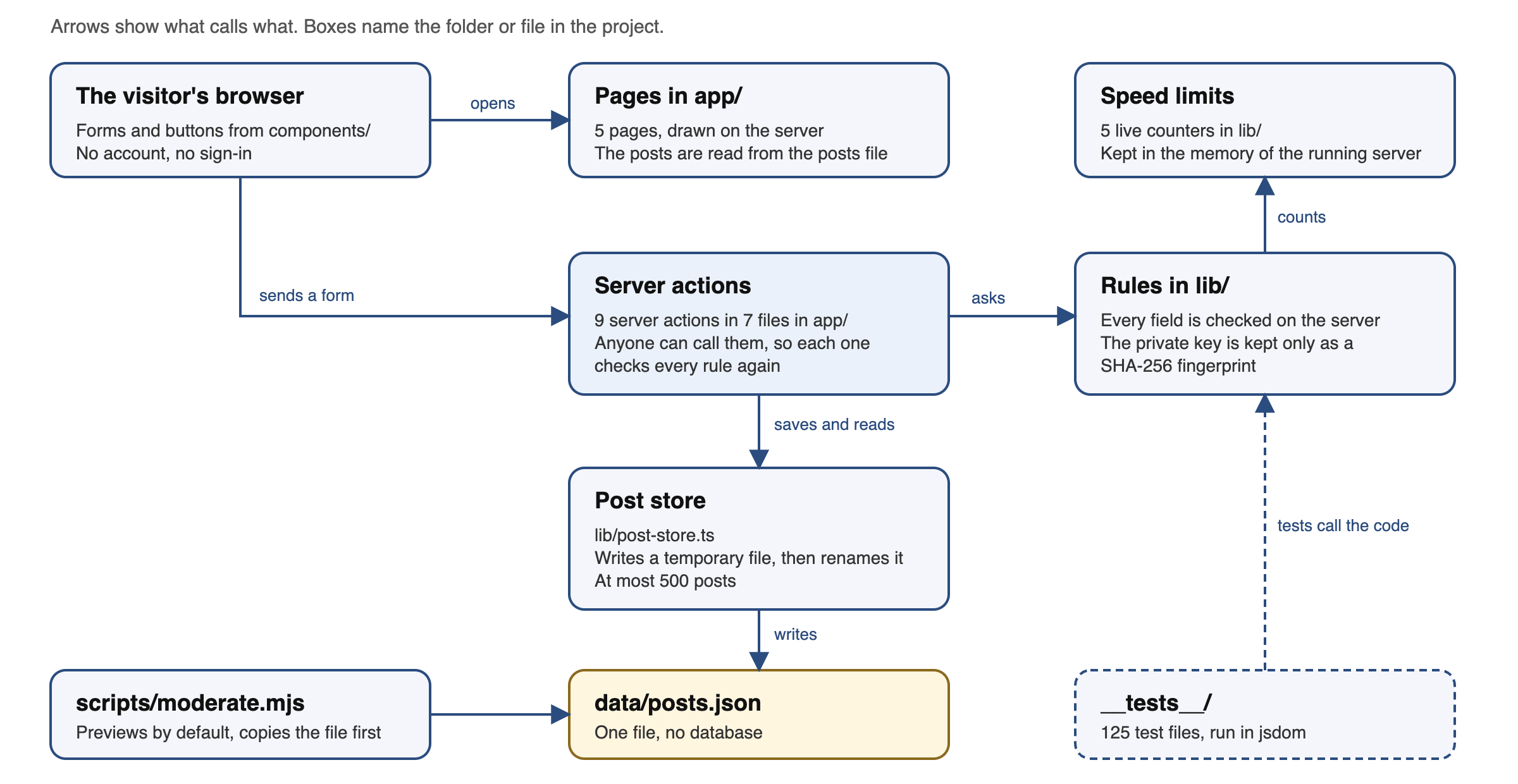 , Open the full-size image (opens in a new tab)
Testing
1,068 tests are written in 125 test files. Tests that need a posts file use temporary folders, so they cannot touch real data, one test checks that saved posts and backups stay out of version control, and another checks that every color variable is defined in both themes.
The tool that made the pictures on this page also ran the tests and kept the end of their output: all 1,068 passed.
Results
- 5 pages and 4 error and not-found pages.
- 9 server actions, no API route handlers and no database.
- 209 code files with 23,300 lines, 15,930 of them tests.
- 3 packages in dependencies: next, react and react-dom.
What I would build next
- A database, because a host with a read-only disk cannot save posts to a file.
- Accounts and sign-in, so that limits and moderation can rest on more than an address.
- A message to the author when a reply or a report arrives, or before a post is hidden.
- Deleting one reply, and bringing a taken-down post back, from the site.
- A check of posts before they show.
Built with
- Next.js
- React
- TypeScript
- Tailwind CSS
- Node.js
- Vitest