- Web
- AI
Legal Doc Analyzer
Upload a contract as a PDF or Word file and get a short summary and the clauses that matter most, each with a quote, a risk level and a plain explanation, from an AI model that can run on your own computer.
- Personal project, full-stack
- 3 pages, 7 API endpoints
- 1,533 automated tests, all passing
- Next.js, React, TypeScript, Tailwind CSS, NestJS, pdf.js, Ollama, Jest
The problem
A contract is long and hard to read closely. The tool gives a first reading: a short summary and the clauses that matter most for the person who signs, each with a risk level and a plain explanation.
The approach
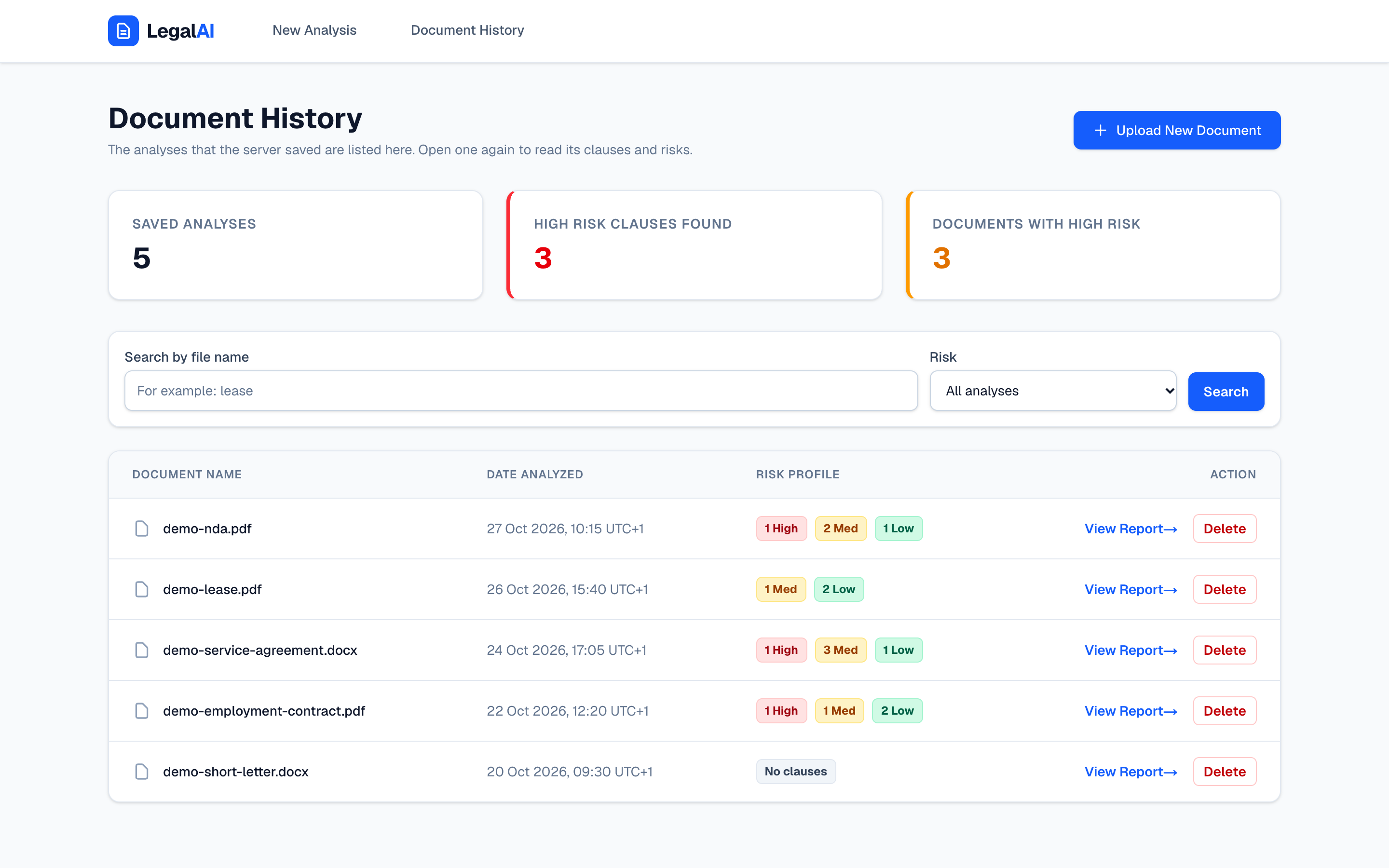
A web app and an API. The person uploads a contract, the server reads its text and asks an AI service for the clauses that matter, and the result comes back with a risk level for each clause. It can be saved, found again, questioned and deleted.
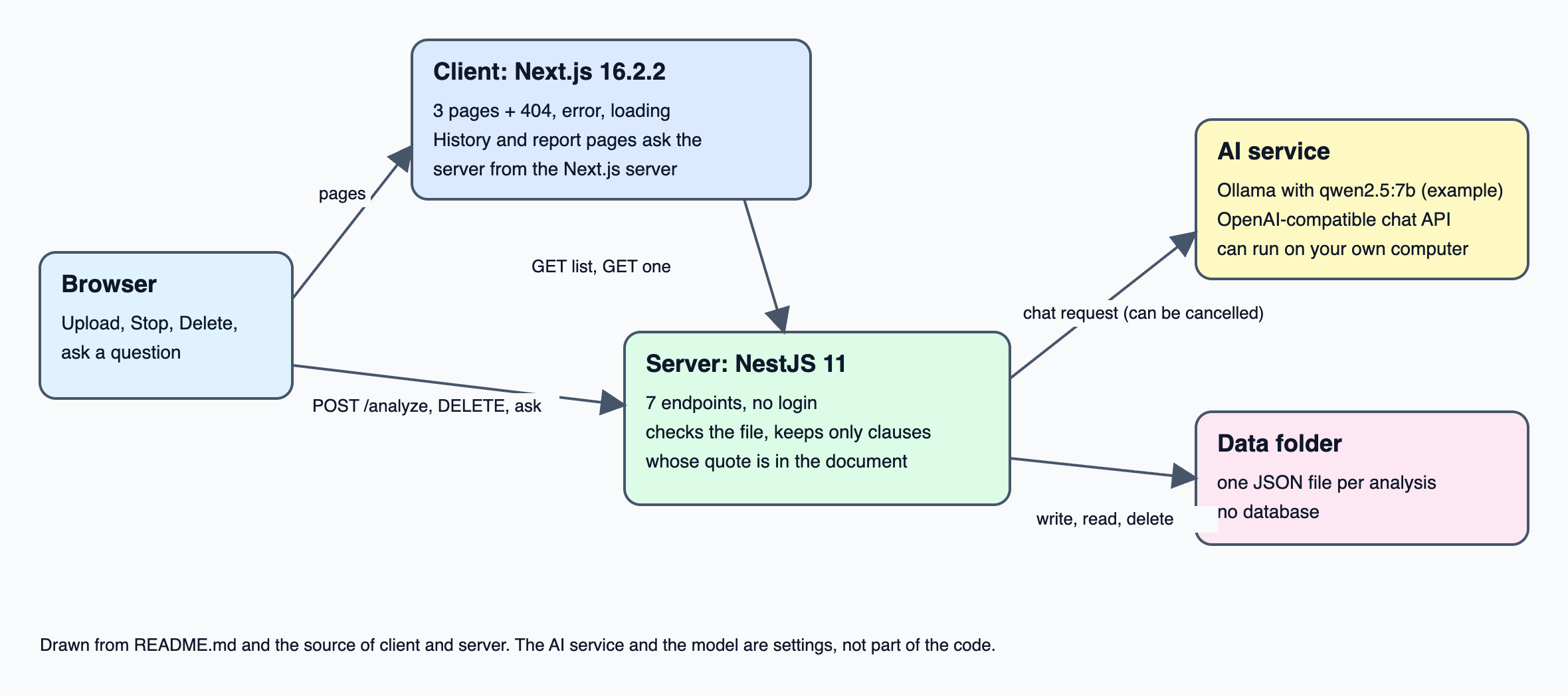
The upload, the Delete buttons and the question box call the NestJS server straight from the browser, while the history and report pages ask the server from the Next.js server. Analyses are written as JSON files in a data folder. There is no database: nothing to install, and a file can be read or deleted by hand.
What it does
- Upload a PDF or Word (.docx) file of up to 10 MB
- A summary and a list of clauses, each with a quote, a risk level (low, medium or high) and an explanation
- Only clauses whose quote is found in the document are kept
- Works with any AI service that has an OpenAI-compatible chat API, such as Ollama on your own computer
- A button that stops a running analysis, and a server that then cancels its call to the AI service
- A history page with a search box and a risk filter
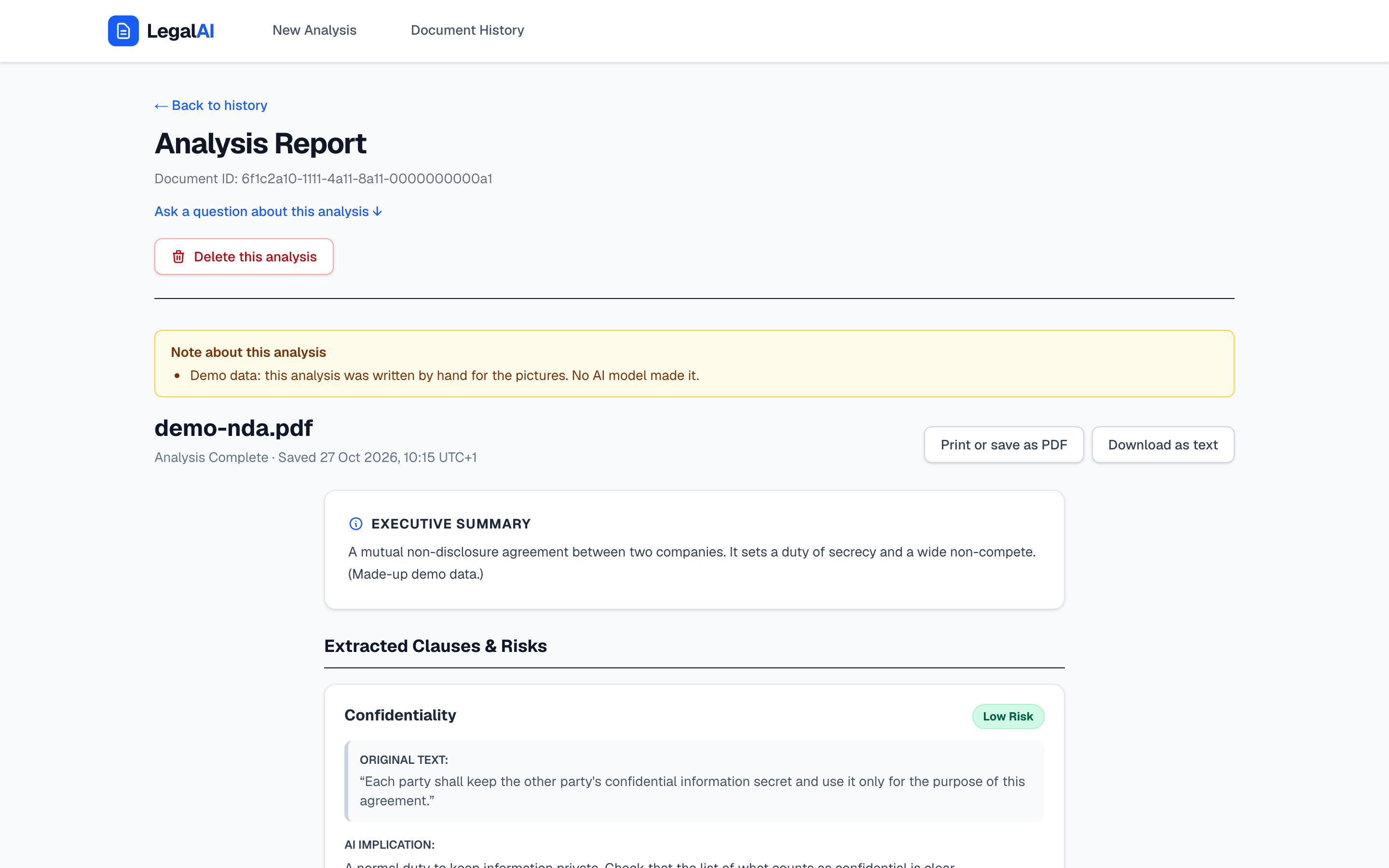
- A report page for each saved analysis, which can be printed or downloaded as a text file
- Questions about a saved analysis, answered by the AI service
- Delete one saved analysis, after a confirmation question
- Saving can be turned off for one upload or for the whole server
- Each analysis is saved as one JSON file, with no database
- The report and the question box say that the result is a first reading and not legal advice
Where the engineering is
Clauses that must be quoted from the contract
The server asks the AI service for the clauses that matter most, each with a quote, a risk level and an explanation. A small model can answer in the wrong shape or invent a quote, so the server checks the answer and keeps only the clauses whose quote it can find in the document.
The result is labelled as what it is. The report and the question box both say that it is a first reading by a language model, which can miss a clause or get one wrong, and that it is not legal advice.
 , Open the full-size image (opens in a new tab)
Stop means stop
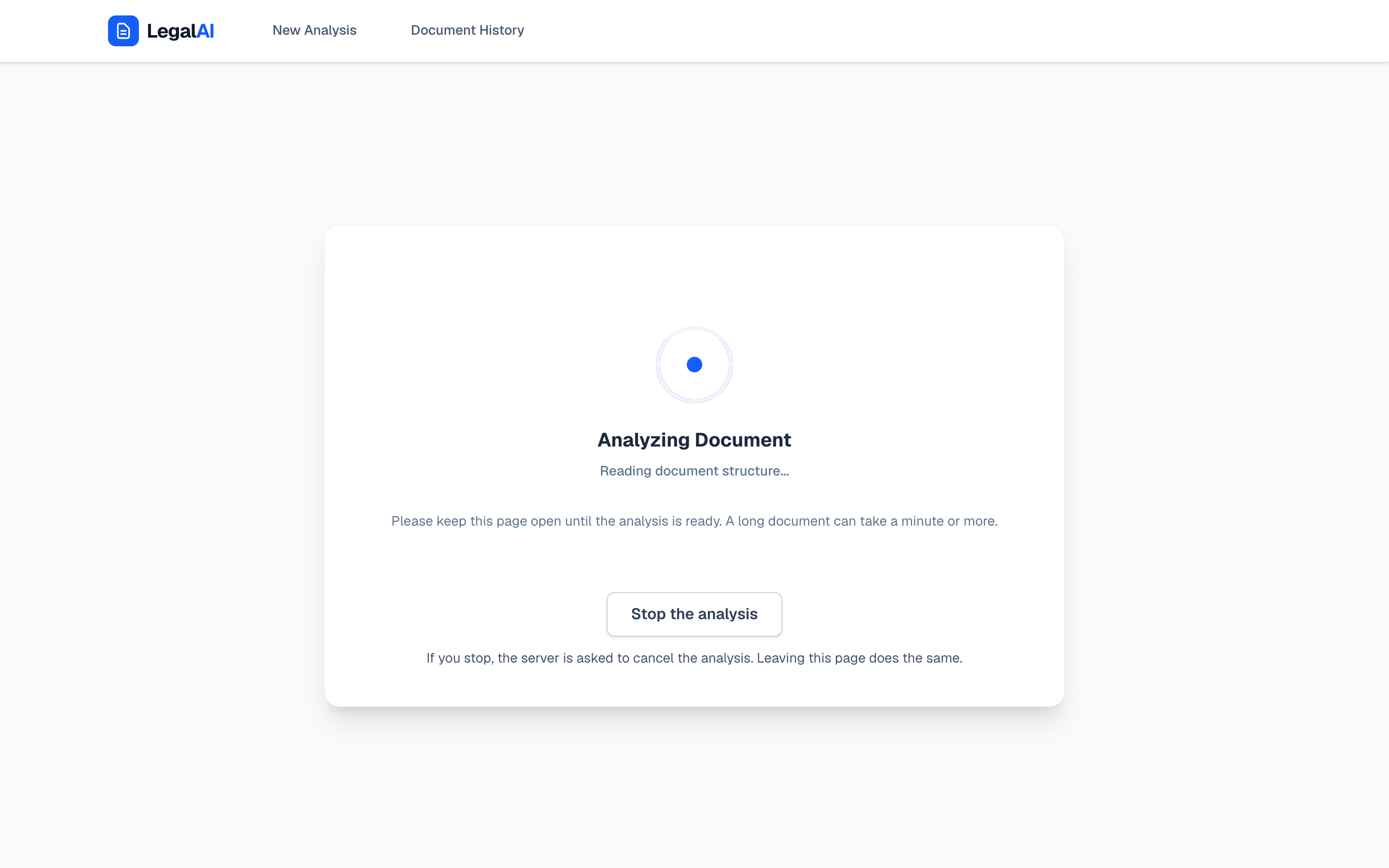
A model on your own computer can be slow, so the server waits up to 120 seconds by default and cuts long documents at 30,000 characters. Meanwhile the page shows a loading screen with a Stop button.
A click on Stop does more than hide the spinner: when the browser stops waiting, the server cancels its call to the AI service. 23 test cases cover the cancel on the server, and in the run that took these pictures, the server logged that it had cancelled the analysis.
 , Open the full-size image (opens in a new tab)
A contract that stays on your computer
The AI service can be any service with an OpenAI-compatible chat API, such as Ollama with qwen2.5:7b on your own computer, so the text of a contract does not have to leave it. The server listens on 127.0.0.1 by default, and only the client page may call it from a browser.
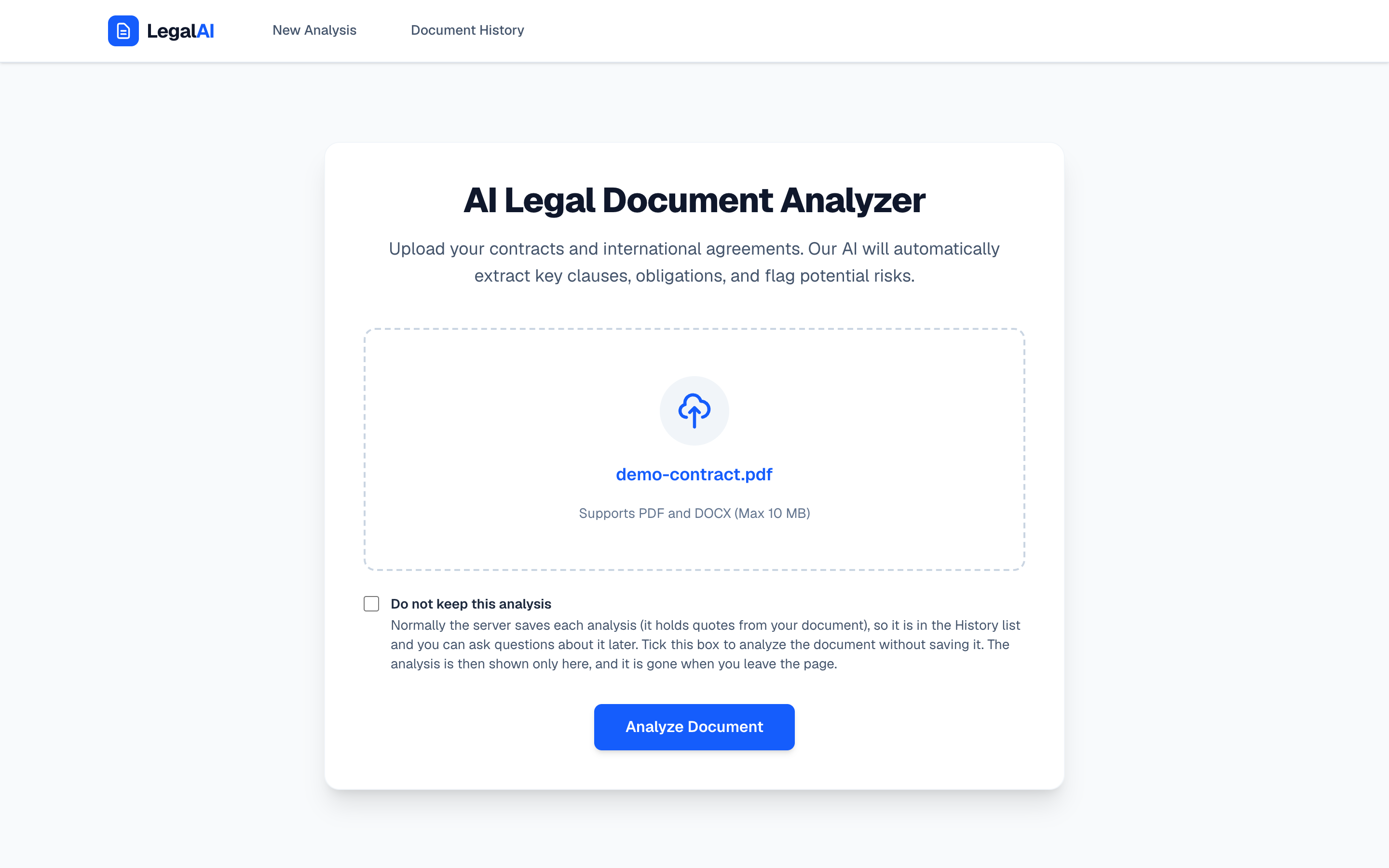
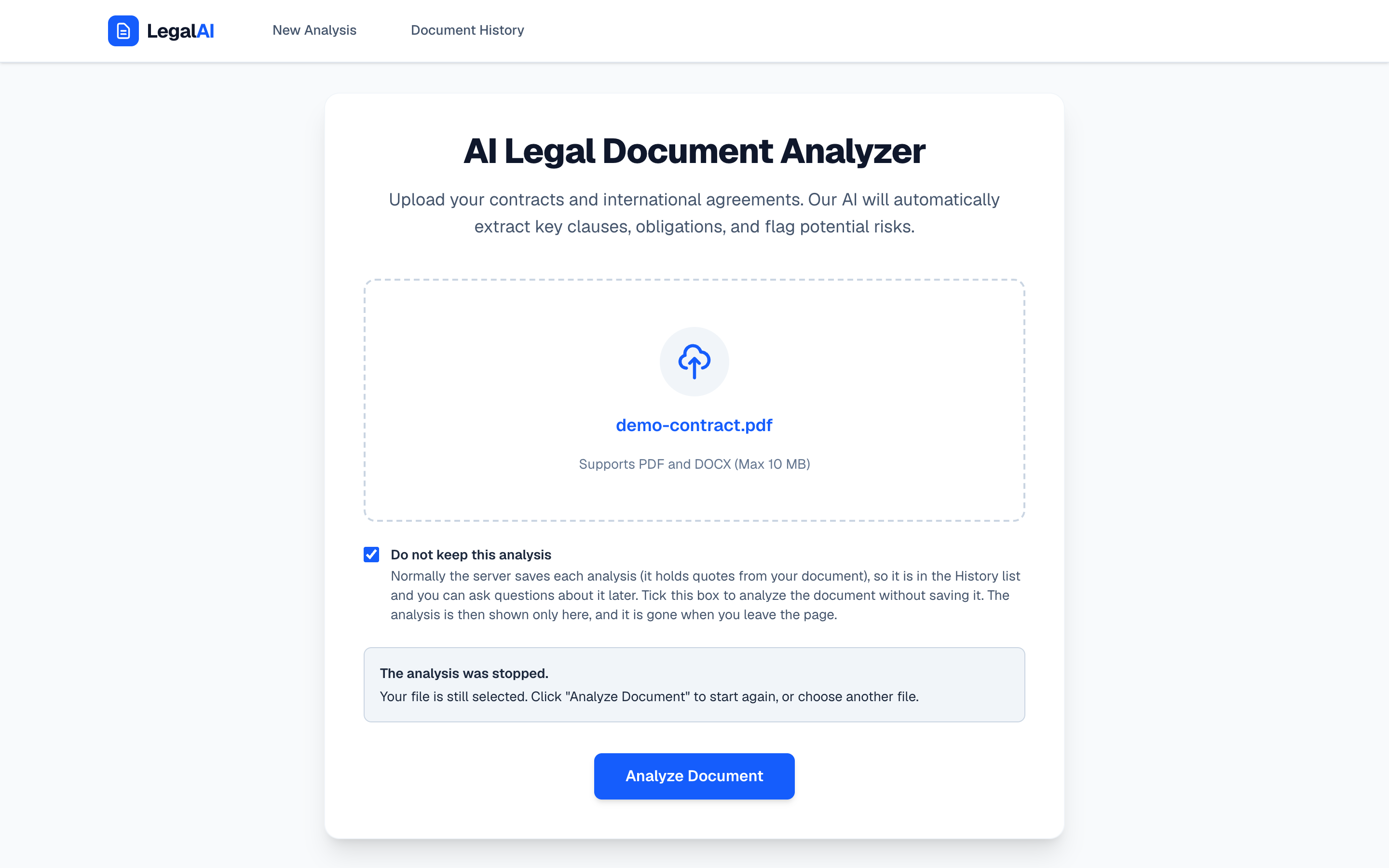
Saving can be turned off for one upload with a checkbox, or for the whole server. Saved analyses can be read only by their owner, and only ids made by the server are used in file names, so an address cannot reach other files.
 , Open the full-size image (opens in a new tab)
Every upload checked twice
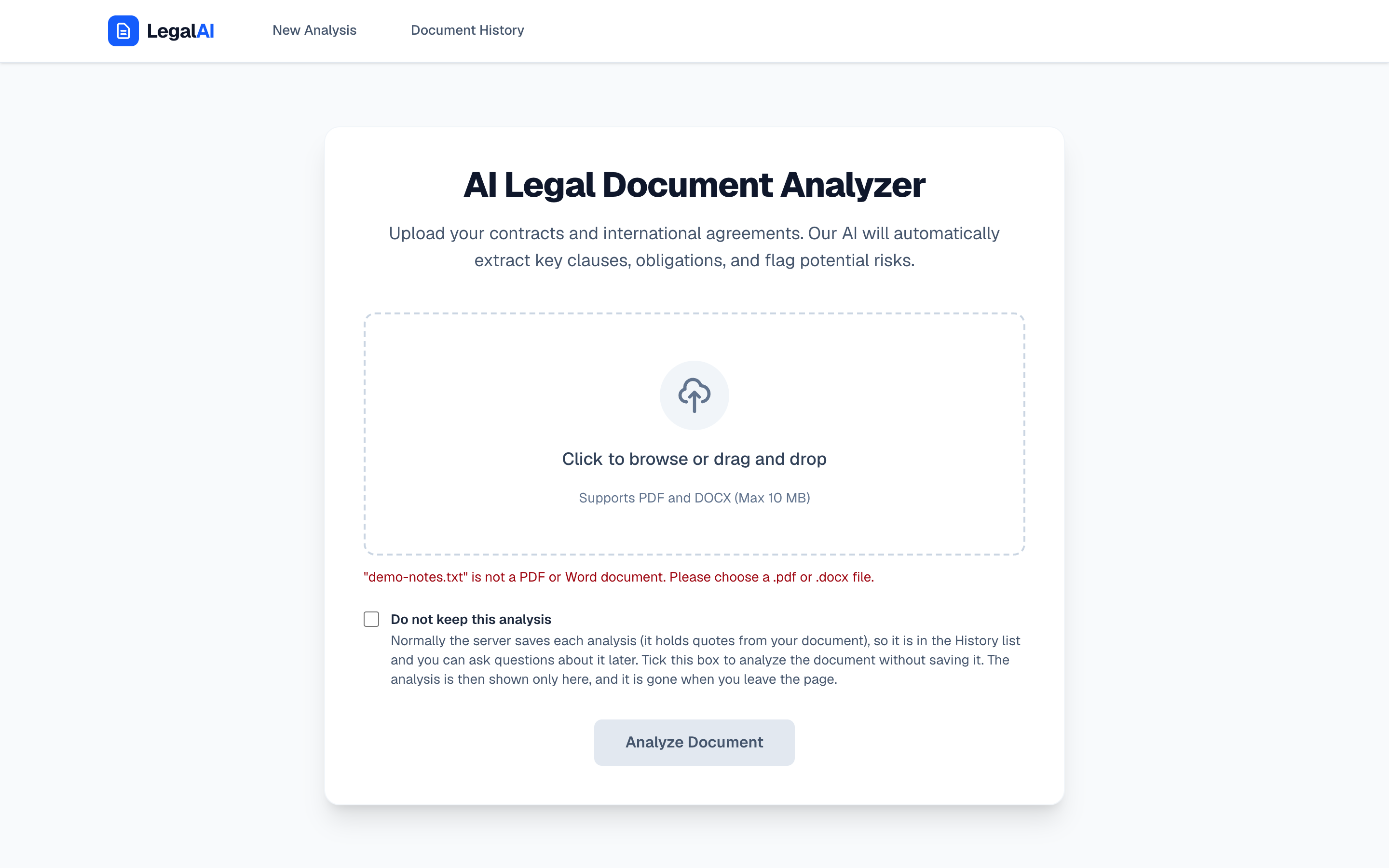
The browser refuses anything that is not a PDF or a Word file of up to 10 MB, with a plain message, before anything is sent. The server does not rely on that: it checks the file name, the size and the first bytes of the upload again.
The known limits are written down instead of hidden: there is no login, files are not scanned for viruses, a document can still steer the model, and reading a PDF or Word file blocks the server while it works.
 , Open the full-size image (opens in a new tab)
Questions about a saved analysis
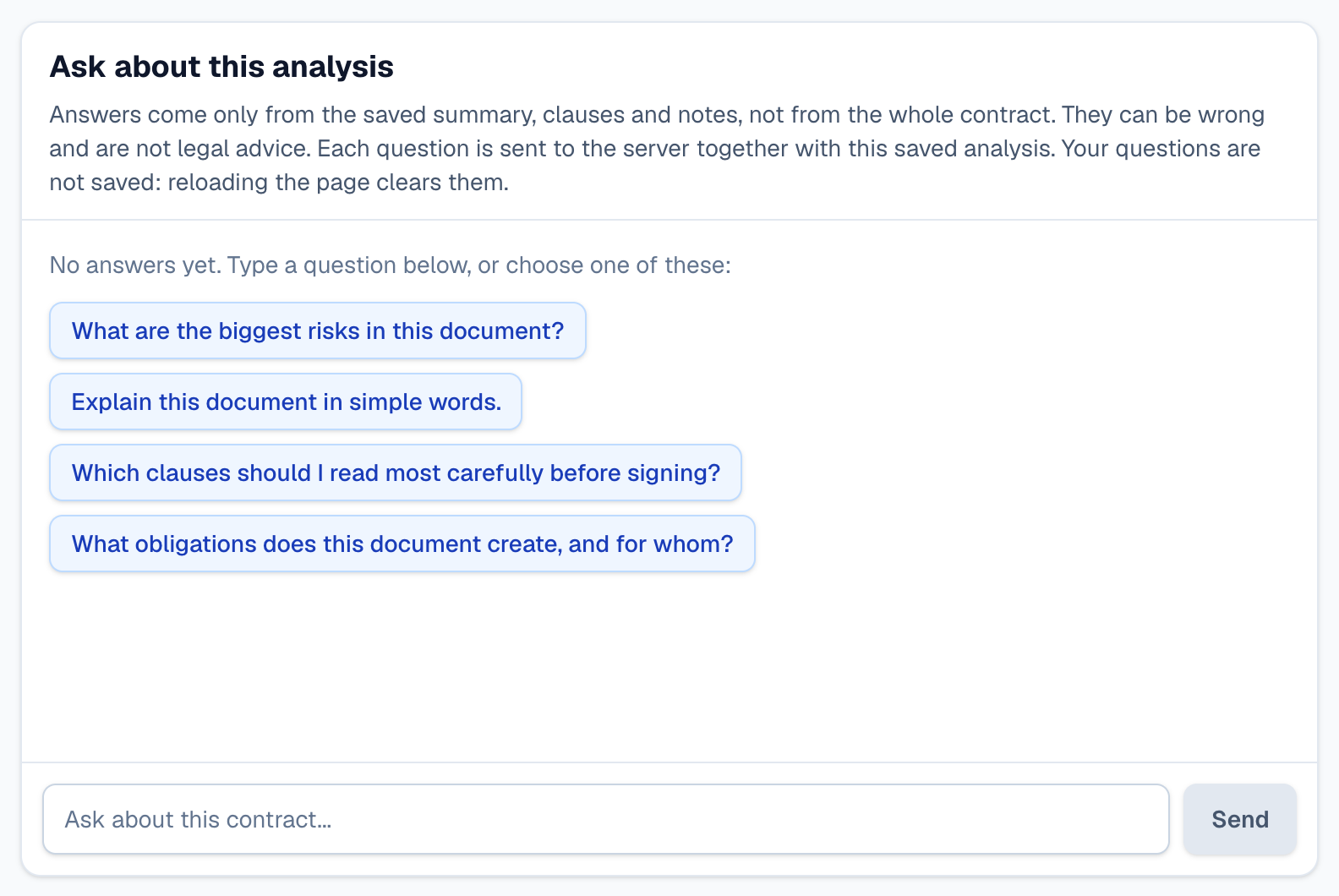
Each saved report has a question box with suggested questions, such as which clauses to read most carefully before signing. Answers come only from the saved summary, clauses and notes, not from the whole contract, and the box says they can be wrong.
Questions are not saved: reloading the page clears them. The README also says plainly that these answers are not checked the way the clauses are.
 , Open the full-size image (opens in a new tab)
Screens
 , Open the full-size image (opens in a new tab)
After a stop, the file stays selected. 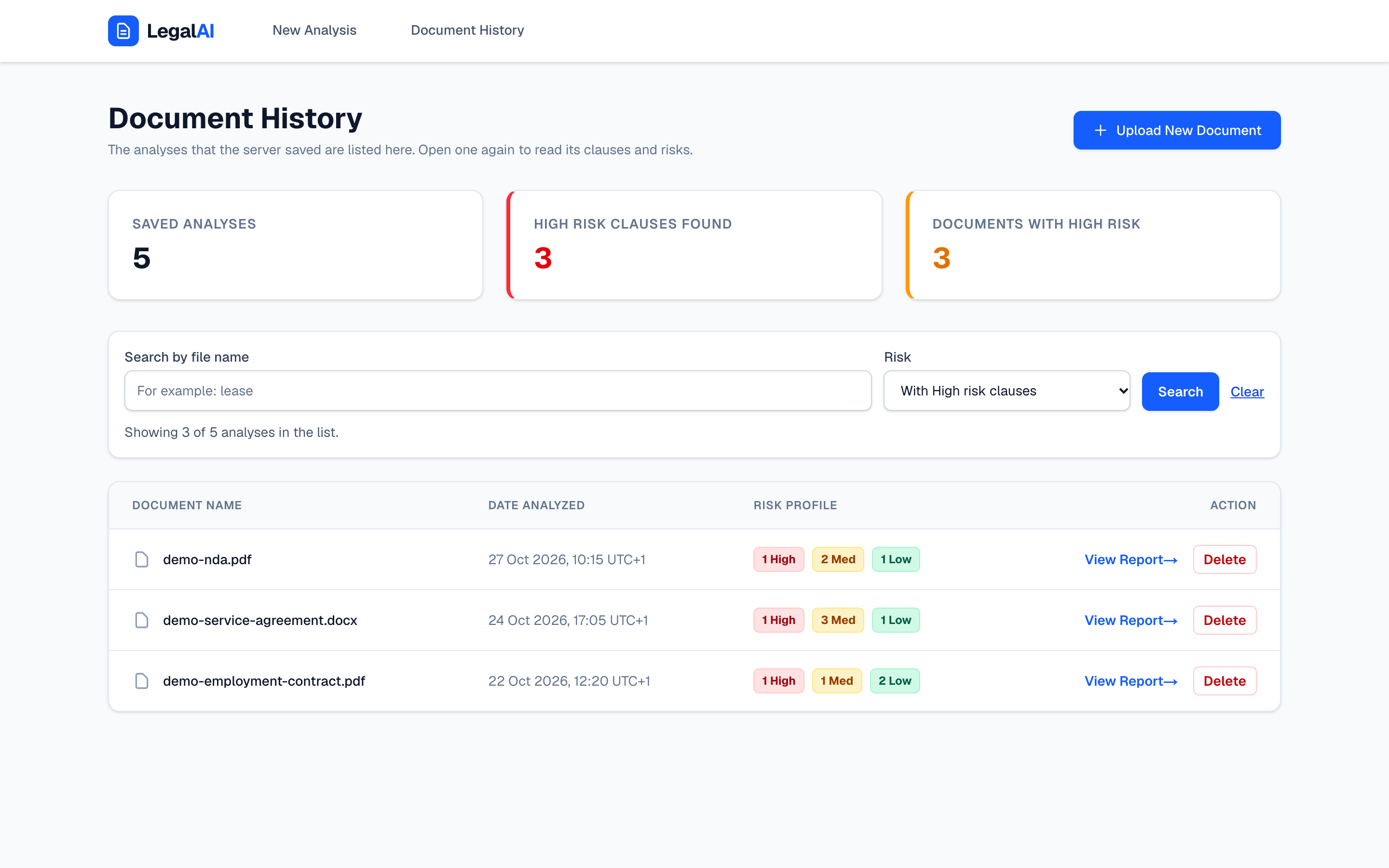 , Open the full-size image (opens in a new tab)
Only the analyses with a high-risk clause. 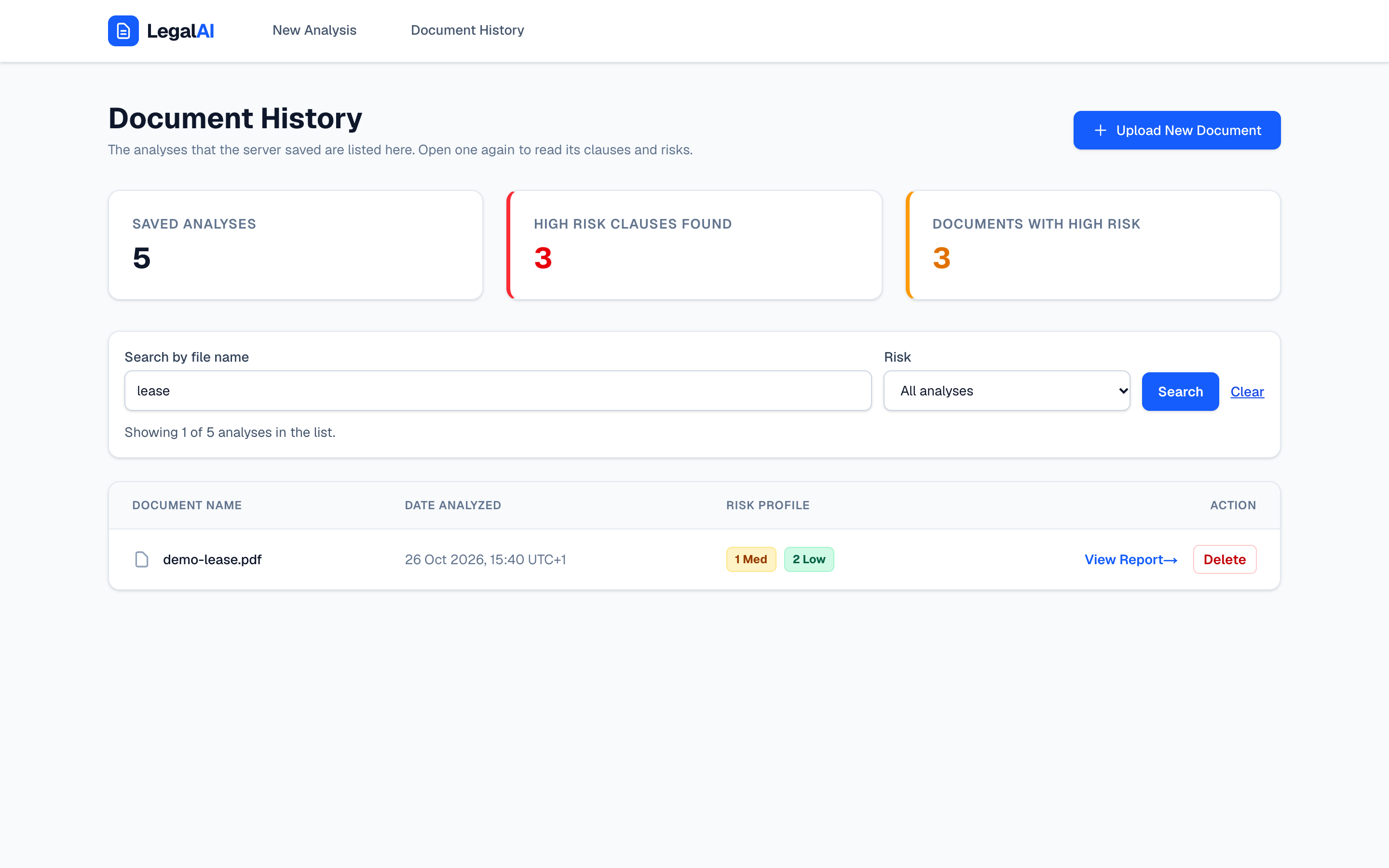 , Open the full-size image (opens in a new tab)
A search for lease leaves one analysis. 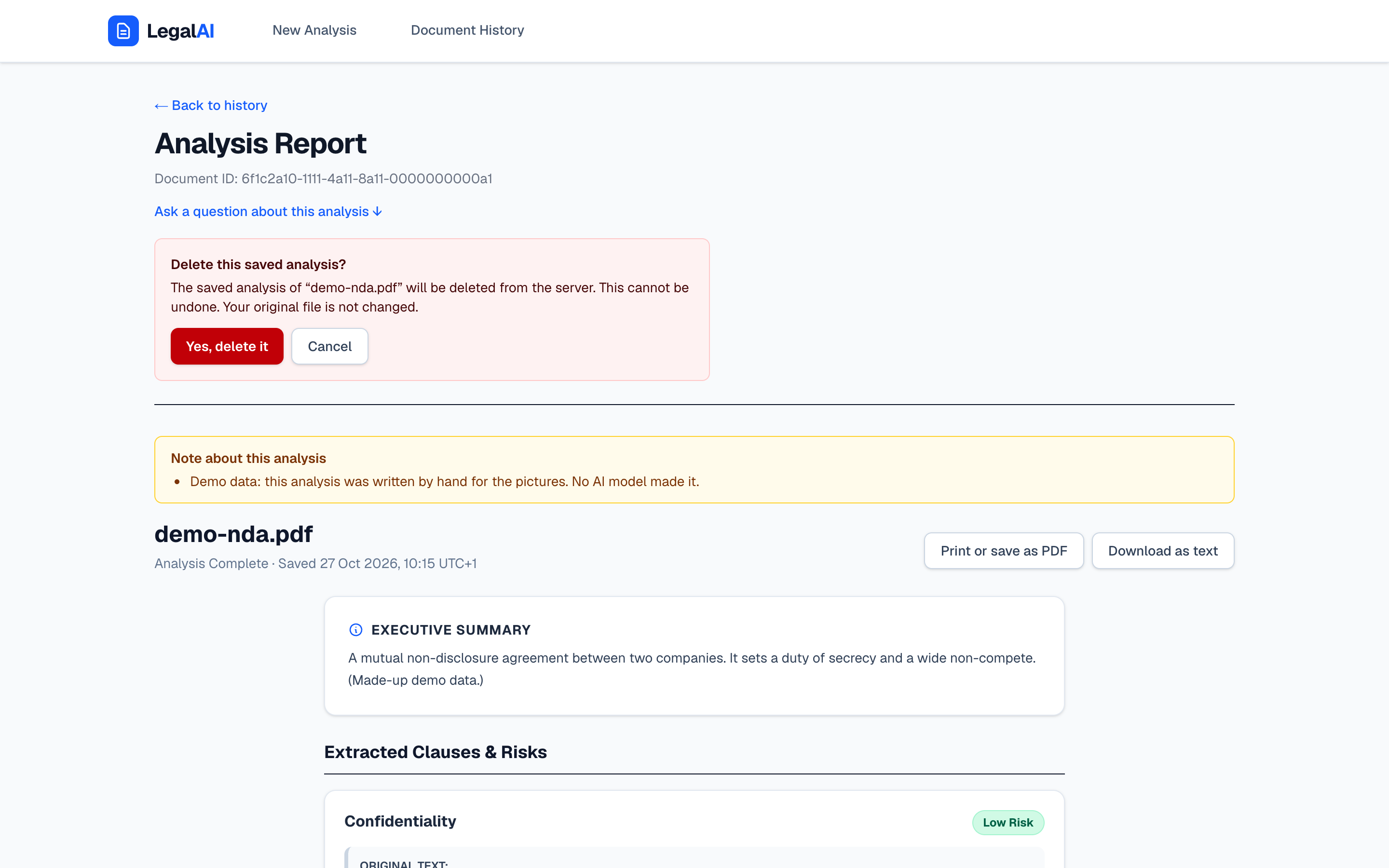 , Open the full-size image (opens in a new tab)
Delete asks first. 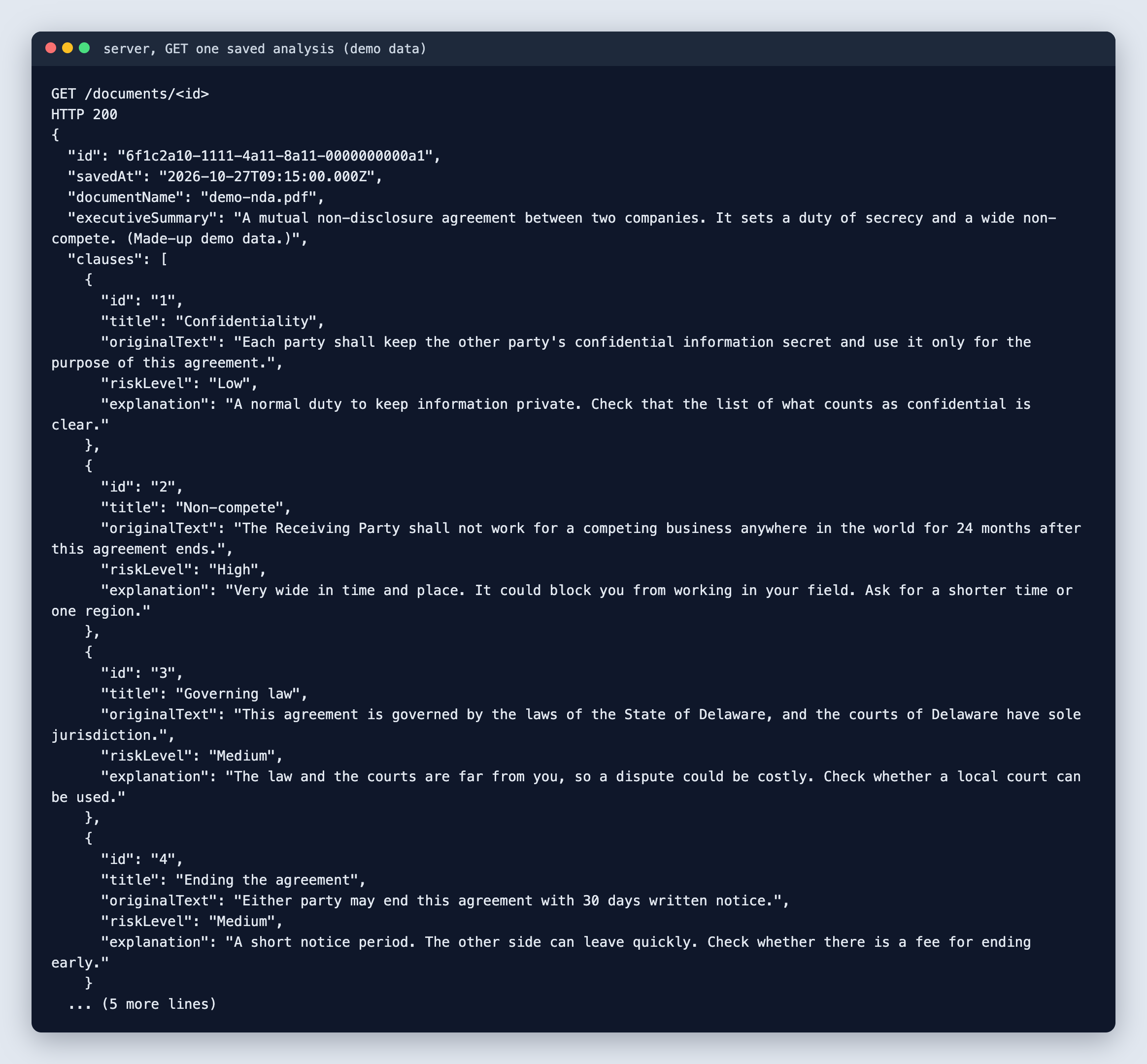 , Open the full-size image (opens in a new tab)
One saved analysis as the server sends it. 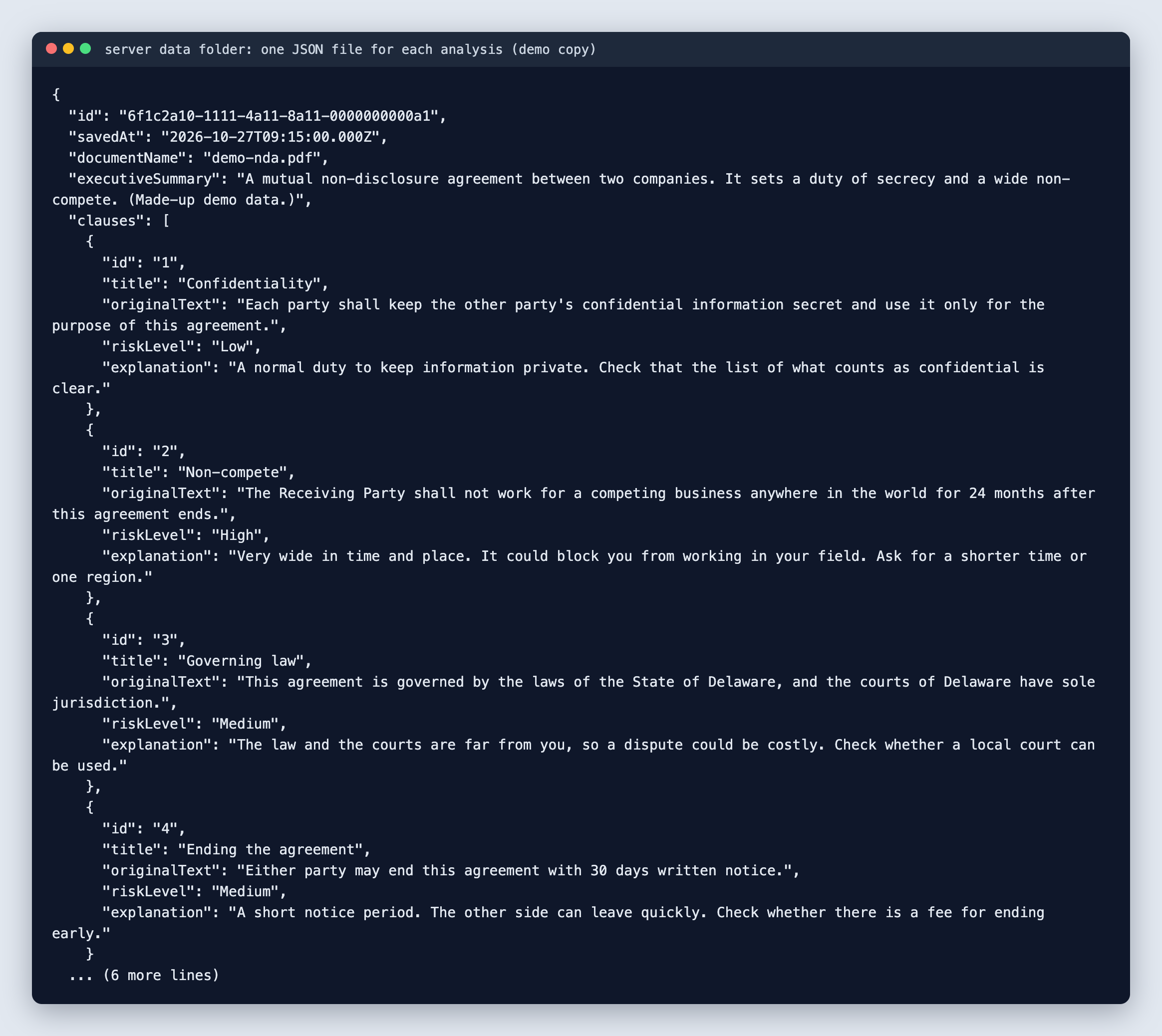 , Open the full-size image (opens in a new tab)
No database: one JSON file per analysis. 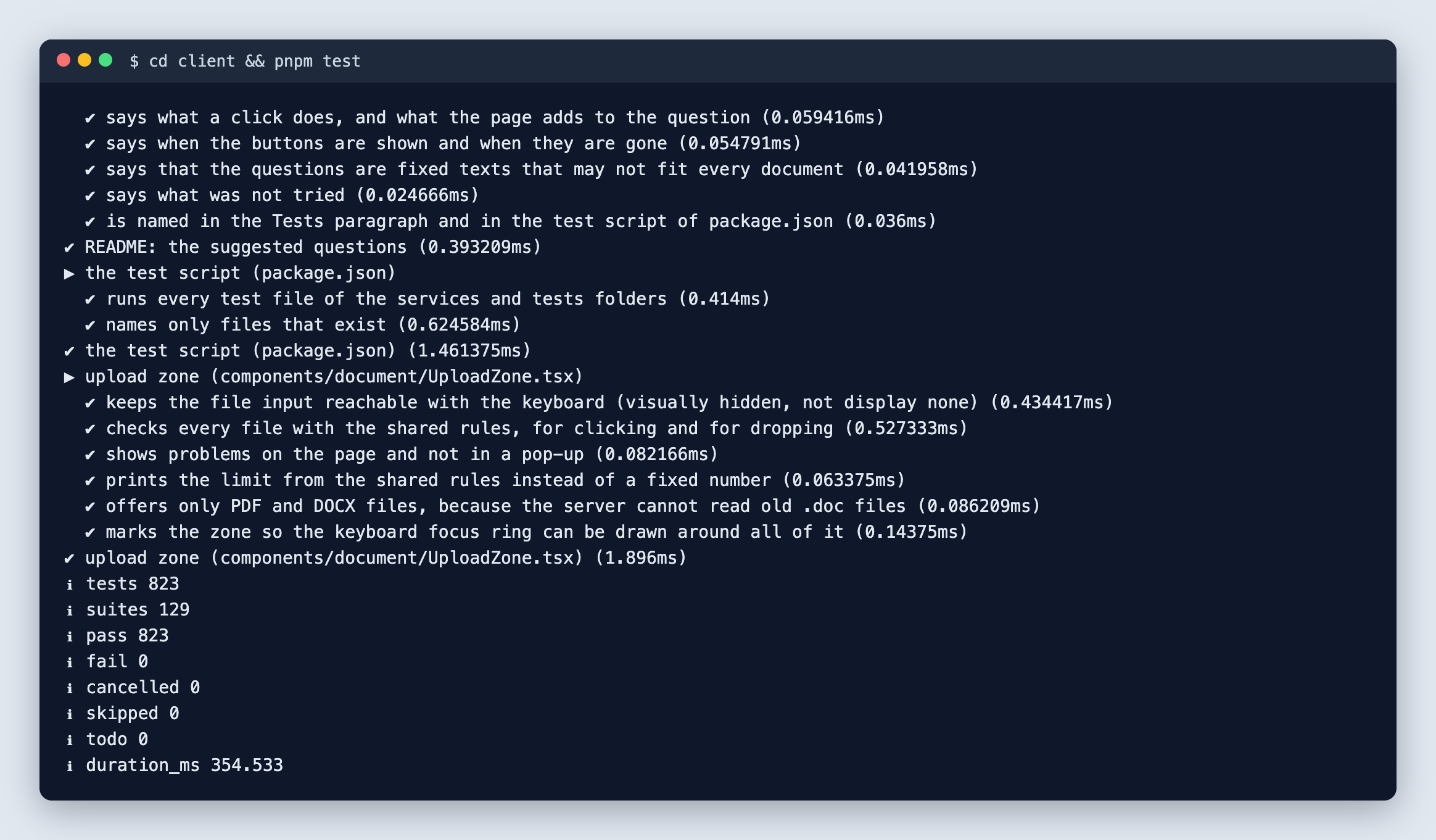 , Open the full-size image (opens in a new tab)
The client test run. 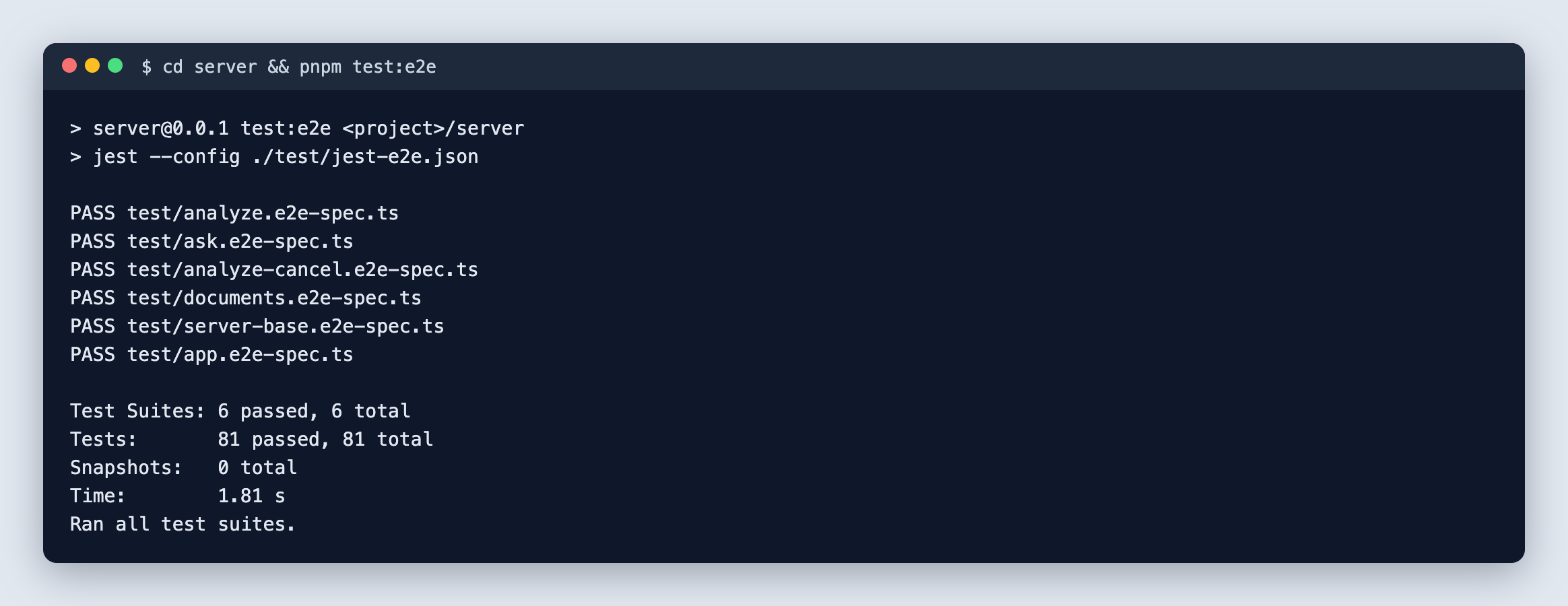 , Open the full-size image (opens in a new tab)
The server end-to-end test run.
How it's built
| Layer | Technology |
|---|---|
| Client | Next.js 16, React 19, TypeScript and Tailwind CSS 4: 3 pages, plus 404, error and loading screens |
| Server | NestJS 11 with 7 endpoints, and pdf.js to read the text of PDF files |
| AI | Any OpenAI-compatible chat API, for example Ollama with qwen2.5:7b on your own computer |
| Storage | One JSON file per analysis in a data folder, with no database |
| Tests | Jest on the server, and the Node test runner on the client |
 , Open the full-size image (opens in a new tab)
Testing
1,533 automated tests ran and passed: 823 in the client, 629 unit tests and 81 end-to-end tests in the server.
The pictures on this page come from a script that runs the app on made-up demo data, checks that no file of the client or the server changed, and writes down anything it could not confirm.
Results
- 1,533 automated tests, all passing.
- 26 source files in the client and 26 in the server, 6,569 lines together.
- 7 endpoints and 3 pages.
- Two READMEs of 396 lines together, with the known limits written down.
What I would build next
- Add a login.
- Add interactive API documentation.
- Add browser tests.
- Add a Dockerfile.
Built with
- Next.js
- React
- TypeScript
- Tailwind CSS
- NestJS
- pdf.js
- Ollama
- Jest